A buyer keeps returning to your pricing page, but nobody on your team knows whether to offer help, send an email, or leave them alone. Meanwhile, another visitor reads a blog post and immediately gets pushed toward a sales call. You’re treating different buying situations as if they require the same pitch.
Learning how to persuade someone to buy your product starts with recognizing what they need to decide next. In B2B, that might be a clear pricing page, an answer from AI chat, or a live conversation about implementation. Your job isn’t to maximize contact. It’s to provide enough relevant evidence for the buyer to move forward confidently.
Table of Contents
- Persuasion Sequence at a Glance
- Respond to Buying Intent Within the Hour
- Tailor Value to Each Buyer’s Role
- Build Proof Buyers Can Check
- Run a Demo That Answers One Question
- Handle Objections Without Pressure
- Close With a Dated Next Step
- Pick the Right Next Step for Your Next Buyer
Persuasion Sequence at a Glance
Say a finance-software buyer at a midsize company repeatedly checks your pricing page while waiting for colleagues to weigh in. They may need help explaining the investment internally. Someone who just discovered your educational content probably needs to understand the problem first.
The same opening fails in both situations. A feature-heavy pitch gives the pricing visitor more material to sort through, while a meeting request asks the new reader for commitment before they’ve found a reason to care.
Match your move to the buyer’s unresolved question. Use this sequence as a pipeline-review checklist, not a rigid funnel that every buyer must follow.
| Stage | Buyer question | Proof to show | Your move |
|---|---|---|---|
| Intent signal | Is this worth my time right now? | Visitor’s company and the page they viewed | Respond in the same session with one clear hypothesis |
| Problem recognition | Does this tool fit the problem I have? | A use case from a company like theirs | Ask one diagnostic question before any feature talk |
| Evaluation | Can I trust this vendor? | Customer results and security documentation | Share two proof points tied to their situation |
| Demo or walkthrough | Will it work on my site and my traffic? | Their own website, not a generic demo | Show the one workflow that answers their question |
| Objection | Is the price or the risk justified? | Pricing bands, limits, and implementation steps | Answer directly and name the trade-off |
| Purchase and handoff | What happens after I say yes? | Implementation timeline and CRM sync | Book the next meeting and log the outcome |
During a review, ask the deal owner which question remains unanswered and whether the relevant proof is ready. A completed demo doesn’t establish buying readiness if the security reviewer still lacks documentation.
Practical rule: The buyer decides how much persuasion they want. Match that level instead of making everyone sit through the same script.
Respond to Buying Intent Within the Hour
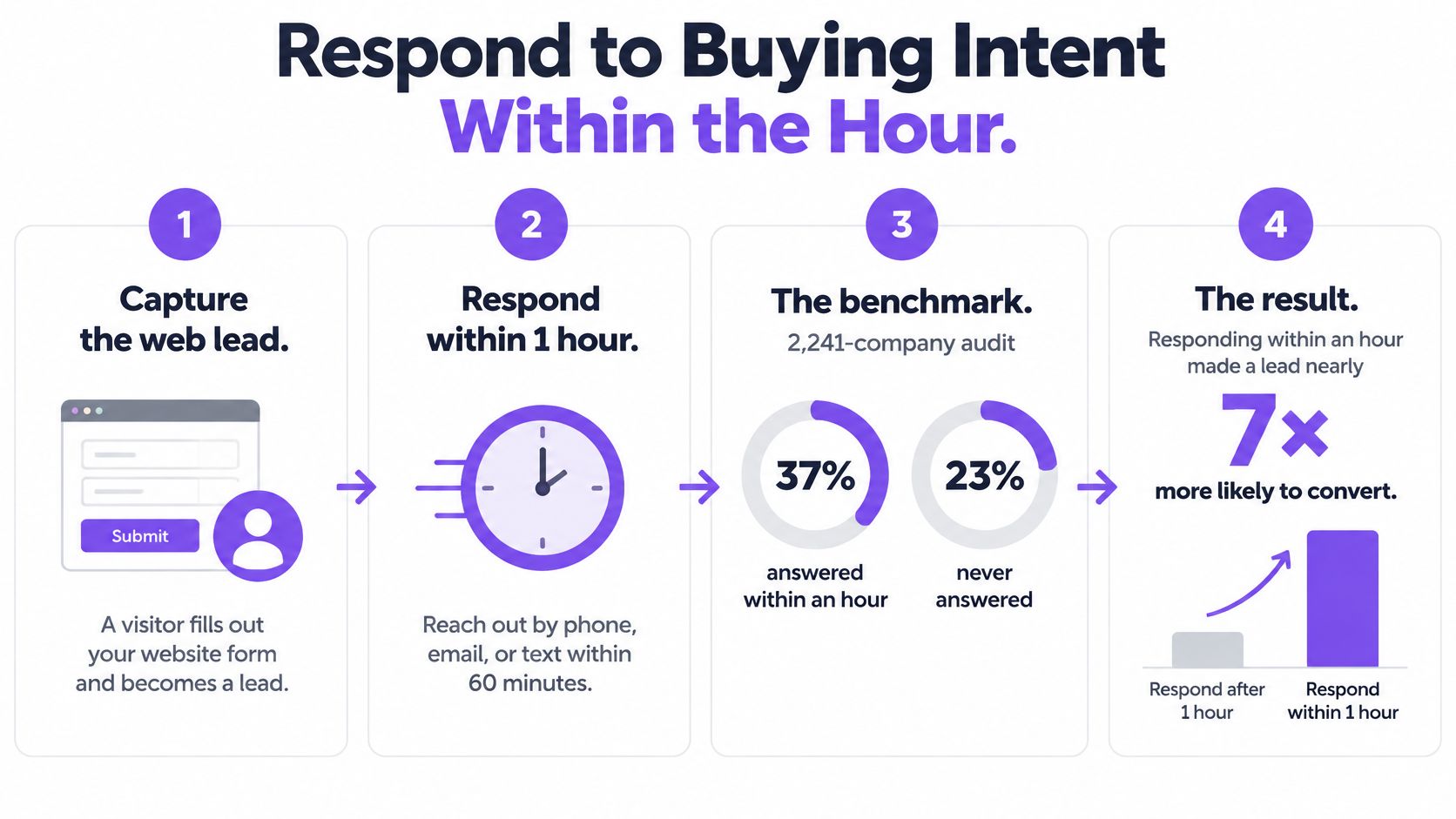
An audit of 2,241 U.S. companies, summarized by Vida’s speed-to-lead guide, found that 37% responded to web leads within an hour, while 23% never responded; companies responding within an hour were nearly seven times more likely to qualify a lead than those waiting one additional hour.
That’s a qualification benchmark, not a guarantee of purchases or revenue. The operational lesson is to make relevant help available while the buyer is actively considering the problem.
Build a context-first response
-
Detect meaningful behavior. Repeat visits to pricing, product, or comparison pages justify a different response from a casual article visit. Treat behavior as a reason to investigate, not proof that someone wants a call.
-
Capture the company, role, use case, and urgency when available. Don’t invent missing context or make visitors complete a long questionnaire before answering a straightforward question.
-
Offer a value hypothesis. Connect a likely problem to an outcome the buyer could measure. For an inbound sales team, that might mean recovering qualified conversations from visitors who currently leave without contacting sales.
-
Ask a diagnostic question before discussing features. Find out whether the problem is slow response, insufficient coverage, or poor qualification. Those require different demonstrations.
-
Route according to readiness. Offer qualified buyers an immediate conversation or a simple booking path. Give exploratory visitors useful documentation and an optional way to continue later.
With Captiwate, inbound video calls can be triggered when high-intent visitors reach pricing or product pages. A hot pricing lead can trigger a flow that selects the best available rep in the lead’s region and sends the context needed to talk. No-code flows can also respond to ideal-customer-profile matches or repeat visits, routing through Slack, Teams, or the widget.
Measure relevance alongside speed
Our speed-to-lead guide is useful when defining response ownership. Assign a primary owner and a fallback so an alert doesn’t become another unattended notification.
Track time to first response, qualified-conversation rate, meeting-booking rate, and revenue by intent segment. For the broader operating process, Stimulead’s guidance on how to turn pipeline data into revenue provides a useful companion to response-time reporting.
An instant, irrelevant interruption is still irrelevant. Offer a clear opt-out, and investigate whether faster contact produces better conversations rather than merely more activity.
Tailor Value to Each Buyer’s Role
Your contact needs a reason to buy that survives discussion with colleagues. A shared product doesn’t mean a shared business case.
An SDR cares about reaching interested visitors before they disappear. A RevOps lead cares about ownership, record quality, and avoiding duplicate follow-up. A sales leader wants opportunities the team can evaluate consistently. A founder or GTM leader needs to connect spending to revenue potential.
Translate capabilities into defensible outcomes
| Buyer | Value line to develop | Evidence they can check |
|---|---|---|
| SDR manager | Faster access to interested visitors, with context before contact | A routing workflow and conversation record |
| RevOps lead | Consistent handoffs without asking buyers to repeat themselves | Field mappings, record ownership, and sync behavior |
| ABM lead | Visitor identification that helps prioritize target accounts | Identified-company context and segmentation logic |
| Founder or GTM lead | Better use of existing demand before increasing acquisition spend | A relevant customer example and an agreed measurement plan |
Use discovery questions in sales to establish the current process before proposing an outcome. Ask what happens today, who owns the work, and which result that person reports internally.
Name the limitation in the same conversation. AI coverage can help answer off-hours questions, but it doesn’t repair an unclear offer. CRM synchronization can preserve continuity, but it doesn’t fix contradictory ownership rules. Buyers need to know which operational problems remain theirs to solve.
Build Proof Buyers Can Check
In the Salesforge case study, booked demos rose 30% from the same website traffic. Widget-triggered conversations account for more than 50% of ARR, with 200-plus inbound calls and about 10 opportunities a month.
Those are one customer’s results, not a forecast for another company. They establish a concrete example worth examining, but a buyer still needs to understand whether their traffic, offer, staffing, and qualification process support a comparable use case.
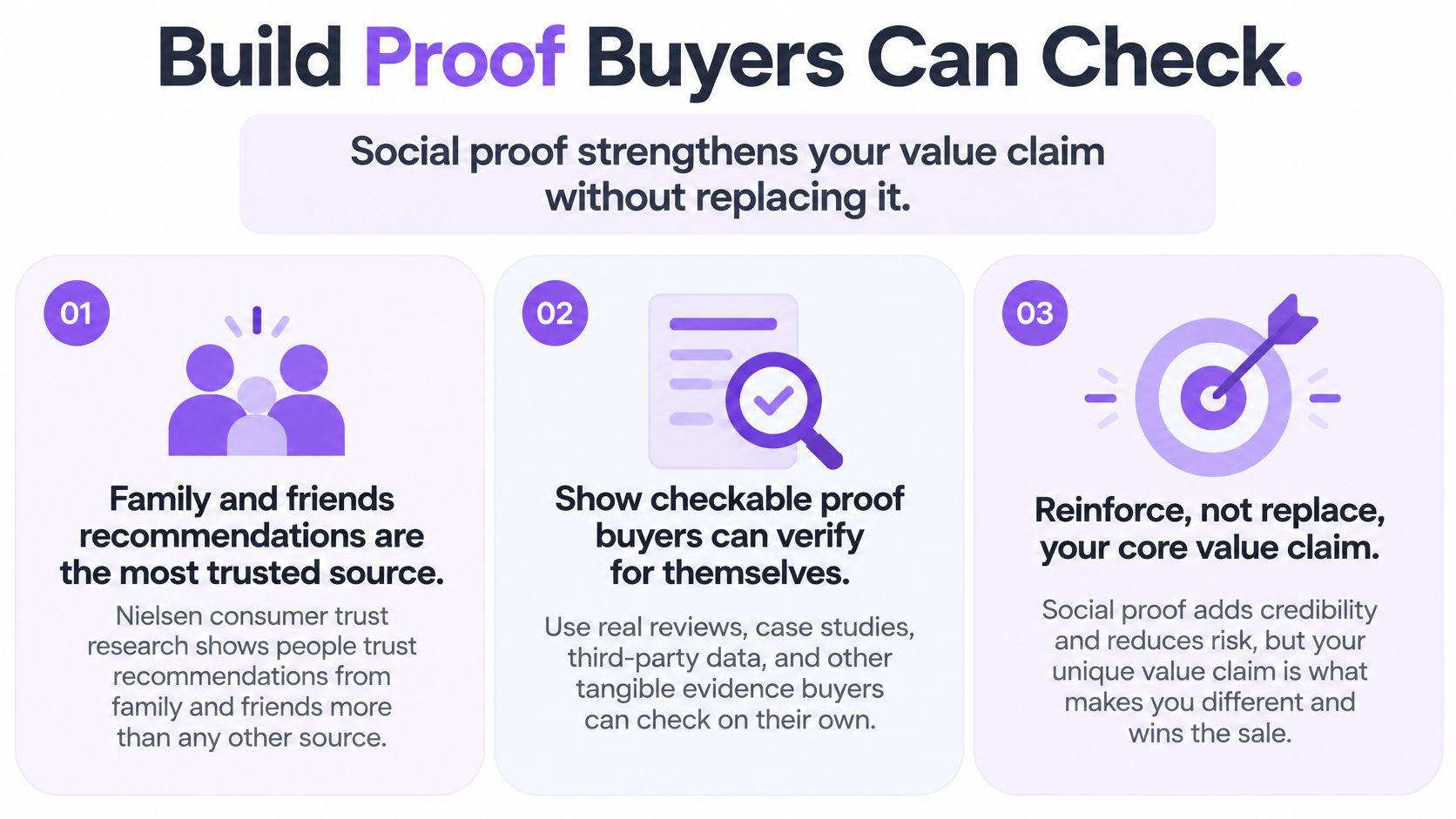
Social proof strengthens a value claim. It doesn’t replace one.
Make the evidence inspectable
In Nielsen’s 2013 Global Survey of Trust in Advertising, covering more than 29,000 internet respondents across 58 countries, 84% trusted recommendations from family and friends, while 70% said online consumer opinions prompted them to take action.
That consumer survey isn’t a B2B software conversion forecast. Its relevance is the distinction between a seller’s assertion and another person’s experience. For a buying committee, the useful evidence is a customer story they can interrogate.
Build that story around:
- The original problem. Explain what wasn’t working before the product was introduced.
- The intervention. Describe the workflow that changed, including the customer’s responsibilities.
- The measured result. Identify what improved and what the metric represents.
- The boundaries. Separate attributed outcomes from claims of causation, and avoid implying that every customer will achieve the same result.
A testimonial saying the product is excellent gives a skeptical buyer little to assess. A description of the problem, operating change, and outcome gives them something to compare against their own organization.
Put proof beside the decision
Place a relevant customer result near pricing, where the buyer is assessing economic value. During technical evaluation, provide documentation rather than asking a rep to paraphrase it. Our security credentials include SOC 2 Type II and ISO 27001 certifications, alongside GDPR and CCPA compliance.
Show the implementation path too. A reviewer should be able to distinguish installing the script from configuring routing, validating data handling, and assigning operational owners.
For sellers preparing the demonstration, PreSales Unleashed GmbH’s guidance on how to demonstrate value beyond the product tour offers a useful preparation lens: choose evidence that supports the buyer’s decision, not just the presenter’s narrative.
Run a Demo That Answers One Question
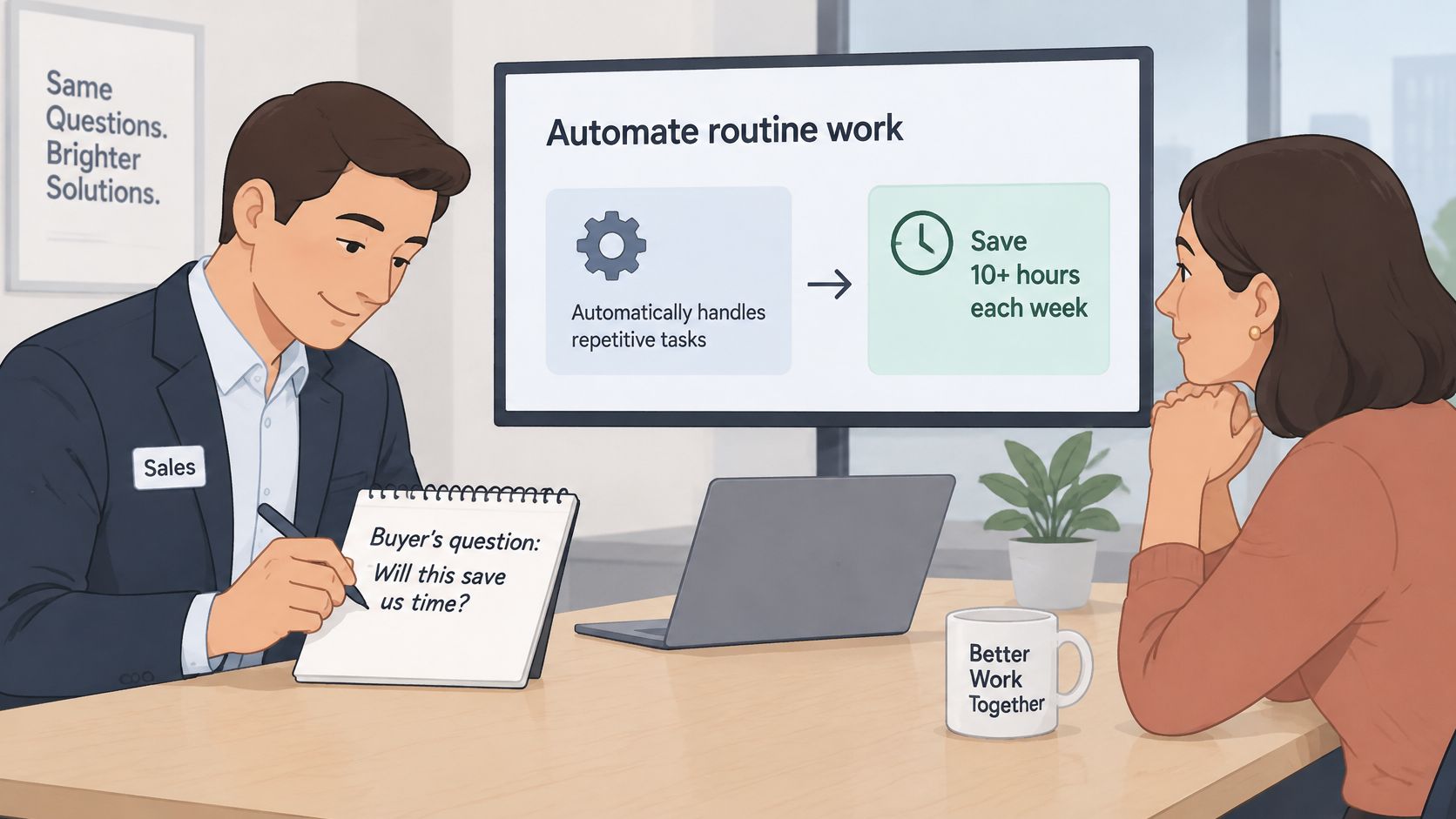
Before opening a screen, confirm the uncertainty the buyer wants resolved. It might concern how alerts reach regional reps, whether visitors can get help without downloading software, or how the workflow fits their existing website.
Write that question in your notes using the buyer’s wording. A demo needs a decision objective, not a feature agenda.
Demonstrate the workflow they need to judge
-
Start on their website. Our 30-minute walkthrough takes place on the prospect’s own website with their own traffic. Use their pages to establish where the interaction begins and why that location matters to their buying journey.
-
Let the buyer participate. Co-browsing lets a rep guide prospects through the product live in their browser, with no downloads required. Invite them to click and inspect the experience instead of watching a polished sequence they can’t question.
-
Follow the relevant workflow through. If the concern is rep notification, show the visitor event, routing decision, and resulting alert. Don’t pivot into unrelated capabilities just because they’re available in the navigation.
-
Stop at the operational consequence. Ask who would receive the interaction, what information they’d need, and whether anything shown conflicts with their current process. Watch for specific corrections. They’re more useful than polite agreement.
-
Agree on the next decision. Identify what the buyer can now approve and what still requires validation. If another stakeholder needs to review the workflow, arrange that discussion before everyone leaves.
A buyer asking about regional routing doesn’t need an extended tour of every reporting screen. They need to know what happens when the preferred rep is unavailable, who receives the fallback, and where the interaction is recorded.
Keep participation separate from agreement
A buyer who enjoys the demonstration hasn’t necessarily accepted the business case. Ask them to explain how the workflow would fit their team, then listen for unresolved dependencies such as staffing, privacy review, or internal ownership.
End the demonstration when the buyer can answer the original question, not when you’ve exhausted the product menu.
Live video is useful when someone requests help at a decision point and needs an explanation that would be cumbersome in text. It’s less useful when they only need a document or a direct factual answer.
Afterward, record the questions raised, objections heard, and decision reached. Include any requirement the product didn’t satisfy. The next person involved should understand the buyer’s position without replaying the entire meeting.
Handle Objections Without Pressure
A price objection may signal a weak business case, an unavailable budget, or uncertainty about what the buyer gets. Name the concern before responding. A longer argument rarely makes the decision clearer.
| Objection | What it may mean | Response that works |
|---|---|---|
| It is too expensive | The price is not tied to a result the buyer can measure | Explain the traffic-based pricing, then assess it against the buyer’s own opportunity economics |
| We want to try it first | The buyer is wary of committing before seeing how it fits | Explain that Captiwate offers a customized demo on the prospect’s own website, not a free trial |
| We already have a tool for this | The buyer is concerned about switching costs or disconnected records | Explain how two-way HubSpot and Salesforce sync keeps conversations, companies, and bookings in the CRM |
| Not a priority this quarter | Timing or budget may be unclear | Ask what would change the timing and agree on whether a follow-up makes sense |
| We need a security review | The buyer needs to assess risk before purchase | Identify the reviewer and provide relevant security and data-flow details for assessment |
Captiwate’s pricing is based on funnel size, not team size: $15,000 per year covers up to 20,000 monthly visitors, with unlimited seats and conversations. For a larger funnel, use a demo built around the prospect’s own website to discuss which plan fits its traffic. Price alone does not establish return on investment. Use the buyer’s own definitions of qualified demand, opportunity, and operating cost.
Be direct about the trade-off
Captiwate does not offer a free trial. Its customized demo uses the prospect’s own website, giving the buyer context for evaluating fit without providing independent, hands-on access. Say so plainly.
If a buyer’s procurement process requires a trial, acknowledge that the demo may not meet the requirement. Don’t describe it as a trial or brush aside the evaluation gap. For a practical response structure, see this guide to handling sales objections. The goal is a clear answer and an honest decision, including a decision not to proceed when the fit isn’t there.
Close With a Dated Next Step
A close shouldn’t introduce a new level of pressure. It should turn established agreement into a specific commitment.
Questions about contract terms, approval authority, or implementation ownership are reasons to discuss the decision process. They aren’t permission to assume the deal is won.
Make the commitment concrete
- Confirm the success measure. Restate the outcome agreed during discovery, using the buyer’s definition of a qualified conversation or opportunity. Agree on where the baseline comes from and who will review results after launch.
- Recommend the appropriate plan. Match the plan to the prospect’s traffic band, then identify the implementation owner, configuration work, and outstanding approvals. Don’t recommend a larger commitment merely because budget appears available.
- Ask for a dated decision. Offer the actual next action: send the security packet to the named reviewer, schedule procurement review, or agree on a setup date.
If the buyer hesitates, identify the blocker before discussing concessions. A discount doesn’t resolve an unapproved data flow, missing executive sponsorship, or uncertainty about who will operate the product.
A useful next step has an owner, a deliverable, and a calendar date. An agreement to stay in touch has none of those.
Send a written recap that distinguishes agreed facts from open questions. Flowkon’s guide to matching sales emails to outreach stages is a useful reference for making the follow-up fit the decision rather than restarting a generic pitch.
After a yes, hand over the goals, resolved objections, remaining dependencies, and named implementation owner. Log the commitment in the CRM and send the buyer the same summary. Don’t make them repeat discovery because your internal handoff was incomplete.
Pick the Right Next Step for Your Next Buyer
Not every visitor benefits from a sales conversation. In Gartner’s 2025 B2B buyer survey, 61% preferred an overall rep-free buying experience, yet buyers preferred seller input for context-heavy tasks such as determining organizational fit.
Use that distinction to choose the level of assistance. Self-service first, human validation when context matters.
Route by the help required
| Route | Signals to consider | Appropriate experience |
|---|---|---|
| Self-service | Documentation reading, broad research, straightforward factual questions | Accessible product information, pricing, and optional assistance |
| AI qualification | Off-hours questions or a need to establish basic fit | Answers, concise qualification, and optional booking |
| Live video | Relevant account fit, active evaluation, and a question requiring discussion | An offered conversation with a prepared rep |
| Delayed follow-up | Early interest without a current decision or request | Permission-based nurture tied to the buyer’s timing |
With our AI Chat, a conversation can lead to a booked demo in one click, with the meeting placed on both calendars. Two-way sync with HubSpot and Salesforce automatically brings conversations, companies, and bookings into the CRM.
Judge routing by outcomes within each segment. Compare qualified opportunities and conversion alongside complaints, opt-outs, and abandoned interactions. Don’t count an unwanted conversation as a successful intervention because a rep answered.
A live discussion is worth testing when a buyer asks for help resolving a consequential uncertainty. It creates friction when the visitor must dismiss a sales invitation to continue basic research. Keep public information, AI answers, and rep explanations consistent so buyers don’t receive conflicting claims.
For the next account you review, choose the appropriate route before writing the message. Our setup sequence is to book a demo and integrate the script, reveal and score visitors by intent, then start turning relevant interactions into pipeline.
Captiwate combines visitor intent detection, AI chat, and in-browser video so you can offer the level of help each buyer needs. Visit Captiwate to book a demo built around your own website and evaluate how qualification, routing, and live conversations would fit your sales process.