A Gartner survey of 632 B2B buyers found that 61% prefer an overall rep-free buying experience. The same Gartner B2B buying research found that buyers who completed a digital self-service purchase were 1.65 times more likely to regret it than buyers who went through a traditional, rep-led process.
That contradiction is the discipline in two sentences. Buyers want to be left alone right up until the moment they don’t, and the job of SaaS demand generation is to notice that moment and respond inside it.
Teams often measure the wrong thing. They count visitors, sessions and marketing qualified leads, then wonder why pipeline doesn’t track with traffic. The number that decides revenue is time to conversation: how long it takes between a buyer showing real intent and a person, or a well-built AI, answering. A pricing-page visit signals far more than an ebook download, but the signal only pays off if someone responds before the tab closes. Every section below builds on that idea.
Table of Contents
- What SaaS Demand Generation Covers and Which Channels It Uses
- Why Buyers Move Between Self-Service and Sales Help
- How Intent Signals Turn Visitors Into Pipeline
- Why Response Speed Decides Which Demand Converts
- Demand Generation After the AI-Generated Shortlist
- How to Build a Coordinated Demand Generation Strategy
- Pick Your First Fix Before Rebuilding the Funnel
What SaaS Demand Generation Covers and Which Channels It Uses
SaaS demand generation is the work of creating and capturing buyer interest in a software product across every channel a prospect uses, from the first search to a booked demo, then handing that interest to sales with enough context to convert it. It’s a system rather than a campaign, which is why a single strong tactic rarely fixes an inconsistent pipeline.
The distinction from lead generation matters. Lead generation collects contact details. Demand generation builds the intent that makes a contact worth calling. Run only lead generation and pipeline looks steady until the in-market pool runs dry. Run only demand generation and you build a familiar brand nobody converts.
Think of a restaurant. Marketing fills the room. Demand generation seats the right guests at the right table and keeps the kitchen moving so nobody leaves before dessert.
The eight channels that carry demand
| Channel | Buyer moment it serves | Metric to track | Common failure |
|---|---|---|---|
| Organic search content | Early problem research | Organic sessions on category and comparison pages | Traffic that never reaches pipeline |
| Paid search and paid social | Problem awareness | Cost per qualified visit | Spend with no intent filter |
| Email nurture | Consideration | Reply and click rate by segment | Generic sequences sent to every contact |
| Product-led signups | Hands-on evaluation | Signup-to-activation rate | Free users never contacted by sales |
| Webinars and events | Active evaluation | Attendee-to-meeting rate | Recordings with no follow-up |
| Pricing and product pages | High intent | Live conversation or demo booking rate | No immediate human or booking option |
| Partners and referrals | Trust transfer | Referred pipeline share | Hard to attribute to a source |
| Outbound SDR | Targeted accounts | Reply rate and meetings booked | Weak list quality and slow follow-up |
Read the table from the top down and you’re following a buyer’s own sequence. Organic search and paid media open the file. Email and product signups carry the middle, where someone is comparing approaches rather than vendors. Pricing, comparison and product pages are where the decision is either captured or lost, and that’s the row many teams under-staff.
If your product is self-serve, the content surrounding signup matters as much as the form itself. A product-led content strategy links what buyers read before they create an account with the pages they land on afterwards, so the free user arrives already knowing what the product does and who it’s for.
No single row delivers pipeline alone. A pricing page with no traffic is dead weight, and traffic with no page to convert it is a donation to your ad platform. The table is the map for everything that follows.
Why Buyers Move Between Self-Service and Sales Help
The channel count is the part many underestimate. McKinsey’s 2024 global B2B Pulse research, which surveyed nearly 4,000 decision-makers across 34 sectors and 13 countries, found that buyers use an average of 10 interaction channels during a purchase, up from five in 2016 (McKinsey). Ten touchpoints is double the number a team had to keep consistent eight years ago, and every one of them can contradict the last.
The reason they multiply is preference. Buyers don’t share a single preferred route, so a vendor has to offer several and keep them connected.
The rule of thirds: at each stage of a purchase, roughly one third of buyers prefer in-person interaction, one third prefer remote contact, and one third prefer digital self-service. The pattern held across geographies, industries, company sizes, and both new and repeat purchases.
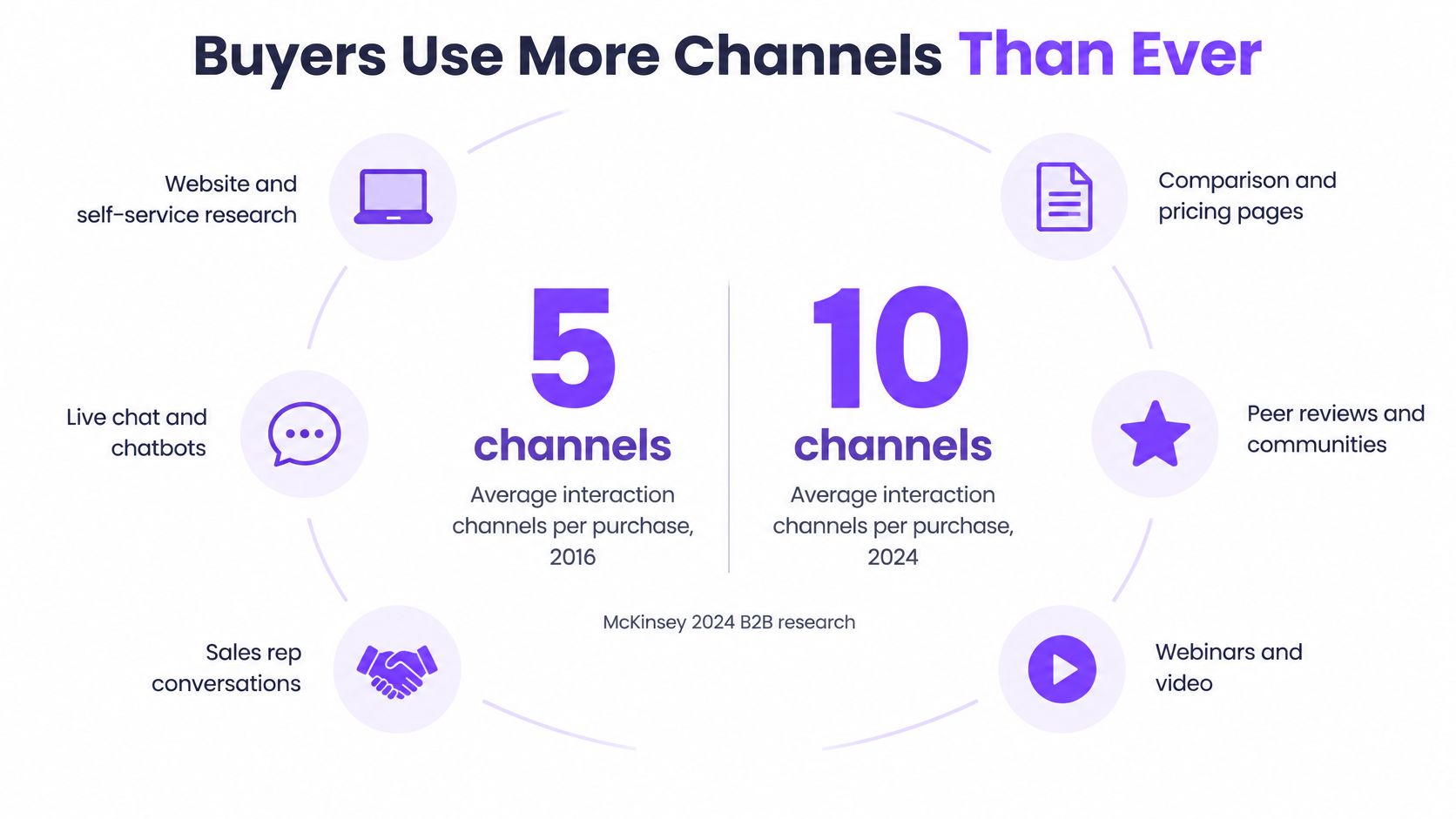
That pattern kills the idea of a single “preferred channel”. Website content, paid acquisition, email, chat, video, sales calls and scheduling are one journey with several doors, not seven campaigns competing for budget. More than half of the buyers in the same McKinsey study wanted to move between channels without losing context, which is the operational requirement hiding behind the statistic.
What losing context looks like
A finance lead reads your security page on Tuesday, watches a demo video on Thursday and asks a live question on Friday. If Friday’s rep opens with “so what brings you here today”, the buyer has now explained the same problem three times. They don’t get angry. They get quiet, then they open a competitor’s tab.
Buying groups make this worse, because the research happens in parallel before anyone contacts sales. Four people from one account can visit the same pricing page in a week and none of them will mention it to the others. The account record is the only place that knowledge survives.
Three checks on your own funnel
- Channel switching: can a visitor move from chat to a booked call without retyping their name, company or problem?
- High-intent escape route: does every pricing, comparison and security page offer a path to a person or a calendar, not only a form?
- One record: do all channels write to the same account, so the next rep sees the full history before the first sentence?
A no to any of the three is a leak, and it’s usually cheaper to fix than the next traffic campaign. Product-led teams hit this fastest, which is why product-led motions stall when no one picks up the conversation long before the product itself is the problem.
How Intent Signals Turn Visitors Into Pipeline
Treating every visitor the same is the most expensive default in demand generation. A buyer reading a pricing page for the third time this week and a student reading a definition post for the first time need opposite experiences, and a single page template can’t serve both.
Gartner’s survey of 632 B2B buyers found that 61% prefer an overall rep-free buying experience, while those same buyers want seller input when they’re judging organizational fit or solving a contextual problem (Gartner). Self-service suits learning. People suit fit.
Three layers, in order
Education first. Documentation, pricing, comparison pages and product tours should be open and ungated, because the buyer in the first third of that McKinsey split will never fill in a form to read them.
Detection second. Intent shows up as behavior, not as a form field. Repeated visits to pricing, security, integration or product pages within a short window are the clearest signals you’ll get, and a return visit from an account that matches your ideal customer profile is stronger still.
Assisted conversation third. Only when the first two layers fire does a human or an AI opener make sense. Interrupting a first-time reader with a pop-up isn’t demand generation, it’s friction with a calendar link.
What a trigger looks like in a real account
The Salesforge case shows the mechanism at work. A sales engagement platform with a strong outbound motion was generating thousands of high-intent website visitors and converting almost none of them, because there was no live channel on the page. After adding a real-time website widget, demos booked rose 30% from the same traffic.
The volume is the interesting part. The widget triggers 200+ inbound calls a month, which produces about 10 opportunities a month, and more than half of ARR is now tied to widget-triggered conversations. None of that traffic was new. All of it already existed.
Measure conversations, not pageviews
Report self-service engagement separately from assisted pipeline, or the numbers blur into a single average that tells you nothing. Three definitions keep it clean. Pipeline per visitor is pipeline created divided by unique visitors to a page group over the same period. Meeting conversion is booked meetings divided by conversations. No-show rate is missed meetings divided by meetings booked.
Then add qualified-account rate and opportunities created by interaction type. That pairing tells you whether intent detection is finding the right accounts, and B2B intent data only earns its keep when the routing behind it is specific enough to act on within the same session. Speed itself belongs to the next section, because it decides whether any of this measurement happens at all.
Why Response Speed Decides Which Demand Converts
A visitor who expresses intent is a short-lived opportunity. The gap between that action and a reply, human or automated, decides whether the lead ever qualifies, and the evidence says most companies lose that race badly.
An audit of 2,241 US companies found that only 37% responded to a test web lead within an hour, 23% never responded at all, and the average response time among companies that did reply within 30 days was 42 hours (Harvard Business Review audit). The intent was there. The reply wasn’t.
| Response window | Effect on qualification | Source |
|---|---|---|
| Within 5 minutes | 21 times more likely to qualify than a reply after 30 minutes | 2025 inbound benchmark |
| Within 1 hour | Nearly 7 times more likely to qualify than a reply one hour later | Harvard Business Review audit |
| 24 hours or longer | More than 60 times less likely to qualify than a reply within an hour | Harvard Business Review audit |
| Average B2B first response | 47 hours, with only 27% of leads receiving any response | 2025 inbound benchmark |
Read the table as a price list. Every hour you add between intent and reply, you discount your own pipeline.
A five-minute reply and a same-day reply are not the same product sold at different speeds. They reach different buyers.
The fast path that removes the wait
The fix isn’t a faster CRM batch. It’s an event pipeline. The intent event fires in the browser, the visitor or account is enriched with company details and history, routing rules pick a rep in the right region, a live or AI conversation opens, and the outcome writes back to the CRM within seconds.
That ordering matters. Reversing it, writing the event to the CRM first and waiting for a workflow to notify someone, is where the hours disappear. The conversation has to be the first thing that happens, not the last.
Cover the hours nobody staffs
Delay has three usual causes: nights, weekends and SDR queues. A lead that arrives at 7pm on Friday is indistinguishable from one that never arrived, unless something answers. Always-on AI qualification covers those windows, answers the obvious questions, and hands over a warm, qualified conversation on Monday morning instead of a cold form fill.
Track two speed metrics and nothing else for a quarter. p50 and p95 time-to-first-touch shows your typical case and your worst case, which is where the lost deals live. Then track the share of high-intent sessions that receive an action within five minutes, which is the one number that moves when routing is right. Across our customer base, that combination shows up as 3 to 5 times higher demo booking rates from inbound traffic.
The operational detail that trips teams is ownership. Speed to lead isn’t a marketing metric or a sales metric, it’s a handoff metric, and handoffs without a named owner default to nobody.
Demand Generation After the AI-Generated Shortlist
AI visibility is not demand generation. It’s awareness with a shorter shelf life, and treating a mention inside a chatbot answer as pipeline is how teams end up with strong brand metrics and an empty forecast.
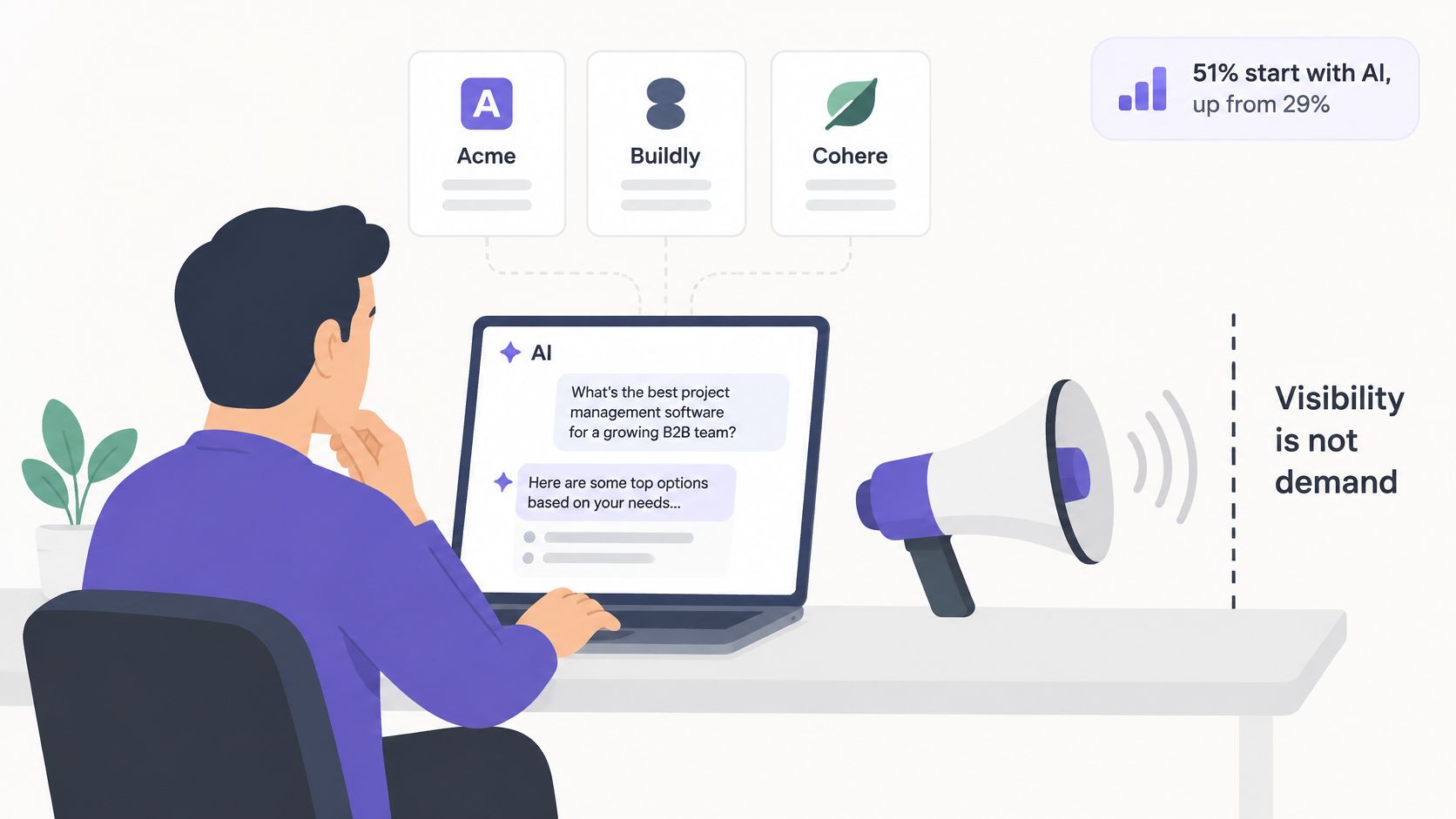
The behavior shift behind that claim is real. Recent research reports that 51% of B2B software buyers now begin research with an AI chatbot, up from 29% the previous year, while another study found that 94% of buyers who use AI fact-check its answers (G2). Buyers are using AI to narrow a list, then verifying the list somewhere else before they act.
Where the funnel actually narrows
That verification step is your opening. A buyer arriving from an AI-assisted shortlist has already done the broad comparison and is now checking three or four names for fit, proof and risk. They don’t need another explainer. They need a specific answer about pricing structure, migration effort, security posture or what happened to a customer like them.
Three questions decide whether you capture that visit, and most analytics stacks answer none of them well. How do you identify AI-referred visitors when referral data arrives as direct traffic? Which page experience converts a buyer who already holds a shortlist? Does the messaging lead with differentiation, evidence, or immediate access to an expert?
Start with the third. For a buyer holding a list, evidence beats differentiation, and access beats both.
A page pattern that converts a shortlisted buyer
Build the comparison page around the competitors buyers already see in their AI answer, name them, and say where you lose. That single move does more for trust than a feature grid.
Then add a proof block with named customer results and a security summary covering hosting, certifications and data handling, since the security reviewer is often the person who kills a deal. Finish with a visible option to talk to a person now, ideally live video or chat with someone who can answer a specific question rather than route a ticket.
In analytics, watch three things: direct arrivals on comparison and pricing pages, the referral sources that AI tools leave behind, and whether those visitors book a meeting or ask a question. A shortlist visitor who reads your comparison page and leaves without either is a shortlist visitor you lost to a competitor who answered faster.
How to Build a Coordinated Demand Generation Strategy
A coordinated program is mostly plumbing. Each step below exists because a gap at that point breaks the chain further down, and the order matters more than the sophistication of any single piece.
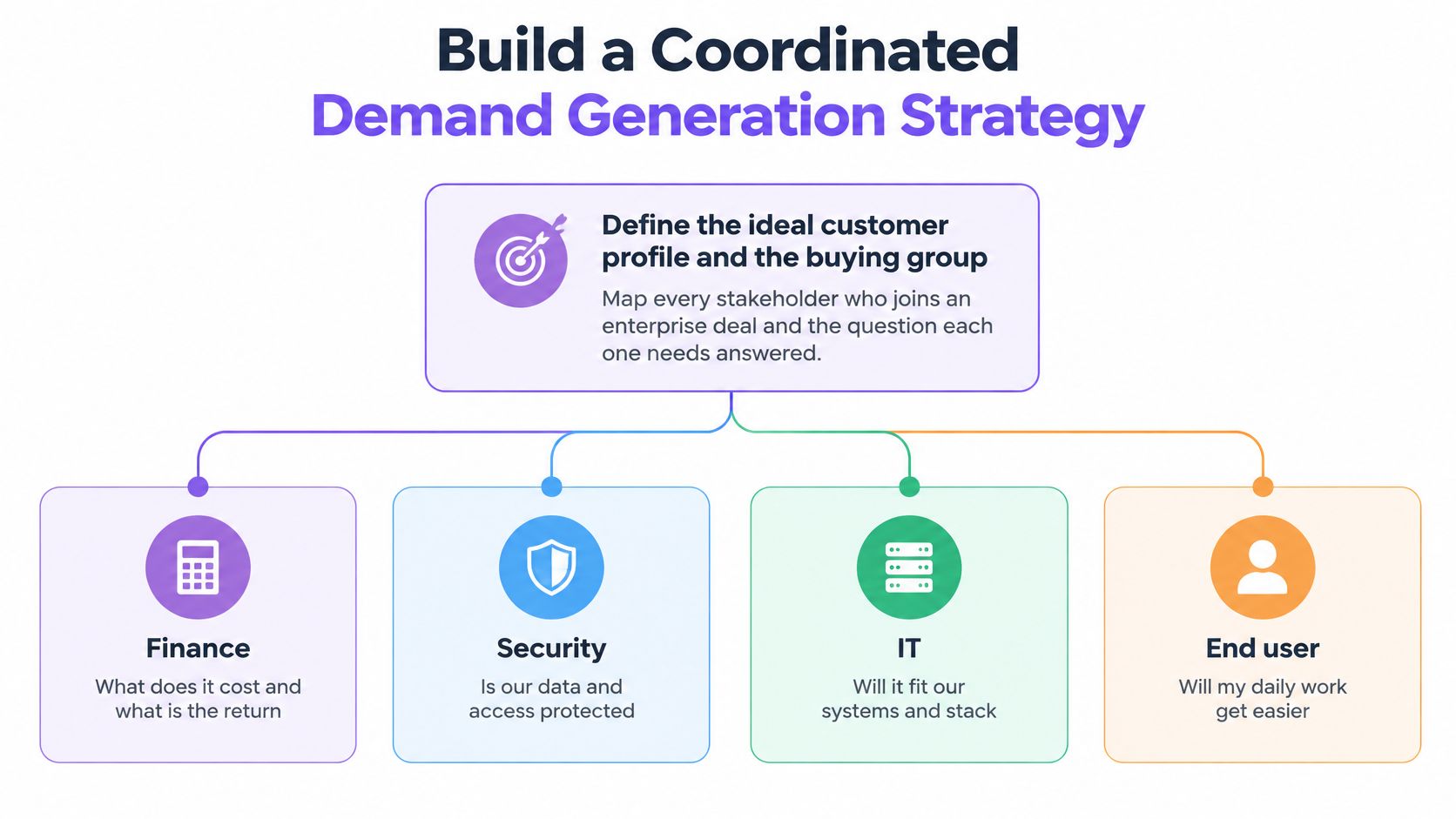
- Define the ideal customer profile and the buying group. List every stakeholder who joins a deal of your typical size, then write the one question each of them needs answered. Finance asks what it costs and what comes back. Security asks whether their data and access are protected. IT asks whether it fits the stack. The end user asks whether their week gets easier. Without this, your messaging is written for whoever happened to attend the last customer call.
- Map each channel to a stage and a question. Take the eight rows from the first table and assign each one to research, evaluation or decision, then note the question a buyer brings to that channel. A channel without an assigned question produces content nobody needed.
- Choose the pages and events to instrument. In practice this is a short list: pricing, security, integrations, comparison and demo request pages, plus any product page that signals a specific use case. Instrumenting everything produces noise and no routing.
- Set the triggers that act. Repeated visits to those pages, several stakeholders from one account inside a fortnight, or a return visit within a week. These are the same behavioral definitions used for detection, applied with named thresholds so two people reading the dashboard reach the same conclusion.
- Write routing rules with a response target. Every trigger names a rep, a region or an AI flow, and every one of them has a target measured in minutes. A rule without a target is a suggestion.
- Connect the handoff to the CRM. Conversations, meetings and identified accounts belong on one record. Two systems holding half the story each guarantees the buyer repeats themselves.
- Review the handoff weekly and move budget accordingly. Shift spend away from channels producing traffic without intent and toward channels producing conversations. This is the only step that improves the other six over time.
The order matters: mapping the buying group before choosing triggers is what stops you routing a security reviewer to a rep who only knows the pricing objection.
Why response speed beats more traffic
There’s an economic argument buried in all of this. Buying additional visitors costs money at a known rate per visit, and the return depends entirely on your visit-to-meeting conversion. Improving response coverage and conversion costs money too, but it multiplies a number you already paid for. When high-intent pages convert poorly, faster follow-up usually returns more per dollar than another acquisition campaign, and it returns it sooner.
The comparison is simple enough to do on one page: cost per visit divided by visit-to-meeting rate gives you the cost of a meeting from traffic. Set that against the cost of covering evenings and weekends plus the tooling that routes and answers instantly. Whichever number is lower wins the next quarter’s budget, and many teams have never run the calculation.
Pick Your First Fix Before Rebuilding the Funnel
Find the stage where demand leaks most, measured by the gap between high-intent visits and conversations, and fix that one stage first. Rebuilding the whole funnel feels productive and hides which change worked.
The rule
Run the checklist against last quarter’s numbers rather than your impressions. Count visitors on pricing, comparison and integration pages. Count how many of them got a conversation or a booked meeting within five minutes. Count how many went unanswered past 24 hours. Then estimate the pipeline those gaps cost, using your own average deal size and close rate. In this review, the gap is often concentrated in one stage, and it’s usually speed.
| Leak | Symptom in your numbers | First fix |
|---|---|---|
| Speed | Most high-intent visitors go unanswered past 24 hours | Routing and live engagement |
| Booking | Conversations happen but meetings do not follow | The booking step |
| Traffic | Few visitors, or many visitors who are not qualified | Content and targeting |
Run the numbers before you buy traffic
Compare two costs before adding budget. The first is the cost of faster response: tooling plus the coverage hours needed for evenings and weekends. The second is the cost of the extra visitors required to produce the same meetings, calculated as cost per visit divided by your visit-to-meeting rate. If the second number is larger, you have your answer, and it isn’t a bigger ad budget.
Then pilot rather than rebuild. Pick one high-intent page, set the routing rule and the response target for it, and run for two weeks. Measure p50 and p95 time-to-first-touch alongside booked meetings from that page alone. Two weeks on one page tells you more than a quarter of dashboard averages.
If you want to see the shape of the fix on your own site, the starting sequence is short: book a demo built around your own website to see which plan fits your traffic, integrate one script, start revealing and scoring visitors by intent, then start turning them into pipeline. Prospects can see the plan that matches their traffic before committing to anything.
The first fix is the stage your numbers show is leaking. Not the stage that’s most fun to rebuild.
Captiwate turns the leaking stage into conversations instead of form fills. It identifies the companies and people on your site in real time, scores intent from behavior like pricing page views and repeat visits, and opens live video, chat or AI qualification in the browser the moment interest peaks, then books the meeting and writes it back to HubSpot or Salesforce. If your numbers show high-intent visitors going unanswered, Captiwate is the fastest place to start, and you can book a demo built around your own website to see which plan fits your traffic.