Teams using Captiwate book 3–5× more demos from the same inbound traffic. A demo still needs to help the buyer make a decision, and the recap needs to give the champion something useful to share.
A 2020 YouGov summary of TrustRadius research surveyed 907 B2B technology buyers and 227 vendors. It found that 58% of buyers used product demos when evaluating technology purchases, ahead of vendor websites at 51%, user reviews at 45%, vendor representatives at 43%, and free trials or accounts at 41%. Demos are a meaningful part of the buying process, so treat the call as one stage in a decision, not a feature tour.
Say a visitor reaches pricing on a Saturday because leads sit overnight. A form may miss the moment; a Monday feature tour may waste the meeting. Build the demo around the decision the buyer needs to make, then agree on what happens after the call.
Table of Contents
- 1. Run Discovery Before the Demo
- 2. Set a Clear Agenda and Time Box
- 3. Lead With Outcomes and Stories, Not Features
- 4. Make the Demo Interactive and Two-Way
- 5. Use Live, Personalized Demo Environments
- 6. Handle Objections and Concerns Directly
- 7. End With a Concrete, Mutually Agreed Next Step
- 8. Follow Up Fast and Capture Demo Data
- The 8 Sales Demo Best Practices at a Glance
- Turn Your Next Demo Into a System, Not a Performance
1. Run Discovery Before the Demo
Show the product only after you know the goal, the current process, the pain, the decision criteria, and the timeline. Skip that and you’re running a catalog. The buyer has to invent the business case while you click.
The sequence I use runs from context to a confirmed success test:
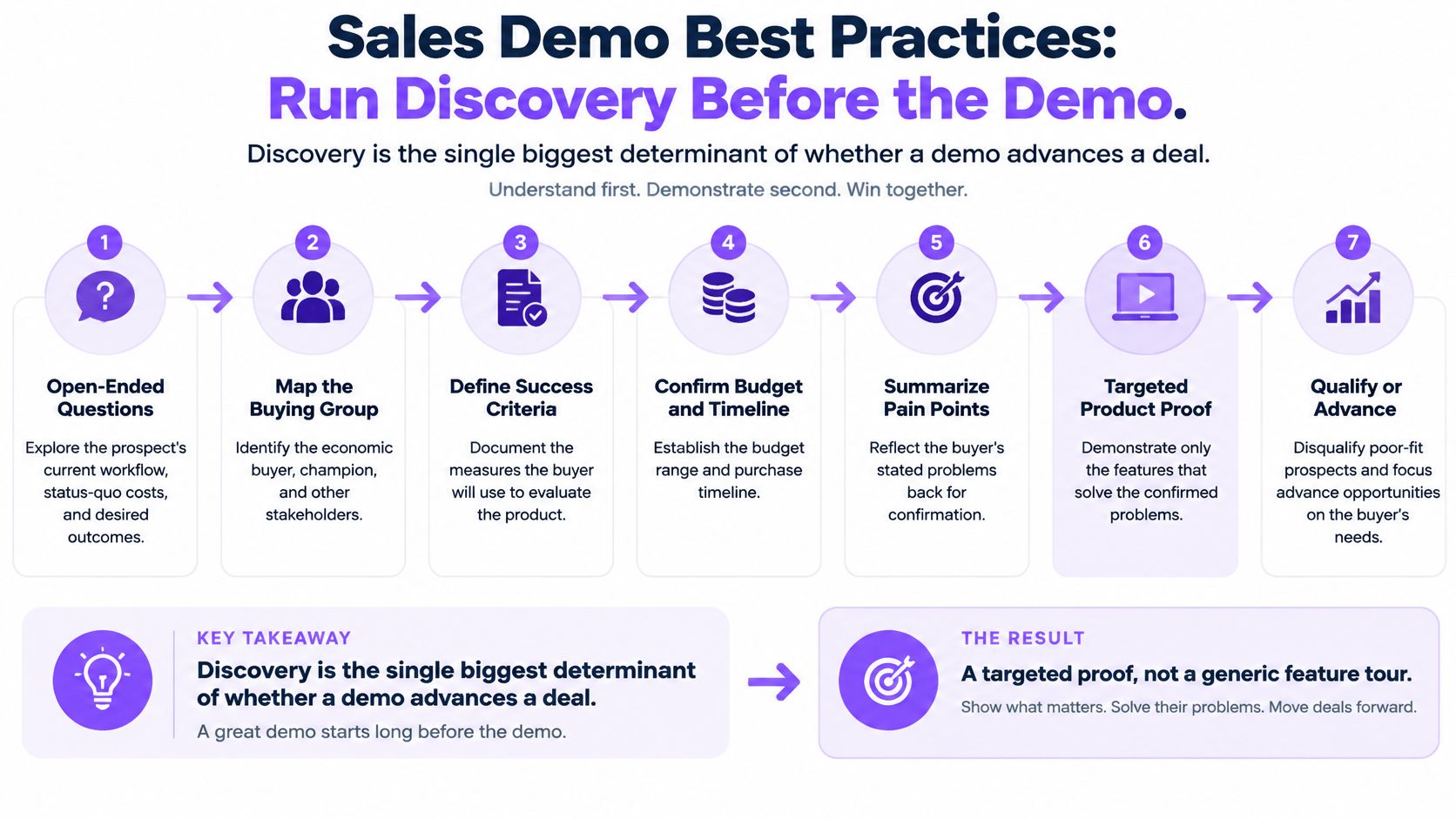
Say a visitor is on pricing because inbound replies take half a day. Don’t open with a platform overview. Ask what happens after a form submit, who owns the first reply, and what “good” looks like this quarter. Then show routing and scheduling only. Leave chat, analytics, and admin for a later call if they ask.
- Process before product: Have them describe today’s workflow before you name a feature.
- Mirror it back: Restate the pains and wait for a yes before you share your screen.
- Write the test: Capture success criteria and quote them when you show a workflow.
- Keep a spine: SPIN questioning (situation, problem, implication, need-payoff) stops a rambling intro.
A short list of discovery questions in sales beats a 40-question script nobody finishes. If the calendar is full and those questions still don’t happen, hire sales development representative help before you add more demo slots. More meetings with thin discovery just create more silence afterward.
Practical rule: No feature until they have described the process in their own words.
2. Set a Clear Agenda and Time Box
Open with a line you can say verbatim. “We have 25 minutes. I’ll confirm your top two priorities, show how routing handles those, and we’ll lock a next step before we stop.”
That sentence sets duration, scope, and the exit. It also gives you permission to park a side question. Buyers don’t all want the same shape of meeting. Heinz Marketing reports that 40% of buyers primarily want quick answers to their questions, 19% prefer a guided demo, and buyers often watch only about five minutes of a longer demo.
What to lock before you share
Send the agenda in the calendar invite so they arrive knowing the two priorities. At the start, ask how much time they have. Check again at the midpoint. Keep the last five minutes for questions and the next step, not for one more tab.
The trade-off is real. A hard stop can cut a useful security thread. Write it on a visible list and come back to it, or book a specialist, instead of blowing the box. A long walkthrough feels thorough to you and unfinished to them. If they wanted a quick answer or a self-serve look, offer that path and keep the live slot for the two priorities. Forcing every visitor into a linear tour is how the demo shows up after they’ve already leaned another way.
3. Lead With Outcomes and Stories, Not Features
“Here’s our AI chat” teaches nothing. “You said weekend visitors disappear. Here’s a Saturday question that qualifies the lead and books Monday for your team” teaches the outcome they named.
A short scenario does the translation a feature list can’t. Pick one workflow and run it end to end. Faster first reply, more meetings booked, or a cleaner handoff. Not three modules in twelve minutes.
Use a story the buyer can retell, not a logo slide:

Build a small library before the week fills up. Map one outcome line to each persona you sell, whether that’s an SDR manager, a demand gen lead, or a founder. When discovery gave you their number, use it. “You said first reply takes four hours. This path aims to answer while they’re still on the page.” If you don’t have their number, don’t invent one.
RedactAI’s guide to client success stories is a useful pattern for the proof you leave behind: role, problem, what changed. On the live call, keep the story to four or five sentences. Then ask, “Does that match what you expected?” A no is more useful than a nod. It tells you to change the workflow before you burn the rest of the slot. Champions can’t retell a logo. They can retell a Saturday lead that landed on a calendar.
4. Make the Demo Interactive and Two-Way
A quiet buyer may be following along, or may have lost the thread. Gong’s analysis of 67,149 recorded B2B sales demos found that successful demos had 21% more speaker switches per minute than unsuccessful ones. The talk-to-listen ratio barely changed: 65:35 on successful calls versus 66:34 on unsuccessful ones. The practical takeaway is to create useful exchanges, not just speak less.
Invite the buyer to participate early. Ask, “What would you expect to happen here?” or have them describe how the workflow fits their process. “Any questions so far?” often gets a polite yes without telling you whether the demo is relevant. If they go quiet, pause the walkthrough and ask which step does not match their process.
Co-browsing gives the buyer a way to explore the product with you. With Captiwate, a rep guides the buyer through the product in their browser, with no downloads required. Test the share link before the call, and use a sandbox if live data should stay off screen.
This is the difference between a tour and a working session:
Discuss pricing after the buyer has enough context to assess the value. Raising it too early can turn the conversation into a number before you have confirmed the workflow, answered concerns, or heard their reaction. Keep room in the time box for those exchanges and agree on a next step before ending the call.
5. Use Live, Personalized Demo Environments
A generic workspace forces buyers to imagine how your product fits their business. Tailor the path to their context: their industry, their website, or sample accounts that resemble their pipeline.
McKinsey’s B2B omnichannel research identifies videoconferencing, company websites, and in-person sales as three of the most-used B2B touchpoints. It also reports that videoconferencing accounted for 12% of B2B revenue. Remote demos can drive revenue, but the same walkthrough will not fit every account.
Prep that fits in fifteen minutes
Open the prospect’s site. Choose one workflow to show and two to leave out. For a SaaS prospect, sample visitor data with company names from their target market feels more relevant than “Acme Corp.” Confirm before showing anything from their systems, and never use another customer’s confidential data.
Show the screen only when the data reflects their world:
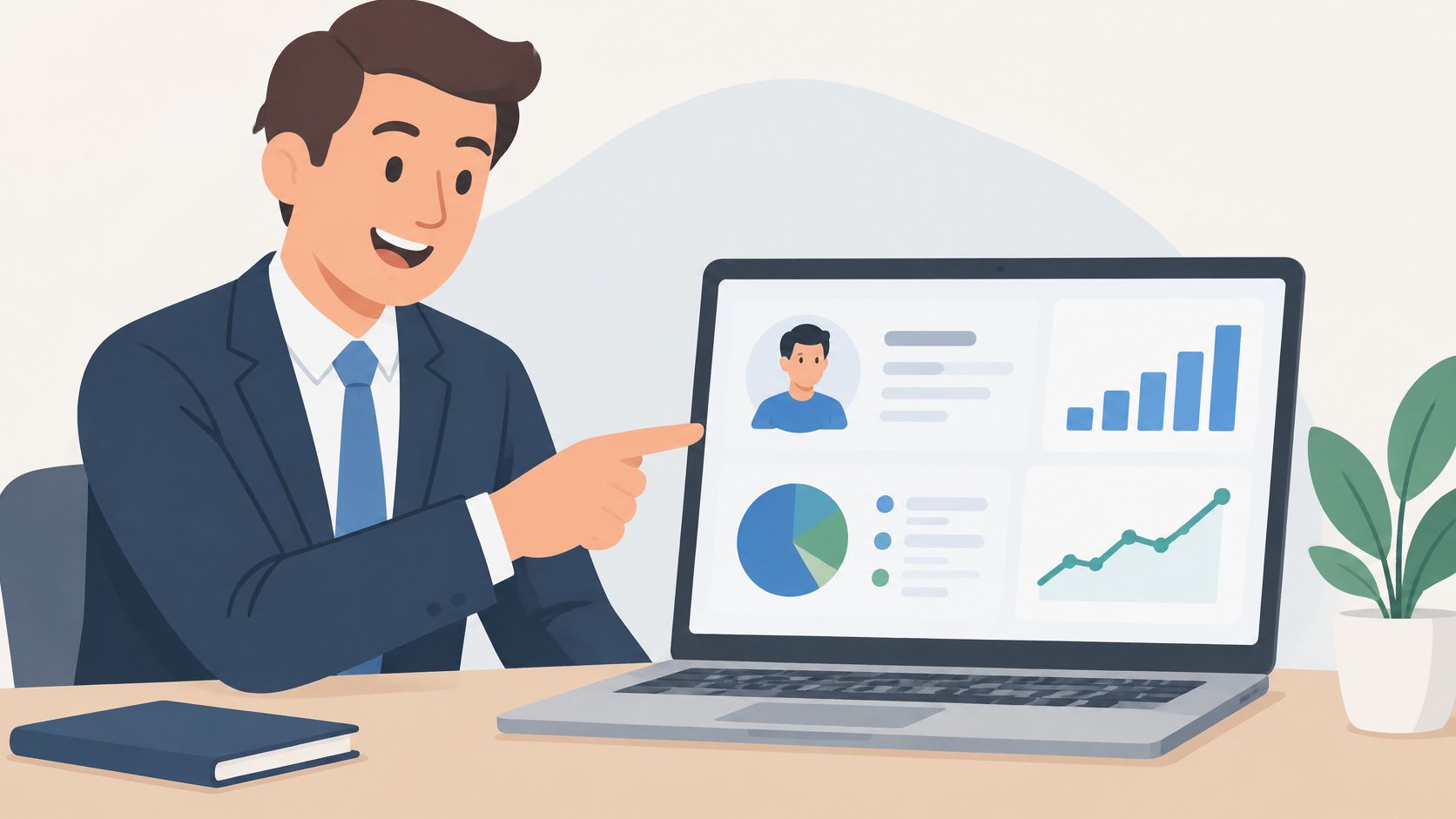
Personalization takes prep time, so keep the first meeting focused. Their homepage in the browser and one relevant workflow can establish fit without building a full environment. Save that extra work for a second call with the technical lead. Captiwate’s 30-minute walkthrough runs on the prospect’s own website with their own traffic, so buyers can see how it works in their context. Video is optional for both the rep and the visitor.
6. Handle Objections and Concerns Directly
When security, integration effort, privacy, or cost comes up, answer it then. Parking every concern until the end trains the buyer to stop listening.
Say their security lead asks where data sits. Acknowledge it, ask which control matters for this deal, then answer with evidence you can stand behind. For our platform that evidence is SOC 2 Type II and ISO 27001, plus GDPR and CCPA alignment, and a follow-up with the person who owns the questionnaire. If you don’t know, say “I’ll confirm that” and write the owner down. Overstating a control is how trust dies in one sentence.
A written objection library beats improvising on a live call. Each card needs the concern, the approved wording, the proof, and the specialist to pull in. Deep architecture questions go to that specialist. You confirm the answer landed before you change topics. “Does that cover it for this meeting, or do we need them on the next call?”
Answer the concern in the minute it appears, or name the person who will.
More patterns sit in this guide on how to handle an objection in sales. Saving every hard question for the last three minutes feels polite. It leaves the buyer holding risk you never priced into the next step.
7. End With a Concrete, Mutually Agreed Next Step
“Let me know what you think” is how deals stall. Close on an action with a date, an owner, and a success test.
Ask, “Based on what we saw, what would the next step look like for your team?” Then book it on the call. A link sent later competes with their inbox. If the technical lead has to see integration scope, get that person on the calendar before you hang up, and send the recap while the tab is still open.
McKinsey’s global B2B research found that buyers use ten or more supplier-interaction channels, up from five in 2016, and split preference roughly evenly across in-person contact, remote human engagement, and digital self-service, the rule of thirds. The next step doesn’t have to be another live hour. It might be a security packet, a short clip for a champion who missed the call, or a self-serve pass they can finish alone.
Put the date where both of you can see it:
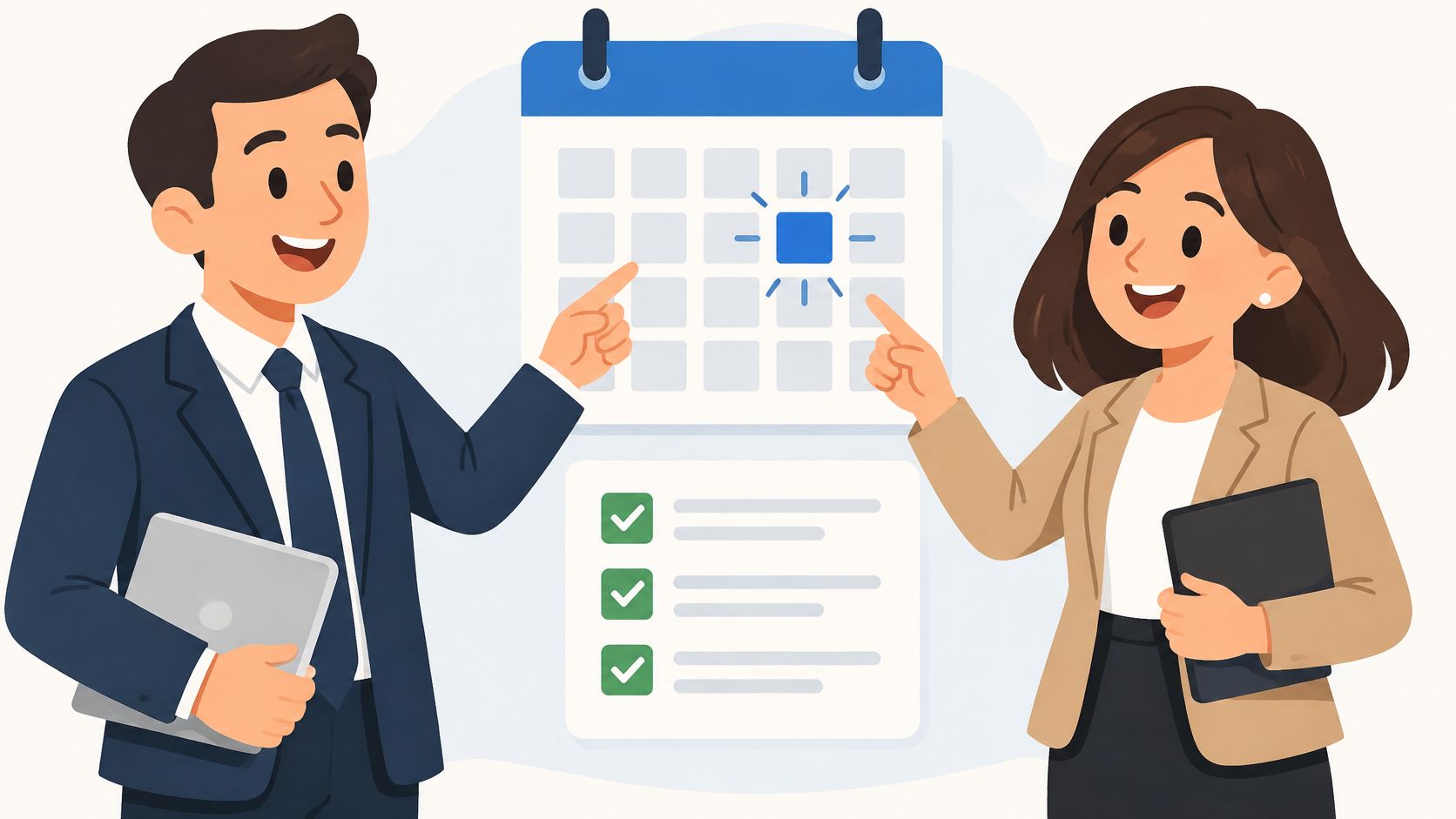
Write the mutual plan in the CRM before your next touch. Who does what, by when, and what “ready for a decision” means. If you can’t name those three, you didn’t end the demo. You ended a presentation.
8. Follow Up Fast and Capture Demo Data
The hours after the call decide whether a champion can sell internally. Sales Growth’s look at what B2B buyers want reports that 55% of B2B buyers have stopped responding after a demo, and 71% of buyers who go dark after a demo never reconnect with the salesperson.
Send the recap within a day. Agreed steps first, then the recording and the proof you cited. Ask consent before you record, and say who will see it. A note for the economic buyer is different from the note for security. Map each claim to an outcome they can forward without you on the thread.
Treat speed to lead as the standard for that follow-up, not only for the first inbound ping. Log the meeting, the pains, and the open questions the same day. Captiwate’s two-way sync with HubSpot and Salesforce drops conversations, companies, and bookings into the record without a second entry. Slack or Teams alerts let the account owner see the history before they write the next email.
What the recap must contain
- Next steps first: Dates and owners, before any narrative.
- Open questions: Each one has a name, yours or theirs.
- Proof pack: Security, implementation, and the one workflow you showed.
- A decision milestone: A date when they will say yes, no, or what is still missing.
Review recordings with the team for repeated objections and one-way stretches. Automated reminders on the booked follow-up cut the no-show that turns a good call into silence.
The 8 Sales Demo Best Practices at a Glance
| Practice | Demo Stage | Effort Required | Best For |
|---|---|---|---|
| Run Discovery Before the Demo | Before demo | High: requires prospect research and skilled questioning | Inbound SDR and AE teams handling high volumes of demo requests |
| Set a Clear Agenda and Time Box | Opening | Low: prepare and confirm the agenda and duration | Teams with calendar-driven, self-booked demos |
| Lead With Outcomes and Stories, Not Features | During demo | Moderate: tailor outcomes and stories to the buyer | Marketing, demand generation, and sales leaders justifying spend |
| Make the Demo Interactive and Two-Way | During demo | Moderate: prepare shared access and invite participation | Product-led and self-serve buyers evaluating usability |
| Use Live, Personalized Demo Environments | Demo preparation and presentation | High: personalize data and prepare the environment | ABM teams and enterprise AEs selling to named accounts |
| Handle Objections and Concerns Directly | During demo | Moderate: prepare evidence-backed answers | Enterprise and mid-market deals with IT, security, and procurement reviewers |
| End With a Concrete, Mutually Agreed Next Step | Closing | Moderate: agree on owners, dates, and success criteria | AEs and sales leaders managing pipeline stages and forecasts |
| Follow Up Fast and Capture Demo Data | After demo | Moderate: send a timely recap and log outcomes | RevOps and sales leadership teams focused on pipeline visibility and coaching |
Turn Your Next Demo Into a System, Not a Performance
A strong demo follows a repeatable sequence. Before the first click, understand what the buyer needs to decide. At the opening, agree on the agenda and time. During the walkthrough, connect a relevant outcome to a real workflow, then let the buyer take part. Close with an owner and a date, and send a useful recap the same day.
The sequence starts before the call. When a high-intent visitor reaches pricing, a live conversation can answer questions while the buyer is still evaluating. Keep a self-serve route available, too. Some visitors need a quick answer, not a guided walkthrough.
Build the process around the leak you can identify. If calls happen but deals stall, tighten the agreed next step and recap. If attendance is strong but opportunities are weak, improve discovery and show only what connects to the buyer’s stated needs. If attendance is the issue, put the agenda in the invite and use reminders.
In the Salesforge case study, demos booked rose 30% from the same website traffic. The widget also triggers 200+ inbound calls a month, about 10 opportunities. More conversations create more chances to qualify demand, but the call still needs a focused demo and a specific follow-up.
Technology can help sales, but it cannot replace the person who listens.
Captiwate supports this process with in-browser video, AI Chat that can qualify visitors and book a demo in one click, and co-browsing with no downloads. HubSpot and Salesforce sync conversations, companies and bookings to the CRM. Setup requires a JavaScript snippet, then connecting the calendar and CRM. Pricing is based on monthly visitor volume rather than seats, and Scale is labeled the most popular plan. Book a 30-minute demo on your own website to see which plan fits your traffic.
Measure one change this week: agenda compliance, how often the buyer speaks, or the time between the call and the recap. If the measure improves, add another practice. If it does not, find the point in the lifecycle where the handoff or conversation breaks down.