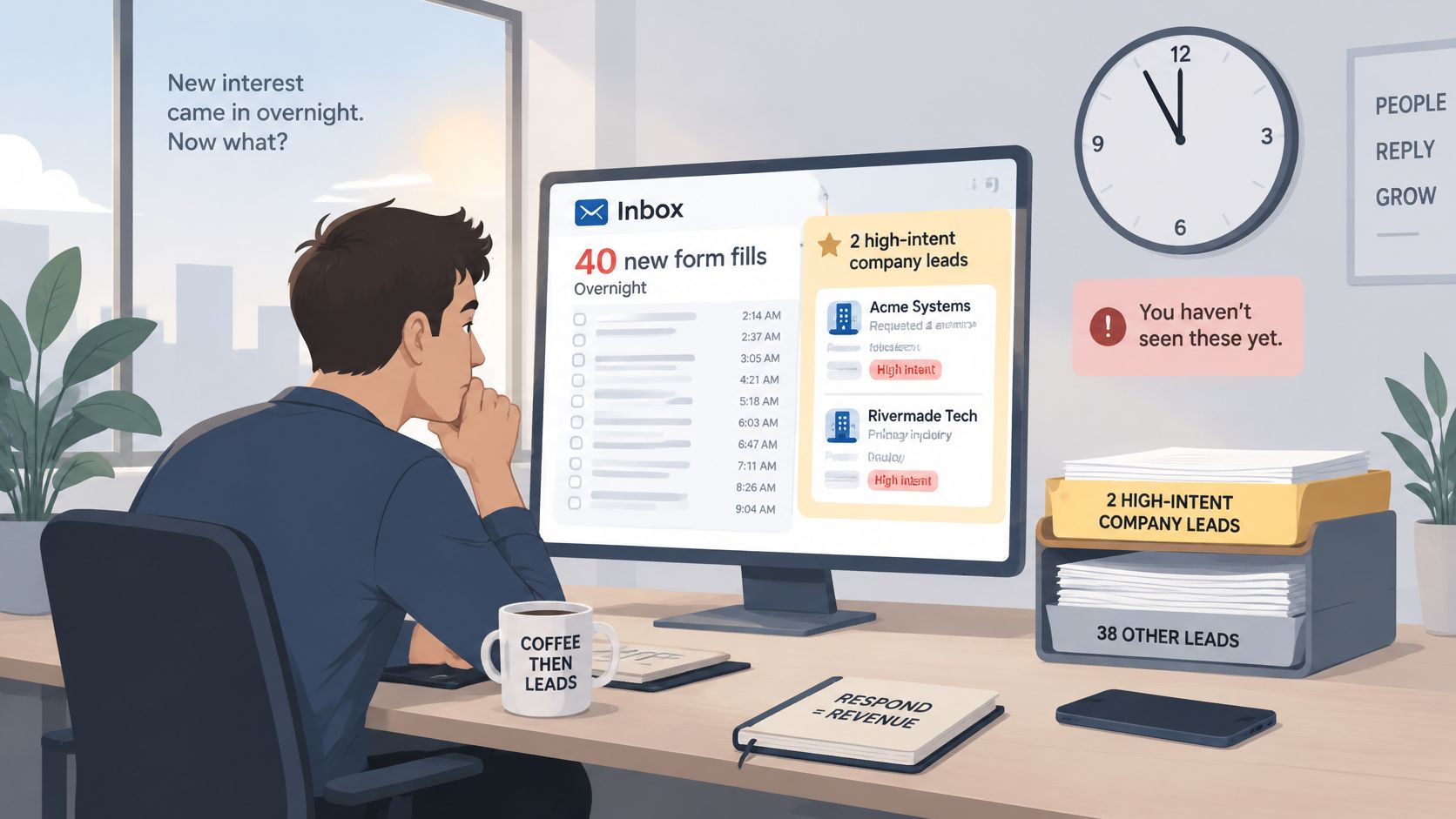
Your sales rep starts the morning with a queue of overnight form fills. Buried among newsletter requests and support questions are buyers actively comparing vendors, but nobody spots them until noon. You’ve paid to attract their attention, yet the handoff still depends on someone opening the right inbox.
Automated lead generation closes that operational gap. The useful version doesn’t just collect more names. It helps your team recognize buying intent, respond appropriately, and avoid bothering people who aren’t ready to talk.
Table of Contents
- Why Inbound Leads Stall Before Anyone Replies
- Six Automation Strategies Compared Side by Side
- How Intent Detection Decides Who Gets Engaged
- Response Speed Benchmarks That Set Your Targets
- Build and Pilot Your First Automated Lead Workflow
- Metrics and Guardrails That Protect Buyer Trust
Why Inbound Leads Stall Before Anyone Replies
A pricing-page visitor and a student grabbing a one-pager can both show up as new leads by 9 a.m. The rep still opens each record, guesses who is buying, and decides whether a message would help or annoy. A faster ping does not sort that pile.
According to HubSpot’s State of Marketing report, 61% of marketers identified generating quality leads as their number-one challenge in 2024, as summarized by Statistics Fundamentals. Marketing and sales need one shared test for a relevant buying conversation, not another copy of the same form.
What the automation actually does
The system works like a night-shift receptionist. It notices an arrival, asks what the person needs, and finds the right owner. It should not trail every visitor asking for a meeting. A false positive is a quality failure: contacting the wrong person raises interruption rate, and repeated misses push opt-out rate up.
Capture records an explicit request or a clear buying signal. Qualification checks whether the account and the need fit. Routing names an owner instead of leaving the request in a shared inbox. Follow-up keeps the next step when the first contact misses. Skip any one of those and the lead sits, even if the alert fired on time.
Bad contact data breaks the chain before a rep speaks. Mailbeam’s resource on how to validate business email addresses is useful when you design capture. A valid address is a usable route, not proof of intent. Treat a bounce or a generic inbox as a failed capture, not as a lead the team failed to work.
Demand doesn’t always begin on your website
Some buyers finish a large share of their research before you ever see a session. Website automation cannot talk to someone who never arrives. Put partner referrals and other permitted inquiries on the same qualification path, and store the origin in the CRM, so a warm intro is not scored like an anonymous page view.
Find the stall before you add tools. Are the right buyers unidentified, waiting on an owner, or gone after a reply that never went out? Count false positives in that review. A workflow that messages everyone who filled a form will look busy and still train buyers to ignore you.
Six Automation Strategies Compared Side by Side
Automation strategies by trigger, fit and effort
The response descriptions below are workflow design expectations, not guaranteed service levels.
| Strategy | Trigger | Best fit | First response | Human effort |
|---|---|---|---|---|
| AI chat on the website | Visitor opens chat or stays on pricing | High traffic with limited reps | Automated answer when chat starts | Low, review transcripts |
| Intent-based visitor identification | Company match and repeat visits | ABM and account-based targeting | Owner alert after matching | Low, tune ICP rules |
| Live video on high-intent pages | Pricing or product page visit | Teams with reps online during working hours | Immediate invitation when a rep is available | High, a rep must be present |
| Automated scheduling and click-to-meet | Visitor asks for a call or demo | Buyers ready to book | Available slots in the same session | Low, maintain calendar connections |
| Automated nurture email sequences | Content download or newsletter sign-up | Early-stage buyers without urgency | Delivery confirmation, then scheduled content | Medium, copy and cadence upkeep |
| Form capture with automatic routing | Form submission | Teams with existing form traffic | Acknowledgment and owner assignment | Medium, routing rules need upkeep |
Read the table from buyer intent to operational effort, not from the most advanced technology downward. Someone requesting a demonstration needs an easy route to a conversation. Someone downloading an educational guide may want the guide.
What each option costs you
- AI chat needs boundaries. Maintain approved answers and an escalation path. A confident but incorrect answer creates work for the rep who inherits it.
- Visitor identification needs skepticism. A company match supports account prioritization; it doesn’t establish the visitor’s identity or authority.
- Live video needs staffing. Offer it when someone can respond, and let the visitor decline without losing access to the page.
- Scheduling needs calendar hygiene. Check time zones, buffers, ownership, and unavailable periods. A booking confirmation isn’t useful if the assigned rep can’t attend.
- Nurture needs editorial upkeep. Product claims, customer examples, and calls to action become stale. Stop promotional sequences when someone replies or opts out.
- Form routing needs exception handling. Plan for unknown territories, existing opportunities, and accounts without an owner.
Practical rule: Start with a single trigger and a single response. Add another layer only when you can explain what the first one improved.
For a small sales team, pilot automated scheduling and click-to-meet first when demo demand already exists. It removes coordination work without requiring a rep to watch the website continuously. If submissions currently sit unassigned, repair form routing before adding another engagement channel.
How Intent Detection Decides Who Gets Engaged
Intent detection is an estimate, not a declaration that someone wants to buy. The system reads observable behavior and account information, then applies rules you’ve chosen. Keep the evidence separate from the interpretation.
These inputs give you a useful starting map.
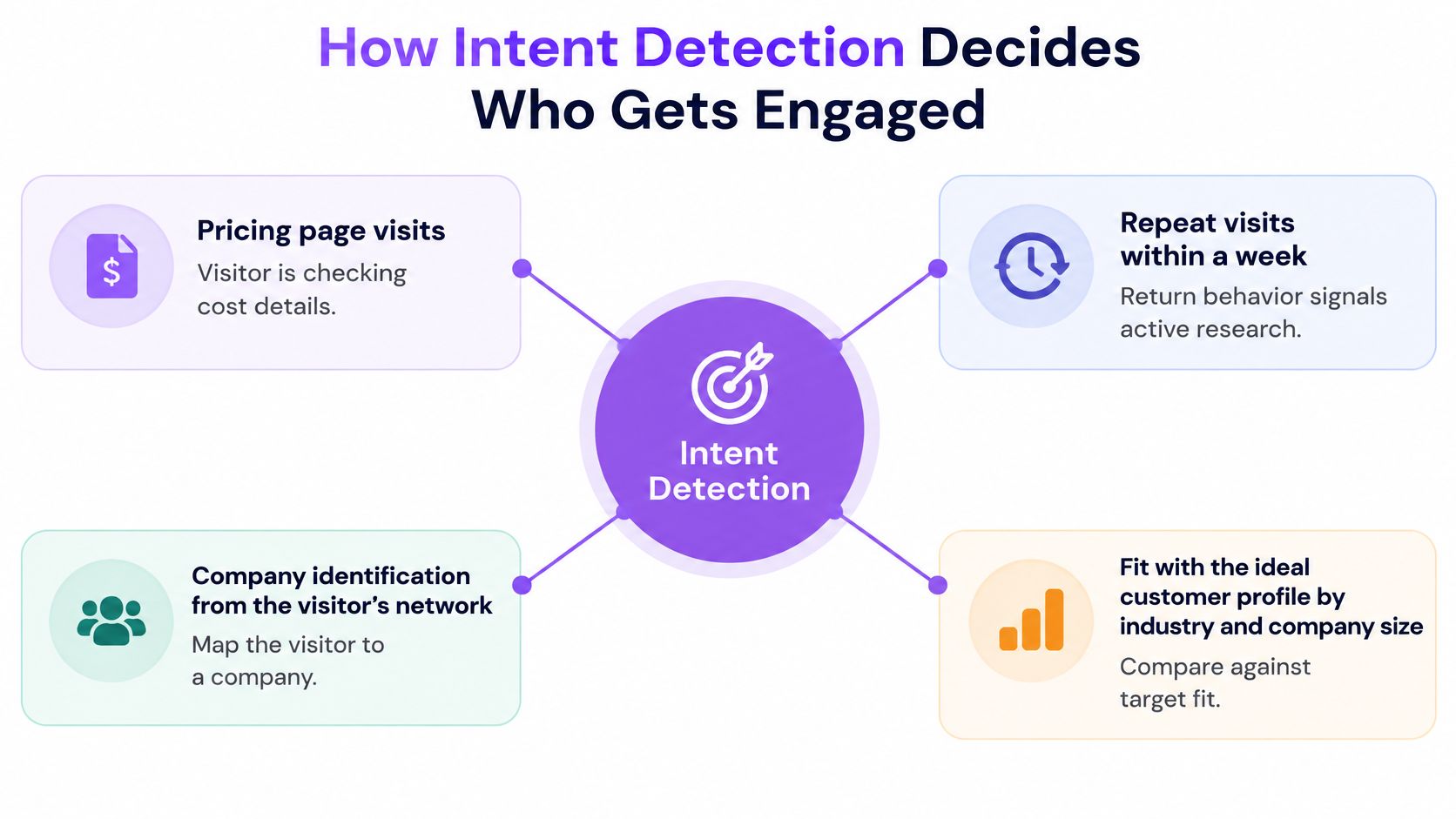
A pricing visit suggests interest in commercial details. Return visits may indicate continued evaluation, while movement through product documentation and customer stories can show deeper investigation. Industry and company size tell you whether the account resembles your ideal customer profile, usually shortened to ICP.
Network-based company identification adds context, but shared networks, remote work, and incomplete records can produce ambiguous matches. Don’t treat an account-level match as permission to address an anonymous visitor by name. The distinction between behavioral evidence and account context is central to a usable B2B intent data model.
A hypothetical scoring decision
Say a visitor appears to come from a software business that fits your target market. They return to pricing and read a customer case study relevant to their industry. In your scoring model, the combination crosses the engagement threshold, so the system offers help with a short qualifying question.
A student reading a glossary article doesn’t cross that threshold. They receive the explanation they came for, without a sales interruption.
You can implement this with weighted points or explicit conditions. The threshold should represent enough evidence to justify the next action, not a universal definition of sales readiness. An invitation to ask a question needs less evidence than an urgent alert to an account executive.
The video provides another way to examine how visitor signals inform engagement.
Calibrate against outcomes, not activity
A competitor may read every product page without ever becoming a buyer. An existing customer may repeatedly visit pricing while checking renewal options. Exclude known competitors and route customers to the appropriate team rather than adding more points indiscriminately.
Compare engaged accounts with closed-won, lost, and disqualified records. Ask which signals preceded meaningful opportunities and which merely produced busy browsing. Review accounts you didn’t engage as well, so your evaluation includes missed buyers rather than only successful matches.
Configure these signals first:
- Commercial interest: Visits to pricing or a relevant product page.
- Return behavior: Repeat engagement within a defined review window.
- Account fit: Industry and company size aligned with your written ICP.
Response Speed Benchmarks That Set Your Targets
First-response windows in the 2011 company audit
| Response window | Share of companies | What it means for the lead |
|---|---|---|
| Within one hour | 37% | Prompt opportunity to begin qualification |
| One to 24 hours | 16% | Buyer must wait for assistance |
| Longer than 24 hours | 24% | Competitors may already have replied |
| Never replied | 23% | Inbound interest goes unanswered |
These shares come from a 2011 audit of 2,241 U.S. companies, summarized in Vida’s speed-to-lead review, which also describes a companion analysis finding that companies contacting prospects within an hour were nearly seven times more likely to qualify them than companies waiting an additional hour.
The distinction matters: the audit measured response behavior, while the companion analysis examined qualification. Neither turns every fast website interaction into a sales opportunity. Use the findings to prioritize prompt contact, not to forecast a guaranteed revenue increase.
A fast acknowledgment isn’t a conversation
An automated receipt can reassure a buyer that their request arrived. It doesn’t answer a technical question, confirm product fit, or establish whether a rep is available. If you label that receipt as successful sales contact, your dashboard can look healthy while prospects still wait.
Keep separate timestamps for automated acknowledgment, human outreach, and meaningful contact. For AI conversations, record whether the visitor exchanged useful information rather than merely seeing a greeting.
Measure how long the buyer waits for useful help, not just how quickly your software emits a message.
Set service expectations by intent. A buyer explicitly requesting a demonstration deserves priority over someone who subscribes to educational updates. A content subscriber may need delivery of the requested material, not an unsolicited call.
Establish your own baseline
Export a recent, representative cohort of inbound leads from your CRM. Include source, request type, account fit, creation time, owner assignment, first outreach, meaningful contact, and qualification outcome.
Then:
- Group comparable requests: Keep demo requests separate from content downloads.
- Create response buckets: Use consistent time windows and preserve unanswered leads.
- Compare qualification: Check whether prompt handling improves outcomes within similar segments.
- Inspect exceptions: Identify delays caused by missing owners, off-hours coverage, or failed integrations.
Keep working-hour and elapsed-time views separate. The former helps evaluate staffing; the latter represents the buyer’s actual wait. A focused speed-to-lead operating model should make both visible.
Adopt a named-owner and first-useful-response target for explicit buying requests before optimizing every page visit. Assign someone to monitor breaches and investigate the cause, rather than letting the dashboard become another unattended inbox.
Build and Pilot Your First Automated Lead Workflow
A buyer lands on your pricing page, looks for a way to get help, then leaves while the team is busy. A focused pilot can close that gap, provided it connects the visitor’s intent to a clear next step and a named owner.
Use the process map to connect qualification, ownership, and review.
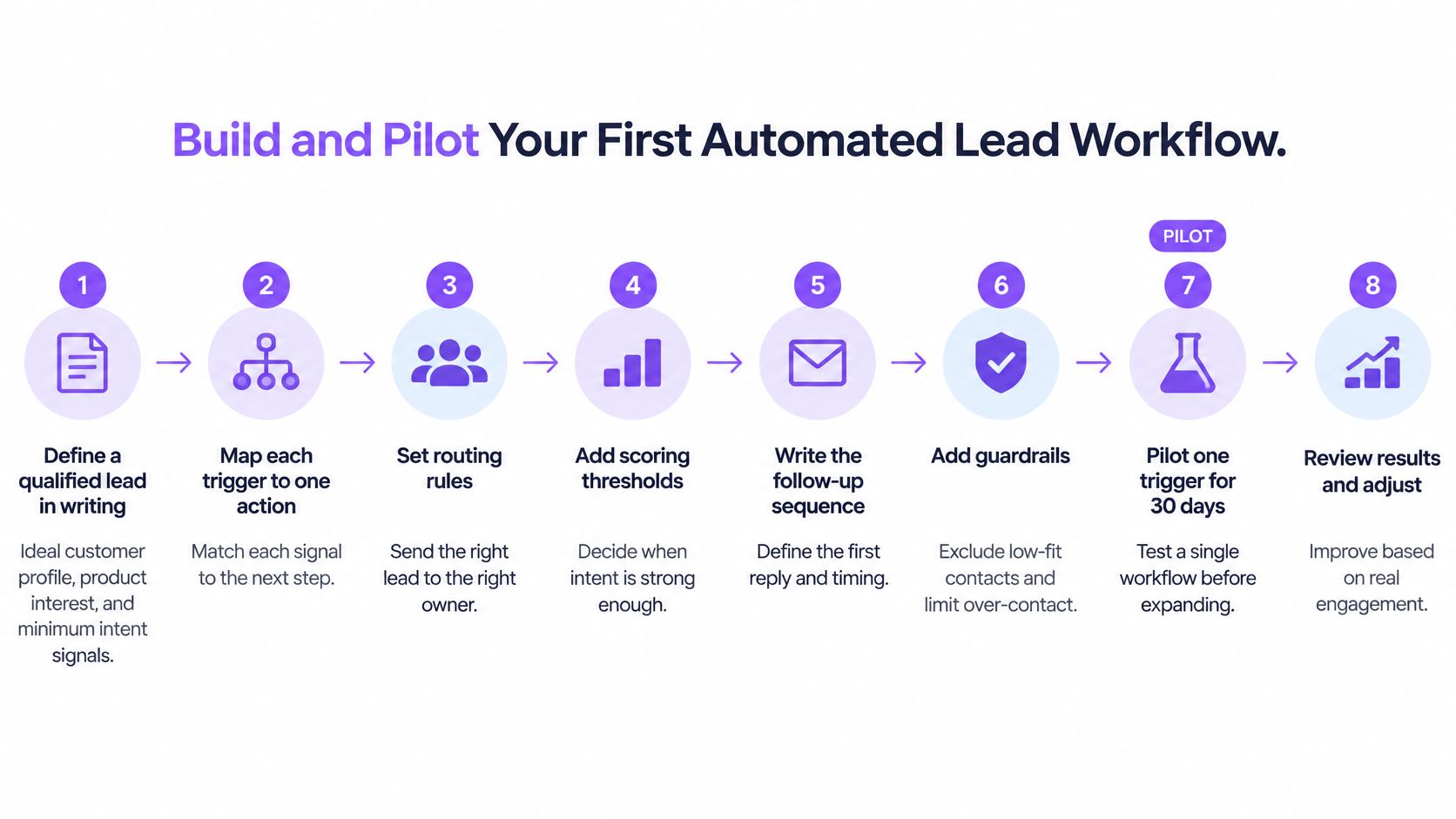
Configure the workflow
-
Define a qualified lead in writing. Specify account fit, product interest, and the evidence that warrants sales involvement. Include disqualification reasons so reps apply the same standards.
-
Match each trigger to an appropriate action. A high-intent pricing visit can prompt an offer to chat or a live call. An educational reader should enter nurture only after an appropriate sign-up, not just for opening a blog post.
-
Choose fields that change the next step. Ask about role, company size, timeline, or use case only when the answer affects routing or qualification. Reuse available information rather than asking buyers to repeat it, and define a fallback for questions the AI cannot answer.
-
Set ownership and fallback rules. Account for region, account tier, product interest, existing ownership, and rep availability. State which rule takes precedence if conditions conflict. A lead distribution workflow should account for unavailable reps rather than routing every request to the same person.
-
Make the first action prompt and visible. The 2007 Lead Response Management study associated with MIT and InsideSales, summarized by Digital Applied’s response-time benchmark analysis, reported that contacting leads after 30 minutes rather than within five minutes reduced contact odds approximately 100-fold and qualification odds approximately 21-fold. Treat these as prioritization benchmarks, not revenue guarantees. Pair routing with an actionable Slack or Teams alert.
-
Provide an off-hours path. If no rep is available, AI Chat can answer questions, qualify the visitor, capture an email address, and offer a demo. Set clear expectations about what happens next; don’t imply that a live rep is joining when one isn’t available.
-
Define reminders and retry rules. Specify who follows up after a missed contact, which channel they use, and when attempts stop. Pause retries after a reply, booking, rejection, or opt-out. Coordinate automated and manual activity to avoid duplicate touches.
-
Write outcomes to the CRM. Preserve source, timestamps, qualification answers, owner, consent state, and outcome. Update an existing record where possible instead of creating a new lead for every interaction.
For a broader implementation checklist, EmailScout’s guide to automate your lead generation workflow can help map tool connections before configuration.
Captiwate’s setup requires a single JavaScript snippet, a calendar connection, and a CRM connection. Teams configure day-to-day triggers, segments, and routing in the app without a developer. Its automation flows can trigger on pricing visits, ICP matches, or repeat visits, then route visitors through Slack, Teams, or the widget. For a hot pricing lead, a flow can select the best available rep in the visitor’s region and send the context needed to start the conversation.
Check before you launch
- Response target: Record the first-action goal and the person responsible for escalation.
- Qualification fields: Confirm that each required answer changes a decision.
- Guardrails: Test exclusions, dismissal handling, and contact suppression.
- Review metrics: Ensure contact, qualification, meetings, attendance, and pipeline outcomes reach the dashboard.
For a hypothetical month-long pilot, enable only the pricing trigger. At the midpoint, inspect routing failures, duplicate touches, and CRM completeness. A rising contact count alone doesn’t show that the workflow is working.
At the end, compare similar leads across response buckets. Expand only if the workflow produces useful conversations without increasing unwanted engagement. If it falls short, change the rule that failed before adding another trigger.
Metrics and Guardrails That Protect Buyer Trust
Lead count can rise because your system interrupts more people, not because more buyers want your product. Buyer trust belongs inside lead quality: an unwanted meeting invitation isn’t a successful conversion because someone saw it.
Gartner survey data cited by Empact’s B2B buyer journey overview found that 67% of B2B buyers preferred a buying experience without a sales representative involved. Give buyers a self-directed path alongside optional help.
Metrics to track and the warning signs in each
| Metric | What it reveals | Warning sign |
|---|---|---|
| Contact rate by response bucket | Share of leads reached in each timing group | Prompt actions still produce few actual contacts |
| Qualification rate | Share of contacts meeting your criteria | Volume rises while fit deteriorates |
| Meeting-booked rate | Share of qualified leads booking a demo | Buyers abandon the scheduling handoff |
| Show rate | Share of booked meetings attended | Bookings rise without attendance |
| False-positive rate | Engaged visitors confirmed as non-buyers | Competitors or students dominate engagements |
| Interruption rate | Share of eligible visitors shown unsolicited engagement | Educational-page interruptions increase |
| Opt-out rate | Share declining further engagement | Rejections increase after a rule change |
| Pipeline per engaged account | Opportunity value relative to accounts engaged | Faster replies don’t produce stronger opportunities |
Turn warning signs into operating rules
Define denominators before comparing results. A chat dismissal isn’t necessarily a marketing unsubscribe, and an unidentified visitor isn’t automatically a false positive. Label confirmed non-buyers separately from accounts whose status remains unknown.
Trust test: If you can’t explain why the engagement was appropriate, don’t optimize it for a higher click rate.
Apply these guardrails:
- Suppress uncertain outreach: Keep low-confidence matches and weak-intent visits out of proactive engagement.
- Explain the offer: Make clear that help is available, identify automated assistance, and avoid revealing inferred personal details.
- Respect the buyer’s choice: Escalate when intent and permission justify it. Keep dismissal and self-service routes easy to use.
Before launch, document what behavioral data you collect, transcript retention, processing locations, connector access, and deletion procedures. Keep customer information out of unmanaged public AI tools, and preserve an audit trail for routing and access changes.
Review false-positive rate first each month, alongside unknown classifications. If the wrong people are receiving attention, faster responses and more bookings won’t repair your qualification model.
Captiwate combines intent detection, AI qualification, live chat and video, and automated scheduling to turn appropriate website signals into sales conversations. Visit Captiwate to explore a pricing-page workflow that connects buyers with the right rep while keeping CRM records and handoffs connected.