Firms that contacted a lead within one hour were nearly seven times more likely to qualify it than firms that waited an additional hour, and more than 60 times more likely than firms that waited at least 24 hours. That comes from an analysis of about 1.25 million inbound leads across 29 B2C and 13 B2B companies, summarized in this lead response time research.
The widget is not the sales motion. Live chat for sales pays off when someone gives a useful answer while the buyer is still comparing you with someone else. I would staff that reply before I redesigned the launcher.
Table of Contents
- Why Buyers Expect an Answer While They Evaluate
- Response Speed Targets for Each Buying Signal
- How to Set Up Triggers and Qualifying Questions
- Routing Chats Across Time Zones and Shifts
- When AI Chat Should Hand Off to a Human
- Adding Intent Detection and In-Browser Video to Qualified Chats
- KPIs That Show Whether Live Chat Pays Off
- Live Chat Use Cases on Pricing Pages and Product-Led Signups
- Pick One Pricing-Page Pilot to Start This Week
Why Buyers Expect an Answer While They Evaluate
Say it’s 4 pm. A buyer has your pricing page open, two competitors in other tabs, and a spreadsheet of plan names. Attention is sharp for a few minutes. Then a meeting starts, the tab goes cold, and the comparison never gets finished.
Treat it like a shop counter. Someone walks up and asks what the mid-tier plan includes. They want the answer now. A form that promises an email tomorrow is “someone will call you back,” and a lot of buyers leave.
Why the channel already feels normal
Chat is not a new sales trick. Data attributed to Forrester, and published by ICMI, show that by 2014 chat was the leading online contact method. 42% of customers used or preferred chat, compared with 23% for email and 16% for social-media forums. Satisfaction sat at 73%, ahead of email at 61% and telephone support at 44%. Among customers who preferred live chat, 79% said they valued getting answers quickly.
Buyers also expect the page itself to hold a conversation. Statista Market Insights valued the global conversational-commerce market at approximately $7.119 billion in 2024. The visitor still has the problem in mind and is usually lining vendors up side by side, so the first helpful reply tends to own the thread.
A chat window with no owner is a support widget that happens to sit on a sales page.
Name an owner, define the triggers, and set a response standard. Without those three, chat adds conversations and doesn’t shorten the cycle.
Response Speed Targets for Each Buying Signal
Rank the page before you rank the rep. A demo request outranks a long read of a blog post. First human response means a reply that asks a qualifying question, not an automatic “Hi, how can I help?”
| Buying signal | First human response target | If no rep is free |
|---|---|---|
| Demo request | Under 5 minutes | AI qualifies and books a call on the spot |
| Pricing-page visit | Under 5 minutes | AI asks two qualifying questions and offers a calendar slot |
| Competitor comparison page | Under 5 minutes | AI captures the competitor named and routes to a senior rep |
| Product-page visit with long dwell time | Within 1 hour | AI opens with a use-case question and captures email |
| Chat opened after business hours | Next business hour | AI qualifies, captures contact details and books |
| General question from a known customer | Within 1 hour | Route to the account owner, behind demo requests |
The visitor who opens chat has the problem in working memory and is often mid-comparison. Quiet time hands that context to the vendor who answered. A known-customer question can wait behind a demo request. A pricing visit should not.
What to do when the queue is empty
If no rep accepts, do not leave a greeting sitting there. AI should qualify and offer a time. The handoff rule is simple: qualify, offer a slot, record the outcome. That request-to-booking sequence is a general CRM pattern, visible in workflow examples such as booking workflows for Airbnb hosts, and the sales version of the clock is covered in speed to lead.
Track median and 90th-percentile time to a substantive reply, qualification by response-time bucket, meetings booked, and opportunities created. Chat volume is not a sales result.
How to Set Up Triggers and Qualifying Questions
Design the workflow around a five-minute threshold, not a same-day SLA. Close’s inbound lead response guidance treats the first five minutes as the window worth designing around. A lead contacted within minutes is more likely to qualify than one contacted after half an hour, and that gap is large enough to justify wiring the page for speed rather than hoping a rep checks the queue.
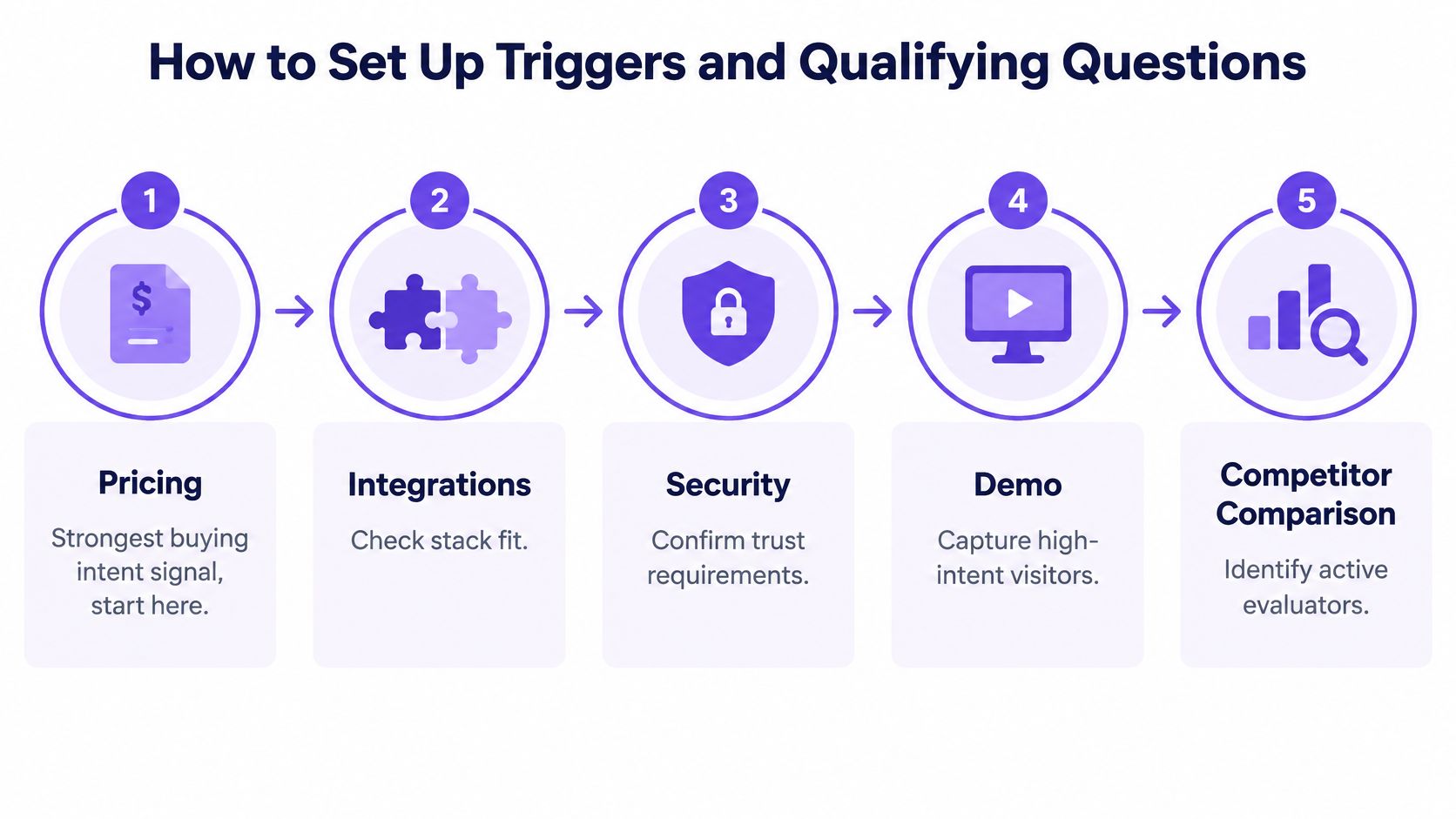
- Start on pricing, then four neighbors. Limit the first set to pricing, integrations, security, demo, and competitor comparison. Pricing is the strongest signal. Turning on every URL on day one creates noise.
- Use one trigger per page. Open chat, or offer a live call, after a set dwell time. Thirty seconds on pricing is a sane start, and a repeat visit can fire the same rule. Each trigger writes a CRM event. A launcher on every page inflates volume.
- Ask three to five short questions. Company size, use case, timeline, who signs off, and the tool they use now. Each answer should fit in one sentence.
- Bound what AI may collect. Name, work email, company, and the question asked. List price can be restated from the page. Discounts and “we can do that for you” stay out of the bot. An unauthorized promise is harder to unwind than a slow reply.
- Route, then fall back. The first available rep in the territory accepts the event. If nobody accepts within five minutes, AI qualifies and books the call, then hands the thread to a rep with the answers attached. The handoff is part of the design, not an afterthought.
- Change one trigger after a week of live traffic. Read response time, qualification rate, and which triggers fire too often. Fix the noisy one before you add a page.
Routing Chats Across Time Zones and Shifts
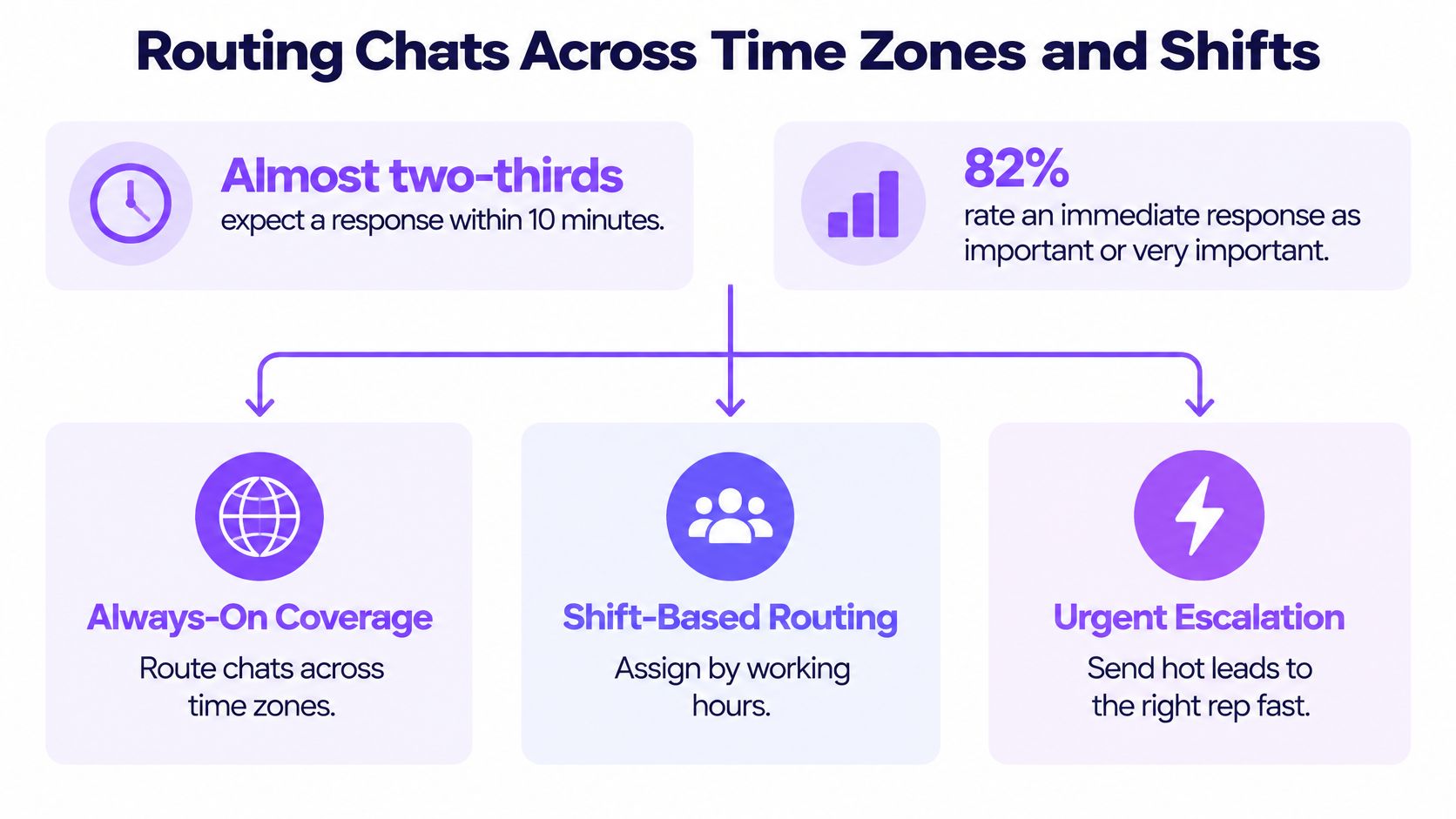
HubSpot’s live chat research reports that almost two-thirds of buyers expect a response within 10 minutes for marketing, sales, or service inquiries, and 82% rate an immediate response as important or very important for marketing or sales questions. A promise that tight only holds if the operating model matches the hour the buyer arrives.
| Coverage model | Best use | First response | Where the promise fails |
|---|---|---|---|
| 24/7 AI qualification | First answer at any hour | Immediate | Complex or regulated questions stall |
| Regional human coverage | Staffed hours in each buyer region | Minutes during staffed hours | Holidays, queue spikes, one rep covering two regions |
| Calendar click-to-meet | Rep is free later | Booked slot | Slot falls outside the buyer’s time zone |
| Asynchronous fallback | Overflow and non-urgent questions | Within 1 hour | Visitor expected a live reply |
Where each model breaks
Always-on AI covers a 2 am pricing visit, then stalls on a security questionnaire. Regional humans feel immediate until a public holiday, a post-webinar spike, or one SDR covering two regions. Click-to-meet fails when the only open slot is 6 am in the buyer’s city. Async fallback is honest overflow, and it feels broken if the widget said “Online now.”
Route on territory, account tier, rep availability, and language. Data-residency rules can block a transcript from leaving a region, so the fallback rep has to sit inside the allowed boundary.
Publish hours on the widget. “Online now” means a human. After hours, say what happens next. An after-hours answering service is how some voice teams keep a similar promise once chat staff log off. A widget that implies instant access and then sends a canned follow-up the next afternoon costs trust you can’t banner back.
When AI Chat Should Hand Off to a Human
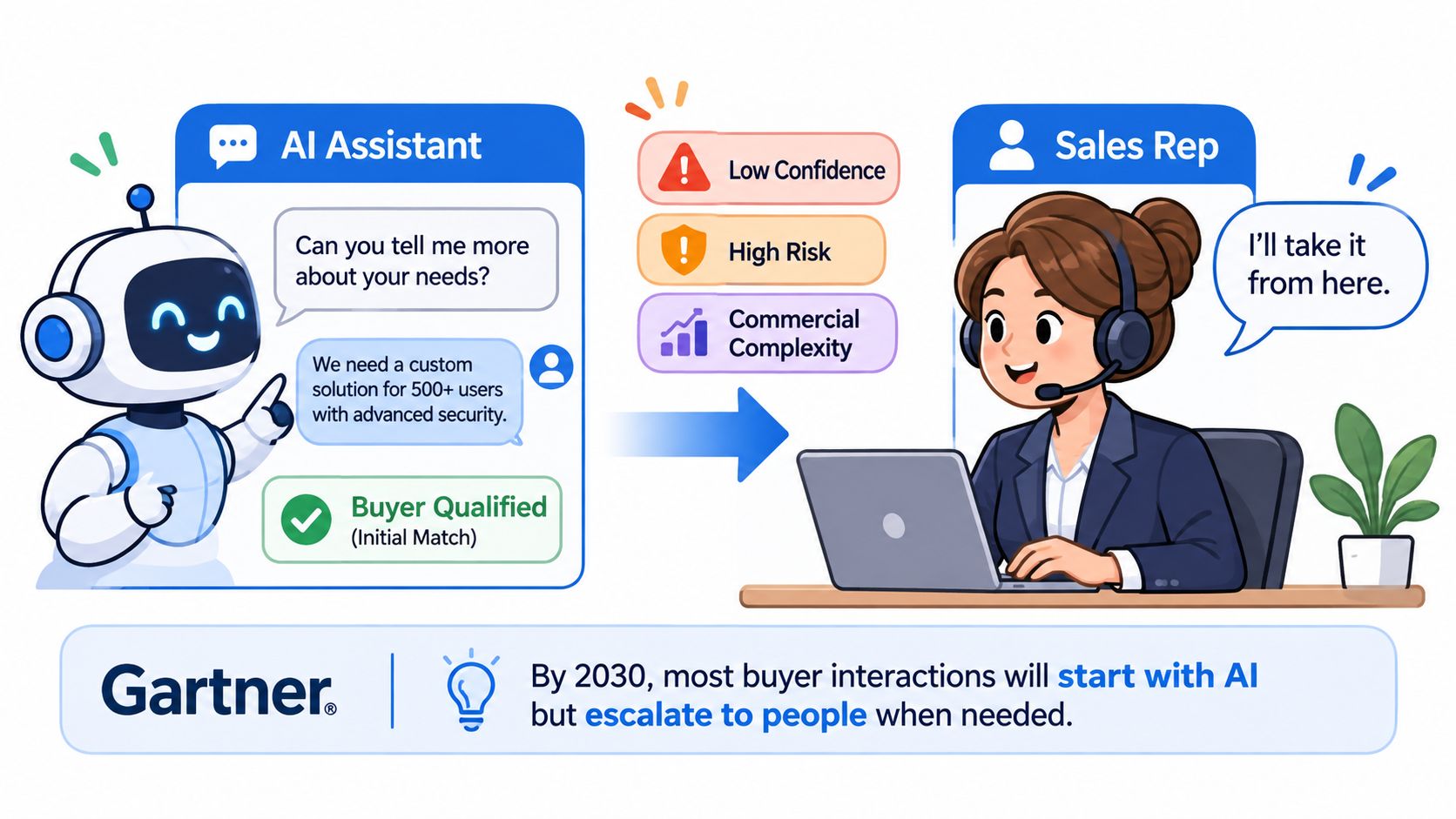
AI should not finish every chat. Use it for speed and triage, then bring in a person when confidence, risk, or commercial complexity rises.
Gartner predicts that 75% of B2B buyers will prefer sales experiences that prioritize human interaction by 2030. In a separate Gartner survey, 69% of B2B buyers prefer validating AI-generated insights with sales representatives, and 51% believe generative AI is more likely to provide misleading information. Early research can stay automated. A high-stakes call should not.
| Question or moment | AI can handle | Route to a rep now |
|---|---|---|
| Product fit and basic features | Yes, from the knowledge base | Only when the visitor describes a specific use case |
| Pricing exceptions or discounts | Share list pricing only | Yes, immediately |
| Security questionnaires and compliance | Link to public documents | Yes, to the sales engineer or security contact |
| Procurement and contract terms | Capture the requirement and timeline | Yes, with the buyer’s role noted |
| Buying authority and budget owner | Ask who else is involved | Yes, as soon as a decision maker appears |
| Complex integration or custom needs | Gather requirements in writing | Yes, with a same-day call |
| Demo booking request | Book on the calendar | Confirm with a rep only if the visitor asks for a named person |
The handoff the buyer can feel
The rep should open with the transcript, the pages viewed, and a short AI summary. If the buyer has to retell the security question, the handoff failed. Pricing exceptions, procurement language, and buying authority sit with a person because a wrong sentence becomes a commercial commitment.
Practical rule: Escalation works only when it creates a qualified opportunity, not a longer thread.
After each handoff, check opportunity creation, not minutes spent chatting. Where qualification should stop is the point of AI lead qualification.
Adding Intent Detection and In-Browser Video to Qualified Chats
A single page trigger misses buyers who arrive sideways. Score intent from signals a launcher can’t see on its own: time on pricing, a second visit this week, a competitor comparison URL, a free user who hits a usage cap, or a session from an account you already know. The score raises the chat’s priority. It doesn’t replace the page triggers.
I’d weight pricing dwell and an explicit demo ask at the top, repeat visits next, and content pages last. A known-account visit jumps the queue even on an ordinary page, because the account team already has context. When two chats land together, the score decides who gets the rep. It should never auto-discount or auto-promise a security review.
When video earns a prompt
Once the qualifying questions are answered and the handoff rules say this is a real evaluation, offer an in-browser video call so the buyer can talk without leaving the page. AI can place the slot on the calendar. The rep joins with the transcript and the summary already open, so the buyer doesn’t repeat the story.
Don’t offer video on first paint. An early camera prompt reads as pressure, and plenty of visitors close the widget.
Offer video only after one qualifying answer, not on page load.
Compare those chats with text-only chats that fired on the same triggers. Look at meeting-booked rate and opportunity creation rate. If video doesn’t lift those two, keep it for calls a rep chooses, not as a default pop. In-browser video calls earn a place in the path only after the buyer has shown they want a conversation.
KPIs That Show Whether Live Chat Pays Off
| Metric | How to calculate | What it tells you |
|---|---|---|
| Median time to first human response | Median minutes from chat start to first substantive reply | Whether speed targets hold on a typical day |
| 90th-percentile response time | Time within which 90% of chats get a reply | Queue spikes, slow evenings and weekends |
| Qualification rate by response bucket | Qualified chats divided by chats, split by response time | Whether faster replies improve lead quality |
| Meeting-booked rate | Booked meetings divided by chats | Conversion from conversation to calendar |
| Show rate and no-show rate | Meetings attended divided by meetings booked | Whether qualification and reminders work |
| Opportunity creation rate | Opportunities divided by booked meetings | Real pipeline rather than activity |
| Handoff acceptance rate | Handoffs accepted by a rep divided by handoffs sent | Whether routing reaches the right people |
| Pipeline per visitor | Pipeline created divided by identified visitors | Revenue value of the chat program |
Chat-to-reply rate is the trap. Faster greetings create more activity. They don’t create more buyers. Compare a pilot with a control group, or with the same pages in the prior month. Count only a substantive reply on the clock. “Thanks for reaching out” is not a response.
How to read the set together
A fast median with a weak 90th percentile means evenings, weekends, or a post-campaign spike are breaking the promise. A high meeting-booked rate with a low show rate means qualification is thin, or reminders never went out. A high handoff rate with low acceptance means chats are landing on the wrong people, or on reps already in calls.
Once a month, change one thing: a trigger, a staffing hour, or what AI is allowed to say. Change all three and you won’t know which one moved pipeline per visitor.
Live Chat Use Cases on Pricing Pages and Product-Led Signups
Speed is the operating point. When a visitor gets help while the pricing tab is still open, they stay in the comparison instead of drifting into a nurture sequence that reaches them days later.
On pricing, a visitor who stays past your dwell trigger gets an offer to talk. The rep’s first line is the question that visitor was researching, such as whether the annual plan is the one with SSO, not a generic company pitch. That is a chat that earns its place: the visitor asked something specific, and someone who knows the answer showed up. Escalation design decides whether it converts. AI can open the chat and answer the plan question, but a buyer comparing seat limits and procurement terms wants a rep.
On a product-led signup, chat fires when a free user hits a usage limit, invites teammates, or opens the enterprise plan. AI handles the self-serve how-to. A large team, or anyone asking about security and procurement, goes to sales. Teams that also manage startup directory submissions should keep chat off those low-intent landings until the pricing pilot is clean. Directory traffic asks what you are. Pricing traffic asks what it costs.
The Salesforge case study is a reference point, not a forecast: demos booked rose 30% from the same website traffic, the widget triggers 200+ inbound calls a month and about 10 opportunities a month, and 50%+ of ARR is tied to widget-triggered conversations.
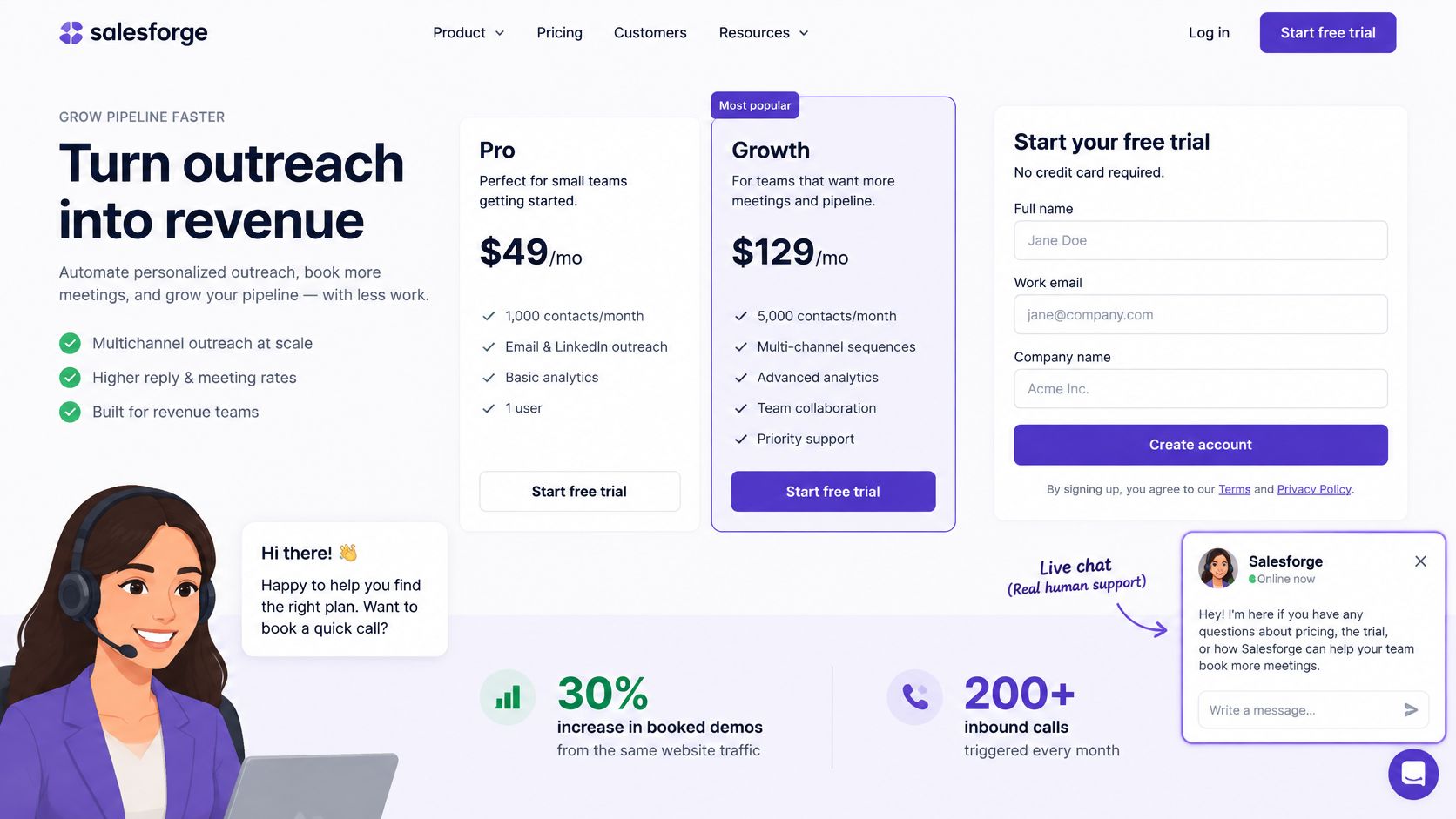
Treat those figures as a ceiling from one setting. Run the same triggers on your traffic, and don’t quote the lift internally until your own baseline moves.
Hearing an operator describe the live queue makes the staffing trade-off clearer than another screenshot.
Pick One Pricing-Page Pilot to Start This Week
Run chat on one high-intent page, usually pricing, for 30 days before you add another URL.
Record demo requests, response times, and show rates for that same page over the previous month. That’s the baseline. Without it, a busy week looks like a win.
Pick coverage before you argue about scripts. Our AI chat can run in one of three modes:
- After hours only: reps own the daytime queue, and AI catches nights and weekends.
- First responder with human backup: AI opens, and a rep takes over when the chat turns commercial.
- 24/7 coverage: AI carries every hour, with humans on the escalations.
A team new to chat should start with after-hours only, or first responder with human backup, so reps still own conversations while they’re at their desks.
Setup is one JavaScript snippet on the site, then the calendar and CRM connection, and the page is live. When a chat should become a demo, the visitor books in one click and the meeting lands on both calendars.
On day 30, compare response time, qualification rate, and meetings with the baseline. Then add pages, extend hours, or change a trigger. I wouldn’t expand a pilot that only grew greetings.
Captiwate turns high-intent website visits into live sales conversations with chat, AI qualification, and in-browser video, so a pricing-page buyer gets an answer while they’re still comparing options. You can route hot chats to reps, book the demo, and keep the record in your CRM instead of hoping a form comes back. See how it fits your inbound motion at Captiwate.