The most popular advice on how to segment customers tells you to collect more data, build more personas, and find more clusters. That advice produces labels sales cannot use. A segment that doesn’t change who gets contacted, how fast, by whom, and with what message is just a tag in a spreadsheet.
I would flip the order. Start with the routing decision, then work backward to the smallest set of signals that justifies a different action. If two groups get the same owner, same timing, and same message, they’re one segment, whatever your clustering says.
Table of Contents
- Pick Segment Types Your Data Can Support
- Collect Only the Signals That Change Routing
- How to Build Segments in Five Steps
- Segmenting Buying Groups, Not Just Leads
- Testing Whether a Segment Holds Up
- Turning Segments into Routing and ABM Rules
- Launch Your First Three Segments This Week
Pick Segment Types Your Data Can Support
Start with fields you can already fill reliably. A segment built on data you don’t collect, or collect badly, cannot fire in production. The classic variables still work when they’re tied to resource allocation, a point made in a Springer history of market segmentation, which traces the modern concept to Wendell R. Smith in 1956 and the familiar mix of geographic, sociodemographic, psychographic, and behavioral variables.
For a B2B team, sociodemographic usually becomes firmographic. Product usage is a fifth type worth separating, because it only exists after a trial or contract starts.
| Segment type | Example variables | Data source | Decision it drives |
|---|---|---|---|
| Geographic | Region, country, time zone | IP-based location, form fields | Routing to the nearest rep |
| Firmographic | Industry, company size, market | CRM, enrichment, visitor identification | ABM tiers and account fit |
| Behavioral | Pages viewed, pricing visits, return sessions | Website events | Timing and intent scoring |
| Psychographic | Stated goals, declared needs, interests | Forms, chat answers, surveys | Choosing the message angle |
| Product usage | Active seats, feature use, plan limits | Product analytics | Expansion and renewal plays |
What most B2B teams actually have
Start with firmographics and behavior. Firmographics tell you whether an account is worth a rep’s time, and behavior tells you whether now is the moment. Geographic data supports that decision, it rarely makes it. Psychographic data is the weakest of the five in most CRM records, because it depends on what a visitor chose to tell you in a form or chat.
That doesn’t make declared needs useless. It makes them a message input rather than a routing input. The same caution appears in other industries that group people by what they do rather than what they say, as these behavior-based banking customer segments from Visbanking show.
Before you score fit, agree on the account profile you’re scoring against. Our guide to defining an ideal customer profile sets out that foundation.
Practical rule: If a variable is missing for most visitors, it cannot be a routing variable. Use it for messaging or drop it.
Do a quick self-check before you build anything. List the dimensions you can fill today, mark the ones that need new tracking, and note the decision each one changes. Pick two dimensions to start, usually firmographic fit and behavioral intent. Adding a third before the first two produce meetings just adds maintenance.
Collect Only the Signals That Change Routing
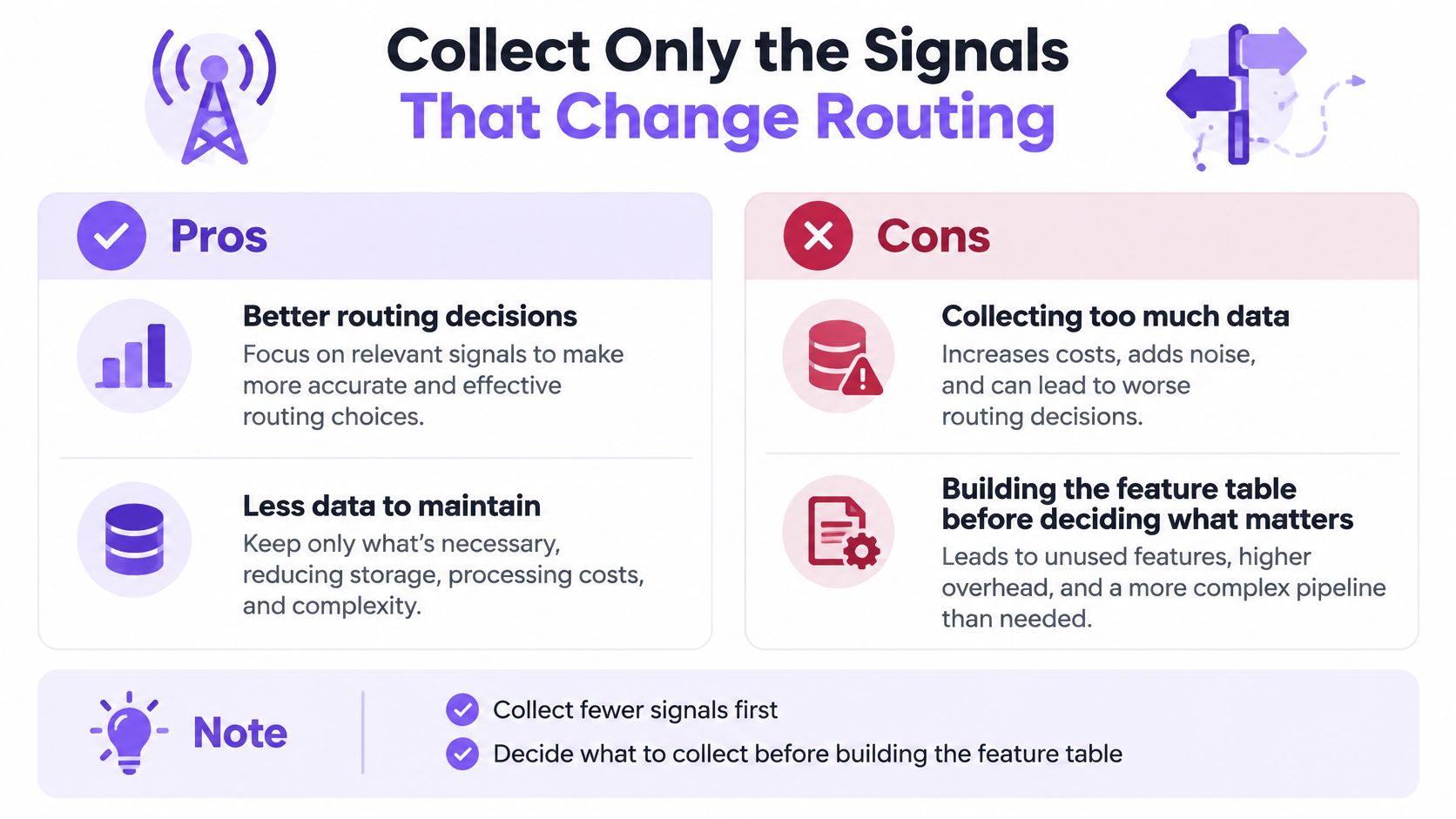
Collecting less data often produces better routing. Every extra field is a field that goes stale, conflicts with another source, or triggers a privacy review. A short signal list that stays accurate beats a long one that’s half empty, and it makes the segment easier for sales to trust.
Compliance pressure shows up in routing design. Forrester’s US consumer privacy segmentation reports that more than 90% of U.S. online adults use at least one tool to protect privacy or security, and businesses name compliance and privacy concerns as a major obstacle to understanding customers.
The five signals worth keeping
- Consent status: Determines what you may store and use at all. If consent is missing, the signal does not route. It waits or drops.
- First-party page behavior: Pricing visits, product page views, return sessions, session depth. This is the signal that most often changes urgency.
- Account-level context: Company, industry, size, CRM status, and whether the visitor belongs to a named account. Use it to decide whether a rep should see the visitor at all.
- Declared needs: What the visitor typed, selected, or asked for. This improves the message, but it should not be the only reason a rep gets an alert.
- Time-bound engagement: Signals that expire after a set window, so stale intent stops firing alerts and reps stop chasing old interest.
Those five carry most routing value without heavy personal profiling. Our breakdown of how B2B intent data works covers which behavioral signals hold up in practice.
Drop enrichment that adds risk without changing the decision. A visitor’s exact location, inferred income, or scraped personal history rarely changes which rep gets an alert. Public review text can inform message research, but only through sources whose terms permit that use. Review sites often prohibit scraping in their terms, so a technical walkthrough of how to scrape Yelp reviews is not a permissions guide. Use permitted exports or licensed review data instead.
Handle consent in practical terms. Captiwate’s visitor identification respects consent settings, and the customer controls what is stored. Customizable data privacy options let customers meet their specific requirements. Document the purpose of each signal, set a minimal retention rule, and tell visitors when automation shapes what they see.
Techniques such as k-anonymity and differential privacy can protect individuals while still surfacing behavioral patterns. Most routing teams don’t need them for a five-signal setup, but you should know they exist before you scale into larger datasets.
Judge the setup by one metric: qualified conversations or pipeline created per usable signal. Count that, not fields stored or profiles enriched. If a signal never changes a route, stop collecting it.
How to Build Segments in Five Steps
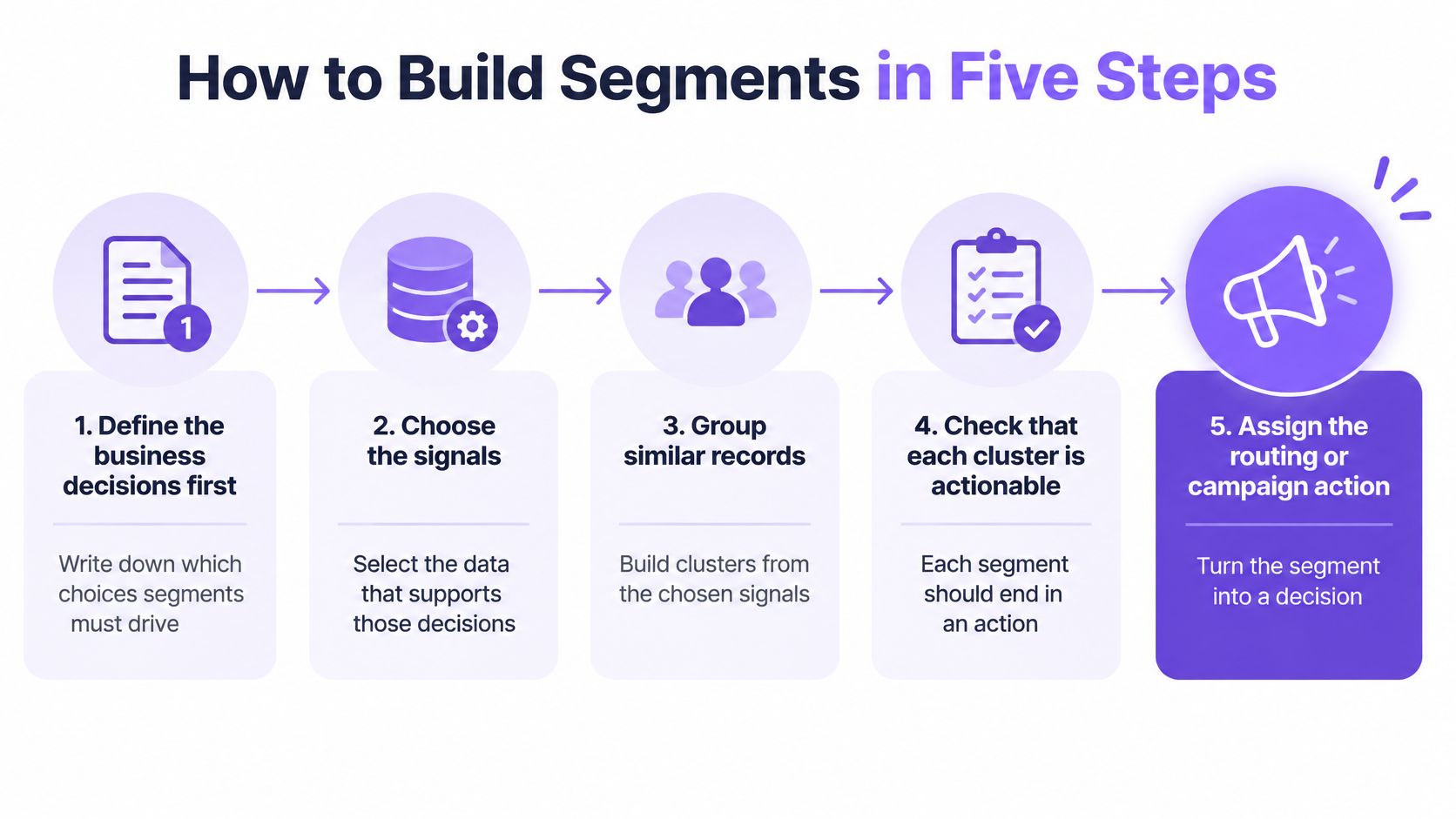
Build in this order so each cluster ends in an action. Reverse the order and you’ll spend weeks hunting for a use for groups nobody owns.
Step 1. Define the business decisions first
Write down the choices segments must drive before you touch the data. Who gets a live call, who gets nurture, who waits, who gets a booking link after hours. Three or four decisions is enough for a first build. The common mistake is starting with clusters and looking for a use afterwards, which is how you end up with a segment named “Cluster 4” that no rep will touch.
Step 2. Build a visitor-level feature table
Use a 30 to 90 day window. The table needs firmographic fields, acquisition source, pages viewed, pricing or product page visits, return frequency, session depth, chat engagement, meeting intent, and the conversion outcome. A specification for this two-layer workflow, business dimensions first and behavioral discovery second, is set out in a Springer study of RFM segmentation.
Exclude post-conversion signals. If a field is only populated after someone books, it leaks the outcome and your model will look far smarter than it is.
Step 3. Prepare the numbers before you cluster
Standardize skewed variables so a large count doesn’t dominate a small one. Log-transform counts and monetary-like measures, and keep categorical fields encoded separately from continuous ones. Skipping this step is the usual reason a “high value” cluster turns out to be nothing but your heaviest pageview outliers.
Step 4. Cluster, then choose the count from converging evidence
Run K-means, a Gaussian mixture, or a density-based method. Choose the cluster count from several signals at once: the elbow curve, silhouette score, Davies-Bouldin index, and, when labels exist, out-of-time conversion or pipeline lift. The RFM study cited above selected three clusters with the elbow method and reported a silhouette score of 0.65 and Davies-Bouldin index of 0.48, against 0.52 for standard K-means. Treat those as illustrative values from one dataset, not thresholds to hit.
Choosing k from a single metric is the classic error here. A count that looks clean on one chart often produces one giant group and three groups too small to staff.
Step 5. Convert each cluster into a routing rule
A cluster is not finished until it has a trigger, a message, and a named owner. In practice the first useful groups look like this:
- Target account pricing visitors: High fit plus a pricing visit.
- Repeat evaluators: Several sessions, deep product content, no meeting yet.
- Anonymous low-intent researchers: Blog reading, no identity match.
- Off-hours qualified visitors: Strong intent outside business hours.
Before any of them goes live, check three things. The segment is large enough to act on, reachable on the site with a real treatment, and different enough to justify its own handling. If it fails any of the three, merge it into a neighbor and move on.
A technically clean cluster that doesn’t change meeting rate, qualified pipeline rate, speed-to-lead, or sales acceptance isn’t a segment. It’s decoration.
Segmenting Buying Groups, Not Just Leads
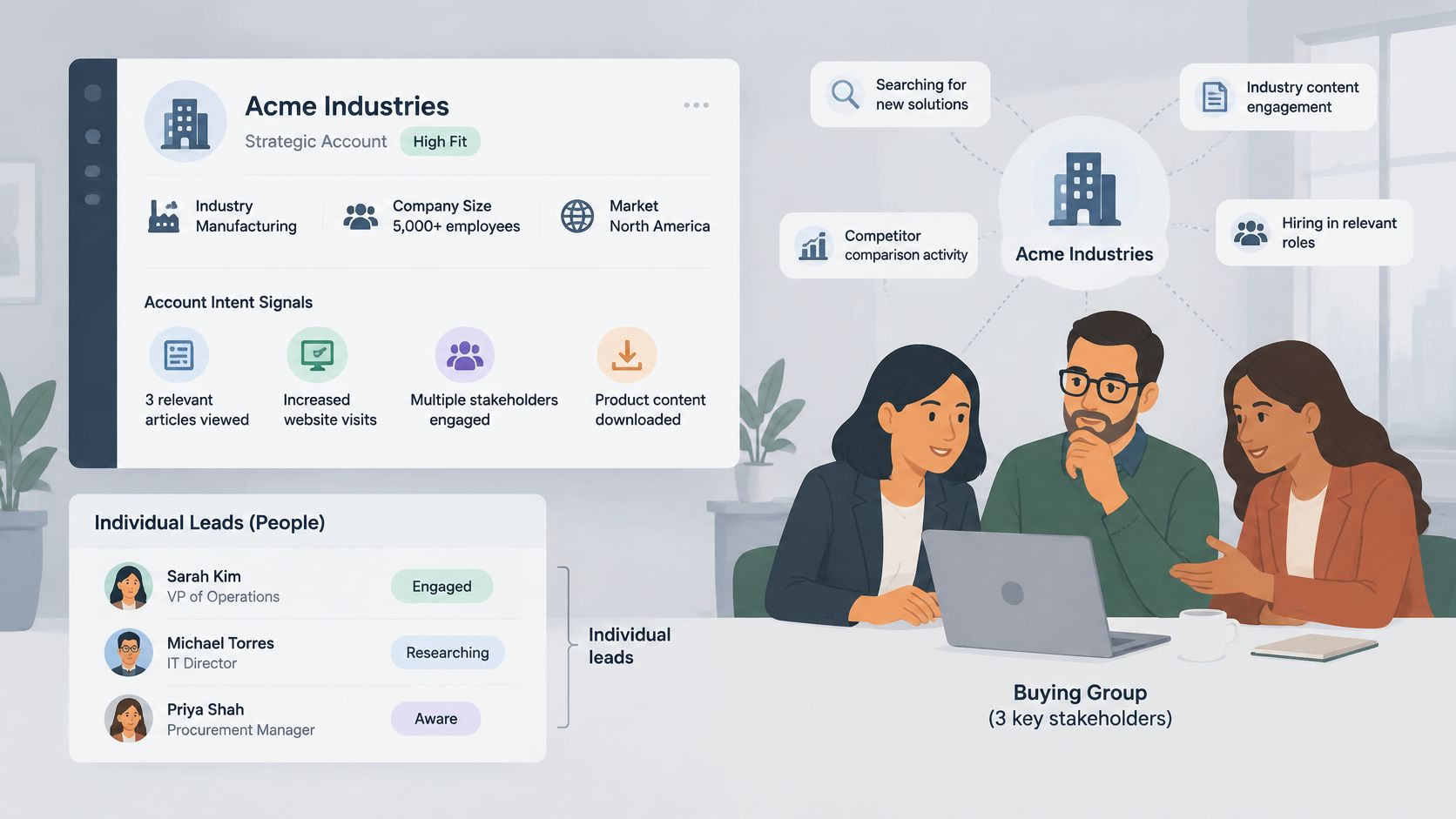
Say three people from one 400-person company hit your pricing page on Tuesday. The champion requests a demo on Wednesday. A user spends the afternoon in your integration docs. A person-level model sends three separate lead alerts to three different reps, and your team looks disorganized before the first call.
This short walkthrough shows how that fragmented alert pattern forms.
Score the account, label the person
Decide up front what the segmented entity is: a person, an account, or a buying group. That choice comes before activation, and Adobe’s B2B customer segmentation guidance makes the same point, recommending identity rules that connect people to accounts before anything is routed.
Build two layers. Account-level fit covers industry, size, and market. Account-level intent rolls up pricing visits, repeat sessions across several people, content depth, and meeting requests into one score. Then label each person by role: economic buyer, champion, user, or blocker. Fit and intent decide priority, role decides the message.
In the Tuesday example, the account-level version sends one coordinated alert to the account owner with the buying group listed. The owner sees that three colleagues are evaluating at once, which is a far stronger signal than any single visit. This is the same coordination logic behind account-based selling applied to inbound traffic.
The video below walks through how coordinated account handling differs from isolated lead follow-up.
The contrarian point is worth stating plainly: an overly granular personal segment can reduce sales effectiveness. If your segmentation splits a committee into five microsegments with five treatments, nobody sees the deal forming. Granularity helps messaging, it hurts coordination.
So change the question your segments answer. Not “which customer is this,” but which account journey is unfolding, who is involved, and what should happen next. If a segment can’t answer the third part, it isn’t ready.
Testing Whether a Segment Holds Up
A good silhouette score does not mean a good segment. Separation metrics tell you clusters are distinct in your feature table. They say nothing about whether the same visitor lands in the same group next month, or whether a rep should act differently because of it.
A segment has to pass two tests. It stays stable over time, and it changes what the sales team does. Run both before launch.
| Check | What It Tells You | Reference Point | If It Fails |
|---|---|---|---|
| Silhouette score | How well clusters separate | 0.65 in one RFM study; 0.52 for standard K-means | Re-check the cluster count |
| Davies-Bouldin index | How much clusters overlap (lower is better) | 0.48 in the same study | Merge overlapping clusters |
| Adjusted Rand index | Assignment stability across refits | 0.682 for households; 0.786 for monthly assignments | Shorten the window or combine clusters |
| Recurrence across windows | Share of visitors staying in one segment | 65.08% monthly; 74.40% quarterly | State the window with every report |
| Holdout lift | Meeting rate, treated versus holdout | Positive lift with the interval above zero | Keep the rule only if the lift holds |
Stability is where most segments quietly die
Refit across time windows, bootstrap samples, acquisition channels, and account cohorts, then compare assignments with the adjusted Rand index or normalized mutual information. A Springer longitudinal segmentation study found a three-cluster solution produced adjusted Rand indices of 0.682 for households and 0.786 for monthly assignments, and recurrence rose from 65.08% to 74.40% when assignments were aggregated quarterly instead of monthly.
That gap is the lesson. Temporal granularity changes apparent stability, so state your window in every report. Page intent and visitor identity shift faster than supermarket baskets do, which makes unlabelled stability claims worthless.
The failure mode nobody charts
Internal metrics alone. The same Springer review reports subject-matter experts participated in only 7 studies, or 4.1%, of the research examined, with evaluations emphasizing compactness and separation over business outcomes. So put the segment narratives in front of sales, marketing, and revenue operations before deployment and let them attack the descriptions. If a rep can’t recognize the group from the narrative, the segment won’t survive contact with a queue.
Then run a randomized holdout. Keep a random group out of each rule, report confidence intervals for meeting rate and qualified pipeline, and audit for channel, geography, privacy, and account-size bias so high-volume anonymous traffic doesn’t swamp smaller enterprise accounts.
Set the guardrails in advance: a minimum sample size per segment per month, and a membership churn threshold. Suppress any segment that falls below the count or churns past the threshold. Deciding those numbers after you see results is how weak segments live forever.
Turning Segments into Routing and ABM Rules
A rule has four parts: segment, trigger, action, owner. Missing any one of them, you have a dashboard filter, not a routing rule.
| Segment | Trigger | Action | Owner |
|---|---|---|---|
| Target-account pricing visitor | Pricing page visit plus ICP match | Live video invite | Nearest available rep |
| Repeat evaluator | Three or more sessions in seven days | Priority alert with buying group | Account owner |
| Anonymous researcher | Blog reads, no identity match | Content path and AI chat option | Marketing nurture |
| Off-hours qualified visitor | Pricing visit outside business hours | AI chat and booking link | AI chat, then SDR follow-up next morning |
Set ABM priority by fit multiplied by intent
Rank accounts with a simple product: fit score times intent score. High-fit accounts with no current intent shouldn’t jump a live queue, and high-intent visitors from accounts you’d never sell to shouldn’t either. The multiplication handles both failure cases without a weighting committee.
Top-ranked accounts get the scarce resource, which is a human, immediately. Lower-ranked traffic goes to chat and nurture, where the cost of being wrong is a wasted message rather than a wasted rep hour.
Walk one visitor through the rule
A pricing visit from a target account fires an immediate video invitation to the nearest available rep. Nobody fills a form and waits. If that same account returns for a fourth session within a week, it moves onto the account owner’s priority list with the buying group attached.
Contrast that with the other two rows. An anonymous researcher reading a blog post gets a relevant content path and a chat option, because interrupting them with a call would burn trust for near-zero return. A qualified visitor arriving after hours gets AI chat qualification and a booking link, then a named SDR follow-up the next morning. Automation flows can push these alerts into Slack or Teams with no code, so the rule lives where reps already work.
The retirement test: Track meeting rate, speed-to-lead, and sales acceptance per segment. Any rule that doesn’t move at least one of them gets retired, however elegant the cluster behind it looks.
Review the four rules as a portfolio, not individually. If the top segment consumes every available rep, your threshold is too loose. Tighten the trigger before you add headcount.
Launch Your First Three Segments This Week
Don’t launch a segmentation program. Launch three segments, on live traffic, with a review date. Scope is what kills these projects, not modeling.
The launch checklist
- Pick three segments: Target-account pricing visitors, repeat evaluators, and off-hours qualified visitors cover fit, intent, and timing.
- Confirm volume: Each segment needs enough visitors or accounts per month to act on and to measure.
- Assign one owner and one message: Two owners means no owner.
- Write the holdout rule: Decide who gets excluded before the rule fires, not after.
- Set the review date: Thirty days out, in the calendar, with a named person running it.
The minimum setup is website event tracking, a calendar connection, and a CRM connection. With our setup that means one JavaScript snippet on the website plus connecting a calendar and CRM, and triggers, segments, and routing are configured in the app without a developer for day-to-day use. That’s the bar to clear: if changing a threshold needs a sprint ticket, your segments will freeze at version one.
Run the three segments on this week’s live traffic before committing to a wider rollout. You’ll learn more from a week of real alerts, including the false positives reps complain about, than from another month of offline analysis.
At 30 days, compare meeting rate and speed-to-lead for holdout versus treated. Then decide per segment: keep, edit, or retire. Retiring one of three is a normal outcome and a sign the test worked.
I would not add a fourth segment until the first three have survived that review. Start today: run the checklist against this week’s traffic and put the 30-day review in the calendar before you build anything else.
Captiwate turns segments like these into live action on your site, identifying visitors, scoring intent, and routing high-fit accounts to a rep on video or AI chat instead of a form queue. Getting started has three steps, book a demo and integrate the script, start revealing and scoring visitors by intent, then start turning them into pipeline. Book a demo built around your own website to see which plan fits your traffic at Captiwate.