You open the CRM on a Monday and the queue already looks unfair in both directions. Three demo requests from Friday night sit with one rep who was off, while another rep has a clean inbox and nothing new to work. The round-robin looked even on paper. The buyer who asked for a price never heard back.
That gap is what lead assignment rules are for. They are not a fairness filter that hands every rep the same count. They are a speed and capacity system. They decide who can act while the buyer still cares, and they set a different clock for a demo request than for a badge scan at an event.
Table of Contents
- Common Lead Assignment Criteria at a Glance
- Why Speed Decides Who Owns a New Lead
- Setting Response Targets for Each Lead Type
- How to Build a Routing Rule Step by Step
- Matching Routing Rules to Your Sales Model
- Keeping Distribution Fair Without Slowing Follow-Up
- Confirm Your Routing Rules Before You Change Them
Common Lead Assignment Criteria at a Glance
Think of a hospital triage desk. Nobody hands the next patient to whichever doctor has seen the fewest people today. Staff sort by symptoms, location, and who is free before a doctor walks in. Inbound leads need the same sort.
Six criteria do most of the sorting. Real rules stack them, so one lead is checked against several before it lands with a person.
| Criterion | Decides | Example | Best fit |
|---|---|---|---|
| Territory | Owner by region or country | Leads from Germany go to the DACH rep | Field-based or regional teams |
| Round-robin | Next eligible rep in turn | Each new lead goes to the next rep in the queue | Teams with similar deal sizes |
| Lead score | Priority by fit and engagement | Scores above a set threshold go to senior reps | Teams with volume and scoring data |
| Account ownership | Existing owner keeps the lead | A known account returns to its account executive | Enterprise and renewal-heavy teams |
| Product interest | Owner by product line | A pricing-page visit on module X goes to the specialist | Multi-product companies |
| Business hours | Owner available right now | A lead arriving after 6 p.m. goes to the on-duty queue | Teams spread across time zones |
Territory picks the owner by region or country. A visitor from Germany should reach the DACH rep, not a colleague who cannot meet in that time zone. It fits field and regional teams.
Round-robin picks the next eligible rep in turn. It fits teams whose deals are similar in size, so taking turns is close to taking equal work.
Lead score ranks priority by fit and engagement. Scores above a set threshold go to senior reps. It fits teams that already have volume and scoring data. Scoring only works if you have already decided how to qualify leads in sales before the rule fires.
Account ownership sends a known account back to its account executive. It fits enterprise and renewal-heavy teams, where a second owner breaks the relationship.
Product interest routes by product line. A pricing-page visit on module X goes to the specialist, which fits multi-product companies.
Business hours picks someone who is on duty now. A lead after 6 p.m. goes to the on-duty queue, which fits teams spread across time zones.
A rule checks these in an order you choose. Ownership can win before territory, and territory can win before round-robin. Skip a step and the wrong person gets the lead even though every criterion looked sensible on its own.
You can see which criteria you already use without writing a policy. Open the last ten leads. For each one, name why that owner got it. If you cannot name the reason, you do not have a rule yet. You have a habit.
Why Speed Decides Who Owns a New Lead
A prospect fills in a demo form on Tuesday morning. The record is assigned before lunch. Nobody calls until Thursday. By then the buyer has talked to two other vendors, and your “correct” owner is starting from behind.
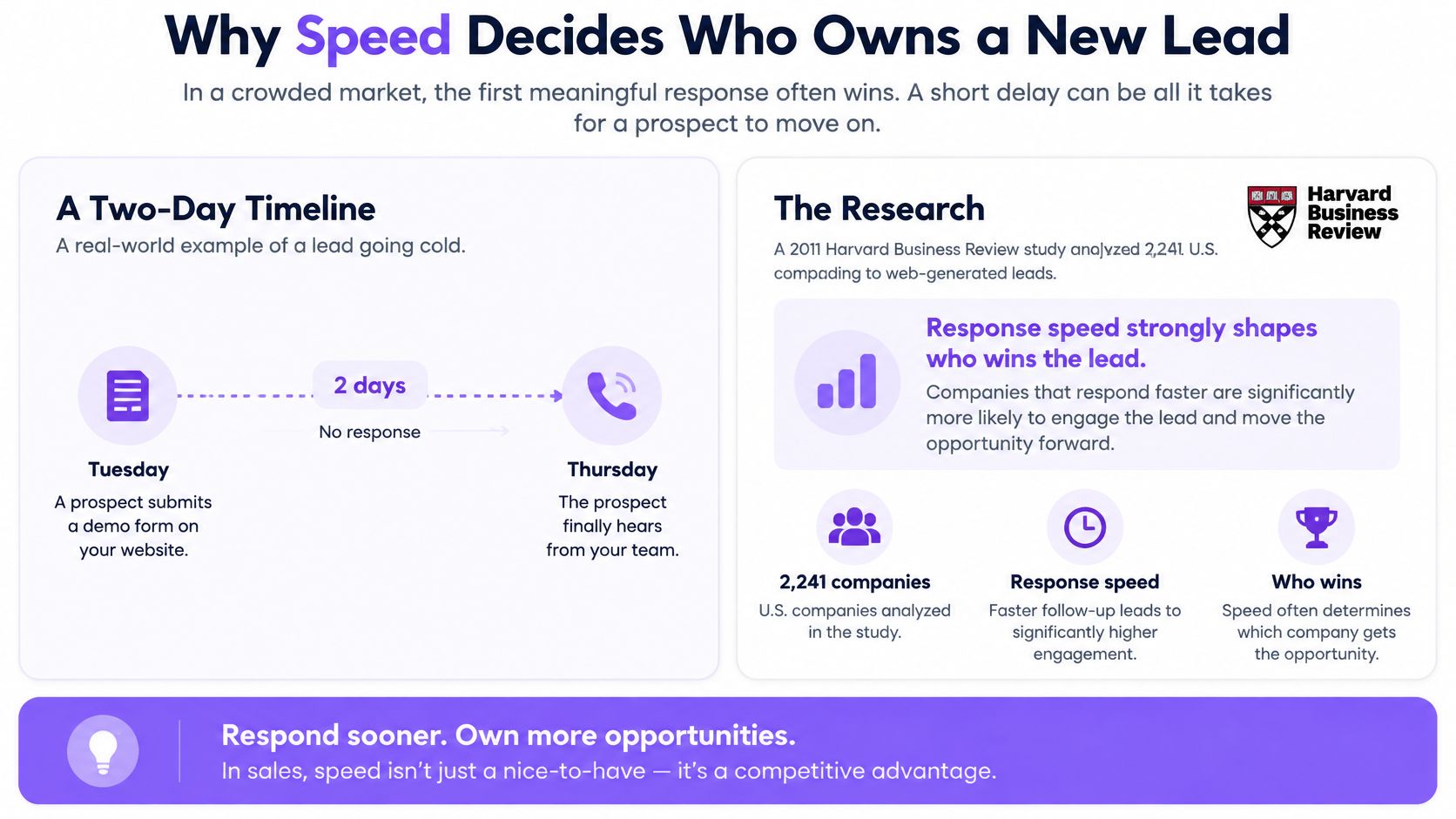
A widely cited 2011 Harvard Business Review study, covered by Vida, tested how 2,241 U.S. companies answered web-generated leads. Among companies that eventually responded within 30 days, the average response time was 42 hours. Only 37% responded within one hour, while 23% never responded at all.
The same coverage describes an analysis of about 1.25 million leads across 42 companies. Organizations that attempted contact within one hour were nearly seven times as likely to have a meaningful conversation with a decision-maker as organizations that waited one more hour. The advantage was more than 60-fold compared with waiting at least 24 hours.
Assignment is not the same as action
A rule that names an owner and then stops leaves the lead unworked during its highest-intent window. The CRM shows an owner. The buyer sees silence.
Treat it like a restaurant host. A guest seated at once orders. A guest left at the door walks to the place next door. The table was “assigned.” The meal was lost.
Ownership has to include a clock and a person who is accountable for it. If the named rep is in a meeting, a backup queue or an escalation timer has to move the lead. Otherwise the rule solved a directory problem and ignored the revenue problem.
Tools that focus on routing inbound leads to the right rep are useful only when the handoff starts a real attempt, not a notification that sits in an inbox. The practical test for any rule is simple, and it is the same test behind a serious look at speed to lead. How many minutes pass between capture and a human action, and who owns that clock?
Setting Response Targets for Each Lead Type
The five-minute benchmark gets repeated as if every inbound lead were the same buyer in the same mood. It does not say whether that clock fits a demo request, a pricing-page visit, an event badge, or a content download. One number cannot.
The B2B Lead Response Time Playbook cites best-practice targets of under one minute for demo requests, under five minutes for high-intent web forms, and up to 24 hours for event leads. That spread is the point. Intent sets the clock.
| Lead type | Target first response | Why it sits here |
|---|---|---|
| Demo request | Under 1 minute | Highest intent; an automated acknowledgement plus a fast human attempt |
| High-intent web form | Under 5 minutes | Buyer is actively evaluating and expects a quick reply |
| Event lead | Up to 24 hours | Lower urgency and often arrives in large batches |
| Content download | Set from your own conversion data | No benchmark in the research; the team sets it from its own conversion data |
What the average actually looks like
The same playbook reports that 63.5% of 1,000 tested B2B SaaS websites did not respond to demo requests. Companies that did respond averaged 1 day, 5 hours, and 17 minutes when automated replies were included.
An auto-reply is an acknowledgement. It is not a conversation, and it is not a meeting. Count it in your logs if you want, but do not count it as the first response that your SLA promised.
People still have to pick up
The gap is not only system latency. A 2025 HubSpot survey cited in that playbook found that 15% of teams attributed poor call volume to rep reluctance or competing priorities. A perfect route still fails if the person who receives it will not call.
Practical rule: Write the SLA by intent, channel, geography, and operating hours, and judge it on qualified meetings, not on how fast the record changed owners.
A content download has no published benchmark in that research, so do not invent one. Pull your own conversion data, see which downloads ever become meetings, and set a target your team can keep. Instant assignment with no meeting on the calendar is a vanity metric.
How to Build a Routing Rule Step by Step
Build one rule in a fixed order. Each step exists because the step before it can be wrong, and each step has a slip that teams make when they rush.
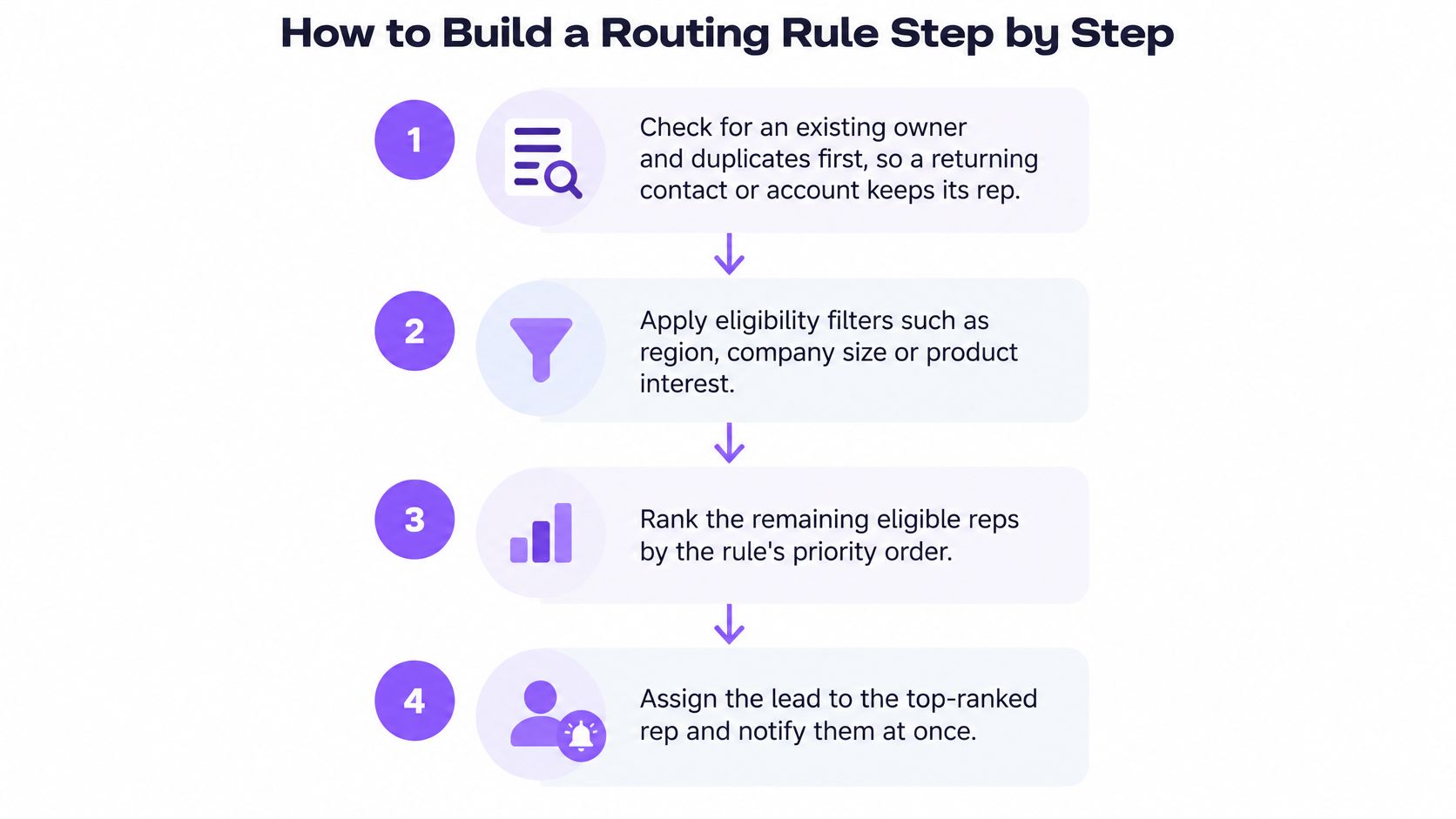
- Check the existing owner and duplicates first. A returning contact or a known account keeps its rep. Run round-robin before this check and you split one account across two people who both think they own it.
- Apply eligibility filters. Region, company size, and product interest decide who is even allowed to receive the lead. If country or employee count is blank, the filter cannot fire, so send thin records to an enrichment queue instead of guessing.
- Apply value or priority. A score threshold can send high-fit leads to senior reps. A stale score sends them to the wrong tier, and conversion drops before anyone blames the model.
- Choose the assignment method. Use a territory lookup when place or language matters. Use round-robin only among reps who already passed the filters. Round-robin across the whole company ignores the filters you just built.
- Add an availability check. Skip reps who are out of office, at a capacity cap, or outside the buyer’s working hours. A correct name who cannot answer turns a good rule into a slow one.
- Define a fallback queue. Anything no entry matches has to land somewhere a human watches. Without a catch-all, unmatched leads sit on a default owner nobody monitors.
- Start an escalation timer. If nobody accepts within 15 minutes, reassign. A timer with no new owner is a reminder, not a rescue.
Teams that automate lead assignment to reps still need this order. Automation runs whatever sequence you give it, including a bad one, faster.
One visitor, all seven steps
Say a pricing-page visitor from London arrives at 4 p.m. your time. Step 1 finds no existing account, so the lead stays new. Step 2 keeps only UK-eligible reps who cover that product. Step 3 sees a mid-market score, so enterprise reps drop out. Step 4 round-robins inside that short list. Step 5 skips the next rep, who is out of office, and the one after, whose open-lead cap is full. Step 6 is not needed because someone matched. Step 7 starts a 15-minute accept timer, and if that rep does not take it, the lead moves to the next person still inside the buyer’s afternoon.
Write the order down before you configure it. A rule you cannot narrate for one London visitor will not behave for a hundred.
Matching Routing Rules to Your Sales Model
The same six criteria combine differently once you know how the team sells. Match the model first, then the rule.
| Sales model | Primary rule | Secondary rule | Failure to watch |
|---|---|---|---|
| Small, single region | Round-robin | Business hours | One absent rep stalls the whole queue |
| Multi-region | Territory | Round-robin inside the region | A blank country field dumps leads into the wrong region |
| Enterprise, named accounts | Account ownership | Product specialist as backup | A new contact at a known account gets treated as net-new |
| High-volume inbound | Lead score | Availability and a fallback queue | A drifting score sends volume to the wrong tier |
How to pick the row
Choose territory when a rep’s location or language changes the conversation. Choose round-robin when deals are similar in size and any eligible rep can run them. Choose account ownership when relationships last across quarters. Choose scoring when inbound volume outruns the team’s capacity and someone has to go first.
Scoring has a quiet trade-off. A model that drifts out of date keeps assigning with confidence. Nobody notices until meetings fall, because the route still “succeeded.” Revisit the threshold on a schedule, and pair it with a clear view of how to segment customers so score bands match the segments you sell to.
A move worth comparing
Say a 40-rep SaaS company with two regions runs pure round-robin. A West Coast buyer often lands with an East Coast rep who cannot call until the next morning. The team switches to territory first, then round-robin inside each region. Before the change they count cross-region reassignments for two weeks. After the change they count the same thing. If reassignments drop and first conversations happen inside the buyer’s day, the model fits. If they do not, territory definitions are wrong, not the idea of territories.
Run a smaller test on your own book. If the last 20 leads went to the rep you expected, the model fits. If they did not, the mismatches are a map of the broken step. Do not rewrite every entry because three leads look odd. Fix the step those three share.
Keeping Distribution Fair Without Slowing Follow-Up
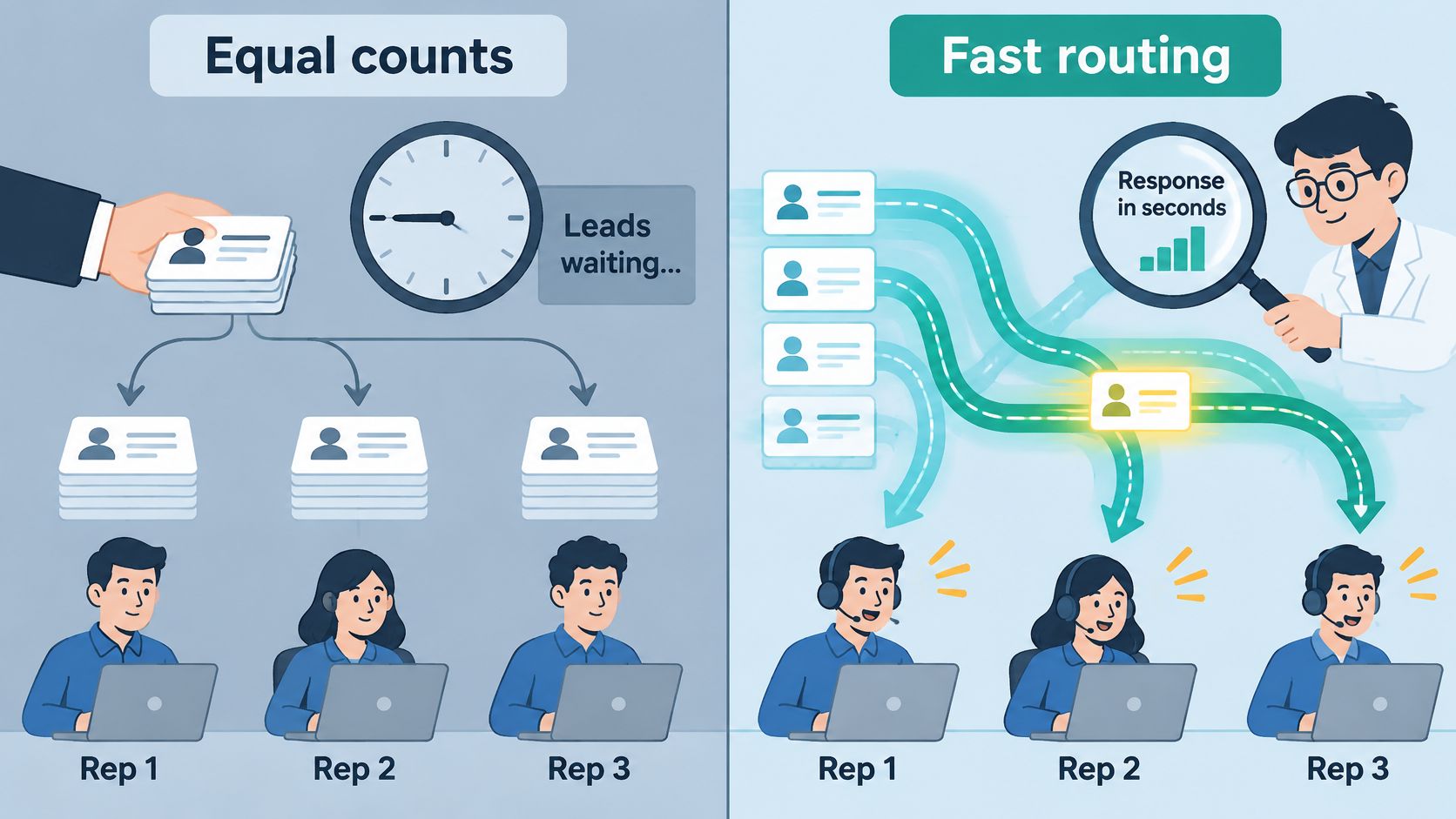
Equal lead counts are a weak definition of fair. A rep with 12 simple trials and a rep with 6 enterprise evaluations are not carrying the same work, even if a dashboard says the second rep is “behind.”
Response speed is highly sensitive to how the route is built. Coverage summarized by Inflowave notes that 24% of companies took more than 24 hours to respond. Recent routing guidance in that same piece recommends a sequence that protects speed. Check existing ownership and duplicates first, then apply territory or value rules, and use round-robin only as a fallback that skips absent or capacity-constrained reps.
Nominal owner versus available owner
The nominal assignee is the person the rule names. The available assignee is the person who can respond inside the SLA. They are often not the same person. Out of office, a full book, or a buyer whose afternoon is your night all turn a “correct” assignment into a slow one.
A better route weighs several things at once.
- Account continuity: Keep the existing owner when the relationship is already live.
- Buyer time zone: Prefer a rep who can speak during the buyer’s working day.
- Rep availability and workload: Skip people who are out or already at their cap.
- Language or product expertise: Match the conversation the buyer started.
- A written SLA: Give the route a clock, not only a name.
The contrarian case is the enterprise rep with fewer leads and a heavier book. Cutting their count to “even things out” does not make the distribution fair. It hides capacity. Giving them the same count as a colleague on simple inbound overloads them and slows both books.
What to audit instead of counts
Track four numbers, by segment, not as one company average.
- Queue age: How long a lead sits before a person accepts it. Rising age means the route is landing on people who are not there.
- Reassignment rate: How often the first owner is not the one who works it. A spike in one segment usually means the rule sends leads to people who cannot take them.
- SLA attainment by segment: Demo requests and event leads should not share one pass rate.
- Conversion after reassignment: If rescued leads convert as well as first-pass leads, the timer is doing its job. If they convert worse, you are moving them too late.
Audit lead assignment rules on capacity and on the clock, not on whether the bars in a count chart are the same height.
Confirm Your Routing Rules Before You Change Them
Change one broken step this week. Do not rebuild the whole rule because a meeting felt messy.
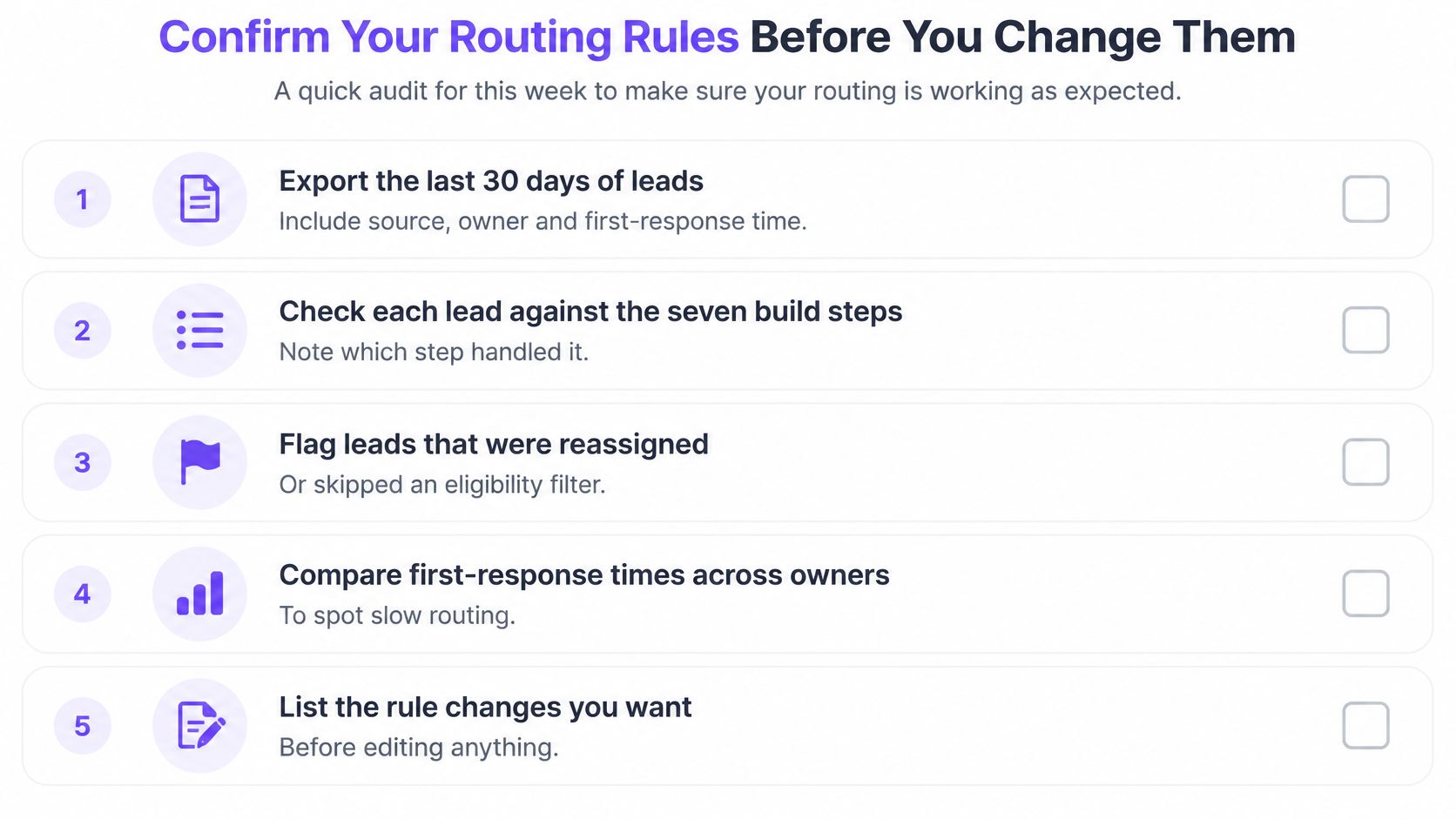
- Export 30 days of leads with source, owner, and first-response time. Without those three fields you cannot tell a slow rep from a slow rule.
- Walk each delayed lead through the seven build steps and note which step failed or was skipped. Most delays share one step.
- Mark every lead that waited longer than the target for its type. A demo request at two hours is a miss. An event lead at two hours may be fine.
- Fix the rule behind most of the delays first. Rewriting every entry at once makes it impossible to see what helped.
- Test the change on one segment for two weeks before you roll it out. Compare that segment with the rest of the book.
A good result is specific. Fewer leads wait past their target. Reassignments fall in the segment you changed. Qualified meetings stay steady or rise, so you did not buy speed by sending good leads to people who cannot sell them.
If you later want the working rule to run on its own, a hot lead on pricing can trigger a flow that picks the best available rep in the lead’s region and sends the alert with everything needed to talk. Run the audit first. Automate only a rule you have already watched succeed.
Captiwate turns high-intent website visits into live conversations, with routing that can match territory, product interest, account tier, and who is available. If your lead assignment rules name an owner but the buyer still waits, see how Captiwate connects the right rep while the visitor is still on the page. Book a walkthrough on your own site and watch the handoff with your own traffic.