In a Harvard Business Review audit of 2,241 U.S. companies that received test web inquiries, only 37% replied within an hour, and 23% never replied at all (Vendasta’s summary of the lead response research). Every one of those companies had a website that invited the inquiry in the first place. What most of them lacked was a rule that decided, the moment the inquiry arrived, who would own it and how quickly.
That gap is where live chat earns its place in a lead generation program, and it’s also where most chat programs fail. The widget isn’t the fix. The routing logic behind it is.
What follows is a timed routing playbook: the response window to set, the way to score intent inside the conversation, where AI coverage should stop and a rep should start, and which numbers to report so chat volume never gets mistaken for pipeline.
The reframe: a chat widget doesn’t shorten response time. A rule that fires when a pricing page loads does.
Table of Contents
- How Live Chat Turns Visits Into Leads
- Response Speed Benchmarks That Decide Lead Quality
- Setting a Five-Minute Response Target for High-Intent Pages
- A Pricing-Page Visitor From First Chat to Booked Meeting
- Qualification Questions and Lead Scoring
- Where AI Chat Ends and Sales Reps Begin
- Measuring Qualified Conversations Instead of Chat Volume
- Start Your First Live Chat Lead Flow This Week
How Live Chat Turns Visits Into Leads
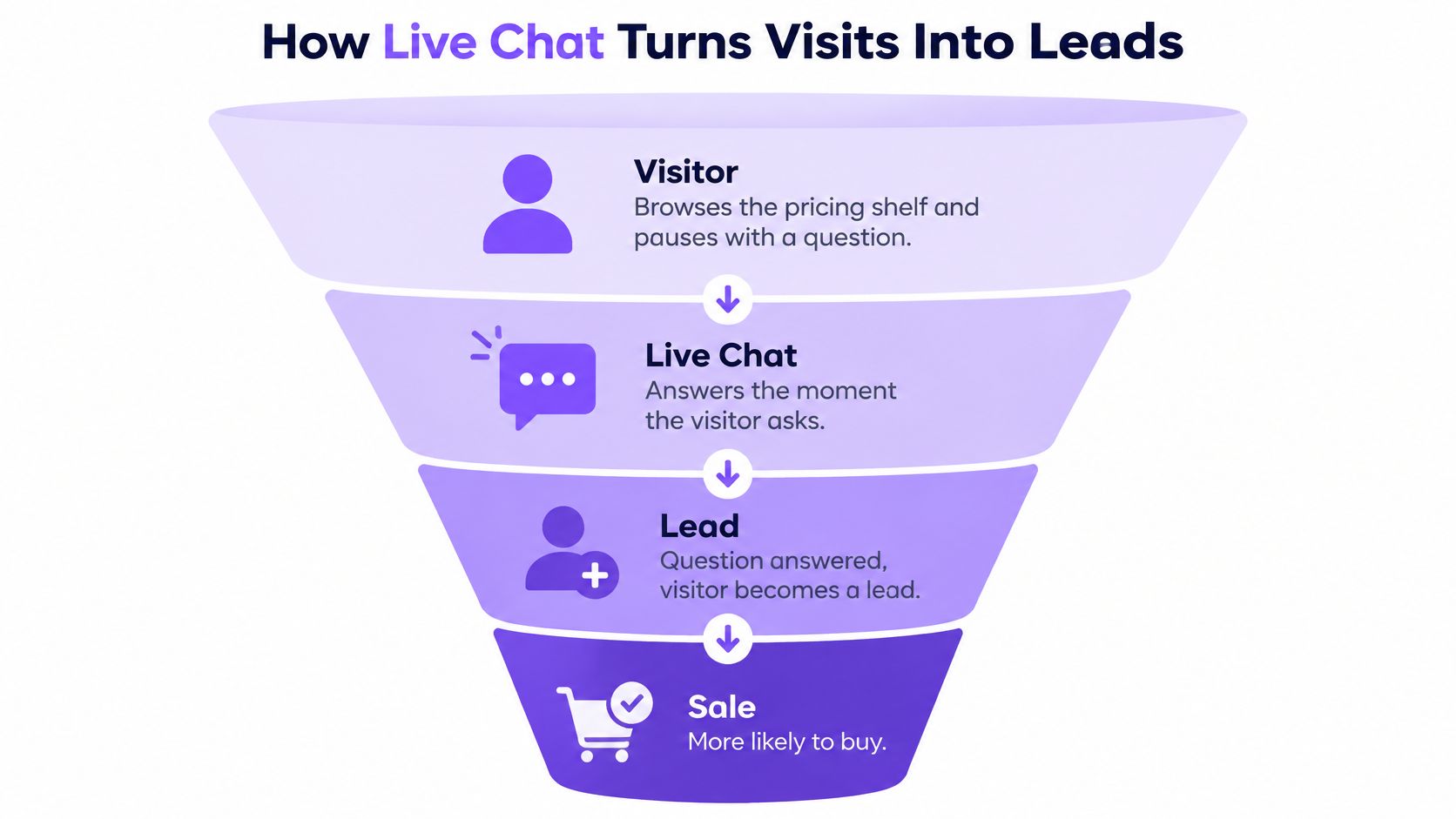
A shopper who stops at the pricing shelf and asks an assistant a question is far more likely to buy than one who walks past with the question still in their head. Live chat puts an assistant at that shelf. Live chat lead generation means using conversations on high-intent pages, pricing, product and comparison pages, to identify a visitor, qualify what they need and move them into a sales conversation while the interest is still live.
That timing separates chat from a contact form. The form waits for the visitor to finish researching, decide they’re interested and remember to come back. Chat answers the question the visitor is asking right now, which is the moment their intent is highest.
The commercial evidence is well established. A 2018 Forrester analysis found that website visitors who used web chat were 2.8 times more likely to convert than visitors who didn’t, and that customers who engaged through chat generated approximately 60% higher order value (Tidio’s live chat statistics roundup). Treat that as an association. Visitors who open a chat generally arrive with stronger intent than the ones who leave, so part of the gap existed before the widget loaded. The finding still matters because it ties conversational engagement to commercial outcomes rather than to satisfaction scores.
Five Stages, One Funnel
Every chat program runs the same sequence, whether or not anyone has named it. The visitor engages, the conversation qualifies the need, sales accepts the lead, a meeting gets booked, and the meeting becomes an opportunity in the CRM. Teams that instrument only the first stage end up reporting chat starts and wondering why pipeline doesn’t move.
| Stage | What Happens | Metric to Track |
|---|---|---|
| Engage | Chat opens when a high-intent page event fires | Chat start rate |
| Qualify | AI or rep asks about need, company and timeline | Qualified-conversation rate |
| Accept | Sales accepts the lead under routing rules | Accepted-lead rate |
| Book | Meeting is scheduled on both calendars | Booked-meeting rate |
| Opportunity | Meeting becomes a CRM opportunity | Pipeline created |
The last two stages are where most programs lose the thread. A conversation that ends with a promise to “send some times” and no calendar action is not a booked meeting, and a meeting that never lands in the CRM can’t be attributed later. Naming all five stages before choosing tactics makes it obvious which one needs fixing first.
Response Speed Benchmarks That Decide Lead Quality
37% of companies answered within an hour. In the 2011 Harvard Business Review study, The Short Life of Online Sales Leads, researchers submitted web-generated inquiries to 2,241 U.S. companies and timed the replies: 37% answered within an hour, 16% took between one and 24 hours, 24% took longer than 24 hours, and 23% never answered at all. Among companies that replied within 30 days, the average first response took 42 hours (Vida’s breakdown of the speed-to-lead research).
Those were auditor-submitted inquiries, so the shares will differ by industry and company size. The useful cut is still the window: inside an hour, inside a day, after a day, or never.
| Response Window | Share of Companies | Lead-Quality Reading |
|---|---|---|
| Within one hour | 37% | Fastest group; intent from the visit is still current |
| One to 24 hours | 16% | Contact happens, later than the one-hour group |
| Longer than 24 hours | 24% | Reply arrives after the original session has ended |
| Never responded | 23% | No path from that inquiry to a qualified lead |
Where Your Own Queue Sits
Pull every inbound lead from the last 30 days, join it to the first outbound reply timestamp, and place each record in one of those four windows. Add deal value and current opportunity stage next to the window. Track qualified pipeline, not chat starts. A small slow cluster often holds a disproportionate share of pipeline, and the cluster repeats: the same page, the same form, or the same after-hours slot.
Score the row before you assign the work. A pricing-page visit and a low-intent page view should not share one response window. High-intent records go to a rep inside the hour. After-hours and lower-intent records can wait with AI until a human reply is the better move. A team that answers inside an hour on Tuesday morning and on Wednesday afternoon after a weekend is running two queues on one site. See that split before you automate it. How to close the gap is covered in speed to lead.
Setting a Five-Minute Response Target for High-Intent Pages
Five minutes isn’t a slogan borrowed from a vendor deck. Research associated with the MIT/InsideSales Lead Response Management study found that when a web lead was contacted within five minutes rather than 30 minutes, the odds of making contact were approximately 100 times higher and the odds of qualifying the lead approximately 21 times higher (Close’s inbound lead response guide).
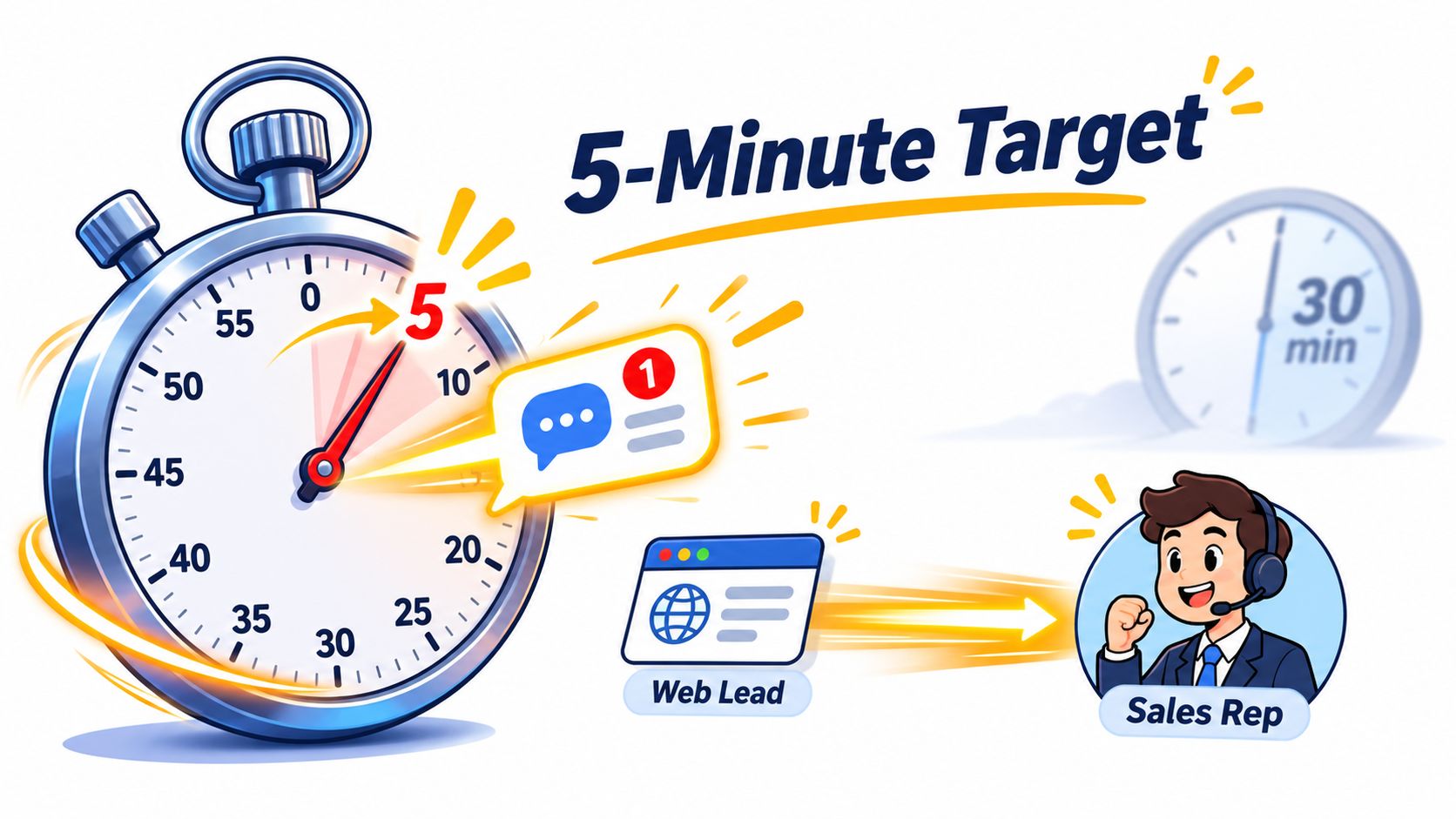
The mechanism is behavioural rather than magical. A visitor on the pricing page at 10:07 has the tab open, the budget question in their head and two competitors’ pages in other tabs. By 10:37 the tab is closed, the comparison is half-forgotten and the same person is harder to reach by any channel. Response speed is a way of catching context before it evaporates.
Controls That Hold the Window
- Trigger on page events, not timers. Fire the chat when a pricing or comparison page loads, when a known account returns within the week, or when a visitor matches your ICP list. A generic “can I help?” popup after 30 seconds on the blog trains people to dismiss you.
- Keep a qualification layer outside business hours. Off-hours demand doesn’t wait for the rota. An automated layer that asks two or three questions and offers a calendar keeps the lead warm until a person picks it up.
- Route by territory and account rules. The best answer in five minutes is useless if it comes from a rep who can’t own the account. Territory, segment and named-account rules should decide the destination before the conversation starts.
- Escalate sales-ready sessions immediately. When the transcript shows a live buying signal, an implementation question or a pricing objection, the session should move to a person or a calendar slot in the same interaction, not into a follow-up queue.
- Timestamp every hop. Record the page event, the chat start, the routing decision and the first human or AI response separately. Without hop-level timestamps you can measure the total delay but never find it.
For teams wiring this up today, the pattern that holds is a calendar link inside the conversation, so the visitor never leaves the page to book. A short walkthrough of the flow sits in this video.
Report Two Numbers, Not One
Publish median and 90th-percentile first-response time separately for business hours and off-hours, and tie both to qualified-conversation rate, meeting-booked rate and pipeline created. The median tells you what a typical buyer experiences. The 90th percentile tells you what happens to the leads that fall through, which is where the revenue leak usually hides.
Practical rule: a queue that misses the five-minute window belongs in a revenue-risk report, reviewed next to pipeline, not in a customer-service report reviewed next to ticket volume.
A Pricing-Page Visitor From First Chat to Booked Meeting
Say a visitor from a mid-sized software company lands on the pricing page at 10:02 on a Tuesday, after reading two product pages on the same session. Nothing about this visit is unusual. What happens next is decided entirely by rules.
10:02:04. The widget identifies the company and scores the visit as high intent, because the page is pricing, the session includes two product pages and the company matches the ICP list. Chat opens within seconds with a specific question about team size and the tool they use today.
10:03:40. The visitor answers: a team of forty, replacing a legacy tool before the next budget cycle. That’s two qualification answers in under two minutes, and the second one carries a timeline.
10:04:10. The conversation routes to the rep covering that region. The alert carries the transcript, the pages viewed and the identified company, so the rep opens with context instead of “how can I help?”.
10:05:30. The rep replies and offers two calendar slots. The visitor picks one in a single click, without leaving the page or retyping an email address.
That afternoon. The meeting sits on both calendars, the CRM record shows the identified company, the transcript, the qualification answers and the meeting time, and the record moves to opportunity stage.
Where Each Stage Was Reached
Engaged happened at 10:02:04, because a page event fired rather than a timer. Qualified happened at 10:03:40, because the chat asked about need and timeline in a fixed order. Accepted happened at 10:04:10, because a routing rule assigned an owner in under a minute. Booked happened at 10:05:30, because a calendar link was available inside the conversation. Opportunity happened the same afternoon, because the record carried enough structured data to be trusted.
That sequence is an illustration, not a benchmark. The lesson is that every step depended on a timestamp and a rule, and a single missing rule would have dropped the visitor into the slow rows of the previous table: no alert and the lead sits in a shared inbox, no transcript and the rep restarts discovery, no calendar link and the meeting slips to “sometime next week.” The mechanics of booking a demo without leaving the page are what make the fifth and final stage possible at all.
Qualification Questions and Lead Scoring
A chat that stores a name and an email has produced a contact. It becomes a lead only after the conversation shows fit, a real timeline, and who else must agree. Those answers decide whether a rep is paged inside a short response window or the visitor stays on an automated path. Chat volume does not settle that. A scored conversation does.
Read the Signals Before You Ask
Three signals are already on the record before anyone types a question. Page intent: a pricing or comparison visit outranks a blog visit by a wide margin. Repeat behaviour: two visits in the same week point to active evaluation, not a one-off browse. Account fit: a company in the right size band and industry, matching the ICP, justifies a faster route to a rep. Signals rank the visitor. Questions test whether that rank holds.
Ask Five Questions, One at a Time
- How many people would use the tool? This is the fastest filter for self-serve versus sales-led, and it is easy to answer without stopping to think.
- What do you use today? A named incumbent shows what the comparison will be fought on, and whether a migration is in scope.
- When does your current contract or budget cycle end? Timing is the strongest predictor of whether a meeting is worth a rep’s afternoon.
- Who else is involved in the decision? One name and no committee usually means research, not a purchase.
- What must the solution do in the first 90 days? Success criteria are what a rep needs to run a useful first call rather than a generic demo.
Ask them in that order, one at a time. Stop once an answer already falls below the disqualify line. More questions after a clear miss only delay the next visitor who does fit.
Turn Answers Into a Score
Keep the arithmetic visible. For example: 2 points for a timeline inside one quarter, 2 points for a contact who owns or approves the budget, 1 point for naming a current tool, and 1 point for a team size above your ideal threshold. Set three thresholds, not one. Above the accept line, route to a rep with the transcript while the response window is still open. In the middle, offer a resource and a nurture sequence. Below it, disqualify politely and send a self-serve guide.
The score is a routing rule, not a forecast. It does not prove the deal will close. It shows the conversation carried enough structure to enter pipeline reporting instead of remaining an unscored chat.
Everything collected needs a plain privacy notice and an opt-out for follow-up before contact details are stored. Then push the score and each answer into the CRM so routing rules and revenue reporting can use them later. If the destination is HubSpot, check your plan’s API limits before a busy widget starts writing to the CRM on every conversation. See HubSpot API rate limits explained. The wider method is set out in how to qualify leads in sales.
Where AI Chat Ends and Sales Reps Begin
A buyer who wants to research alone and still check the answer with a person is a routing problem, not a channel choice. Gartner research cited in Smirnov Artem’s analysis of live chat lead generation found that 67% of surveyed B2B buyers preferred a rep-free experience, while 45% had used AI during a recent purchase. A separate Gartner survey found that 69% still turned to a sales representative to check what AI had told them. Preference data shows the sequence buyers report. It does not show which of those conversations become qualified pipeline.
Write the split as a timed playbook. Score the visit, give AI a defined job and a response window, and send only the sessions that clear the line to a rep who already has the transcript.
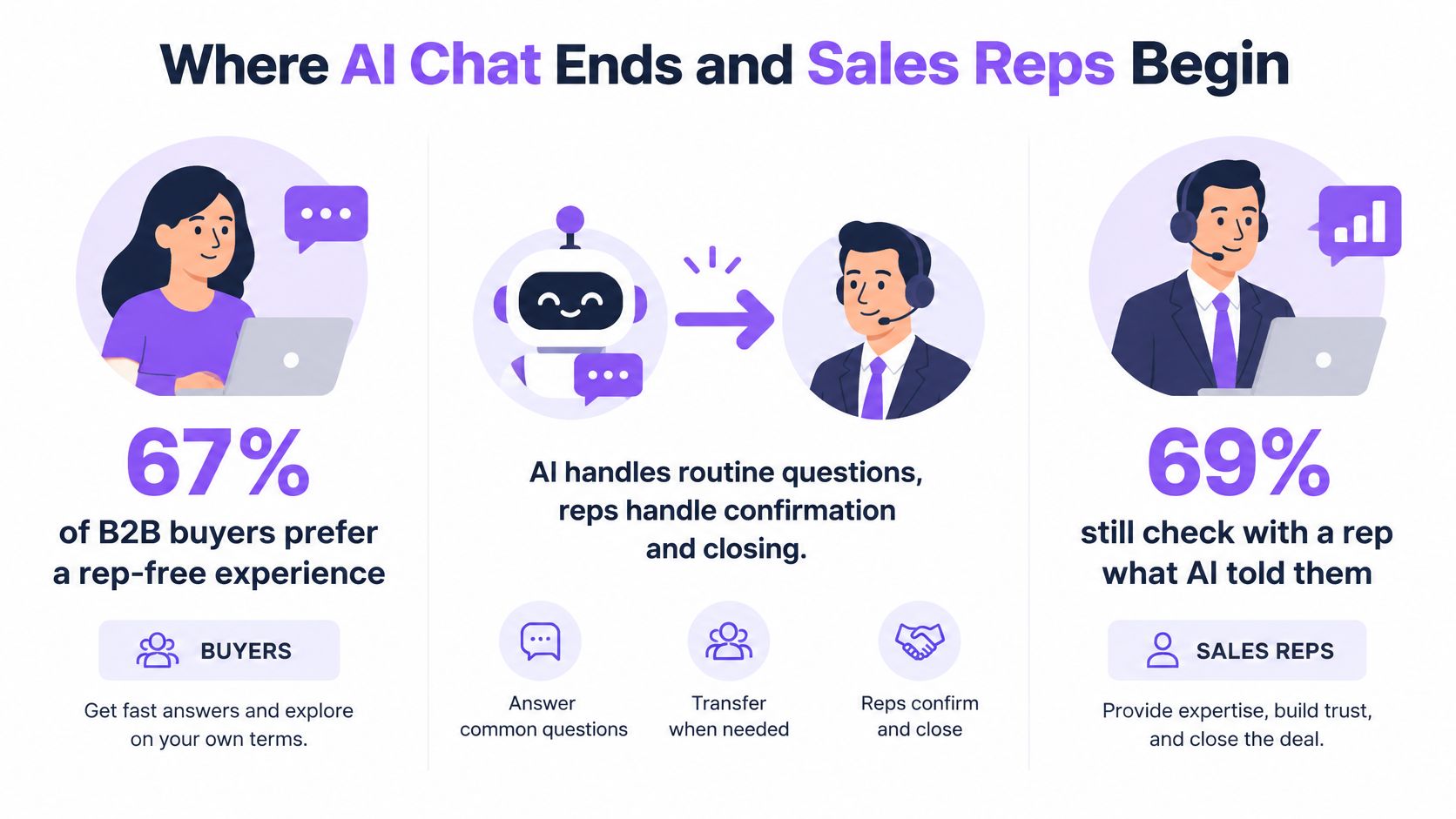
| Dimension | AI Chat | Live Rep |
|---|---|---|
| Coverage | Continuous, including off-hours | Business hours and booked calendar slots |
| Typical work | Discovery questions and first qualification | Fit, pricing, risk, implementation and proof |
| Escalation trigger | Low confidence, prohibited claim, or buying signal | Escalated session with transcript attached |
| Main risk | Wrong answers that must be checked | Slow response when no one is on shift |
Five Escalation Rules Worth Writing Down
- Set a confidence threshold. Below it, the AI stops answering and hands off rather than improvising. “I’ll get a specialist” beats a confident wrong answer.
- List the claims AI may never make. Custom pricing, contract terms, delivery dates and security commitments belong to a person who can be held to them.
- Route by account tier and page intent, inside a set window. An enterprise visitor on the pricing page and a solo researcher on the blog should not enter the same queue. High page intent starts the rep clock. Lower intent stays with AI.
- Pass the full transcript. A handoff that forces the buyer to repeat themselves reads as a broken company, not a warm introduction.
- Measure the fallout of the handoff. Track corrections, complaints and reopened conversations after AI answers. Those counts are the cost of coverage, separate from how many chats started.
Speed sits on top of every rule. Visitors who wait too long for a reply tend to leave. An AI that holds a visitor while it works through an answer gives up the speed advantage it was meant to provide. Set the window before the shift starts: AI covers the hours and the low-intent traffic, and a high-intent session moves to a person as soon as the trigger fires, with the history already open.
The hybrid model that survives contact with real buyers is unglamorous: AI qualifies and covers demand around the clock, and high-intent visitors get a human follow-up within seconds, with the conversation history already open on the rep’s screen.
Measuring Qualified Conversations Instead of Chat Volume
Chat starts are the easiest number a new widget produces, and the least useful one for a revenue team. Quality is often defined at the point of capture: a name, an email, a completed form. For a B2B team, quality has to mean something further downstream: accepted opportunities, win rate, sales-cycle length, deal size and retention.
That distinction has a contrarian consequence. Optimising for the largest number of chat leads can reduce sales efficiency when qualification is weak, because reps spend their days on visitors who were never going to buy. A program that produces 400 conversations and 12 accepted opportunities is healthier than one producing 900 conversations and 9.
The healthier program is a routing result. Score intent, hold a response window on high-intent pages, and split the work: AI qualifies after hours, and a rep takes sessions that already clear the score. Report accepted pipeline.
Run a Matched Comparison
Don’t compare all chat traffic against all form traffic and call it a result. Match the two groups by segment, account fit, buying stage and response time, then track meeting attendance, opportunity creation and closed-won revenue for each. Two mistakes ruin this analysis: conflating conversion likelihood with visitor value, and importing retail benchmarks into enterprise buying journeys where six people touch a decision.
Keep These Fields
- Source page and campaign, so pricing-page chats can be separated from blog chats.
- Chat start time and first response time, to bucket every conversation by response window.
- Qualification outcome and score, so weak and strong conversations can be compared later.
- Meeting booked, attended and opportunity stage, to connect conversation to pipeline.
- Close date and close value, the only fields that settle the argument.
A chat is a lead when sales accepts it and revenue confirms it. Until then, report it as a conversation, and keep the caveat attached to the number.
Start Your First Live Chat Lead Flow This Week
Start with the pricing page. Intent is highest there, the volume is manageable, and every slow response on that page costs more than a slow response anywhere else on the site. Comparison pages come second, product pages third.
- Measure what happens today. Pull 30 days of first-response time for pricing and comparison page inquiries, sort them into the four response windows, and total the pipeline sitting in the slow rows.
- Turn on chat with the routing rules attached. Trigger on pricing page loads, apply the five-minute target, add a calendar link inside the conversation, and escalate sales-ready sessions to a live rep rather than a follow-up task.
- Cover the hours nobody works. Set an automated qualification layer for evenings and weekends, hand off to a person the next morning with the transcript intact, and review qualified-conversation rate weekly rather than chat volume.
The three steps work with any chat tool on the market, including a script-only setup built in-house. Captiwate is one option among several: its AI chat engages visitors around the clock, answers questions, qualifies leads and either hands hot prospects to live reps or books the demo itself, with one-click booking that places the meeting on both calendars. Getting started takes three steps of its own: book a demo and integrate the script, start revealing and scoring visitors by intent, then turn them into pipeline.
Live chat lead generation only pays off when the routing behind it is deliberate: a response window measured in minutes, a qualification score that decides who gets paged, and reporting that stops at pipeline rather than chat starts. Captiwate is built for exactly that sequence, with always-on AI chat that qualifies every visitor, identifies companies and intent signals on high-intent pages, and hands hot prospects to a rep or straight onto a calendar. If your pricing page is answering questions hours after they were asked, book a demo and see what a five-minute window looks like in practice.