AI adoption in sales has moved from experimentation to mainstream use, with 65% of organizations regularly using generative AI in at least one business function, and marketing and sales among the two functions where deployment is most common. The practical answer to how to use AI in sales is to apply it to controlled workflows, with explicit human review, clean data, and outcome-based measurement.
That shift creates a counterintuitive risk. The teams that automate the most activity won’t necessarily build the strongest pipeline. AI can increase response speed while reducing buyer trust if it sends generic messages, misreads intent, or confidently uses incomplete CRM data.
A reliable sales deployment treats AI as decision support with guardrails, not as an autonomous seller. Start with one bottleneck, connect the system to approved information, define where a person must intervene, and compare AI-assisted outcomes with a control group. The strongest use cases usually involve research, qualification, summaries, routing, scheduling, and follow-up preparation. Human sellers should retain ownership of empathy, negotiation, accuracy, and consequential customer commitments.
Table of Contents
- Why AI in Sales Has Finally Moved Past Experimentation
- Automating Intent Detection and Initial Qualification
- Routing Prospects and Scheduling Meetings Instantly
- Managing Follow-Up Sequences and Governance
- Embedding AI into Daily Sales Workflows
- Measuring What Matters From Activity to Outcomes
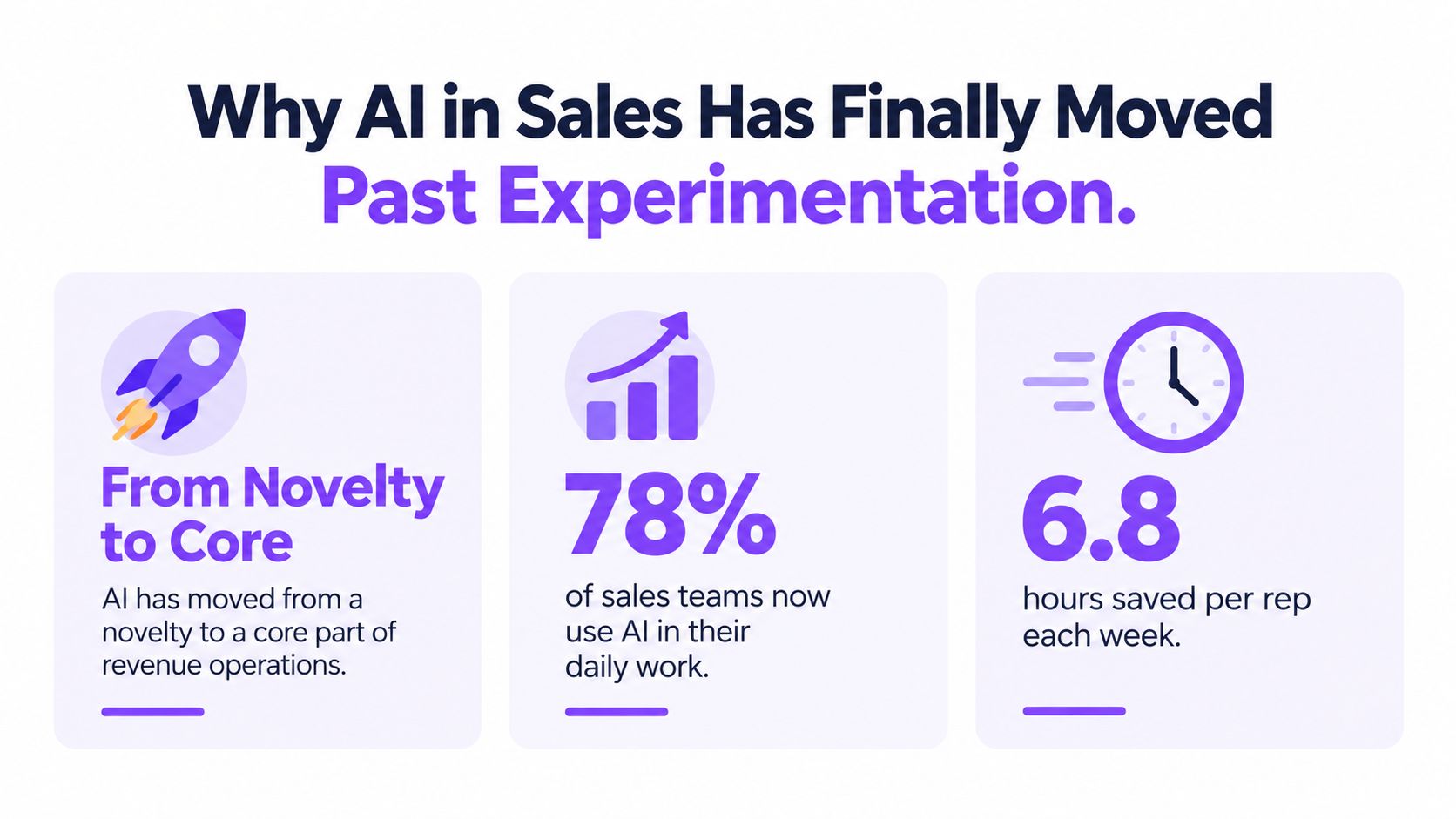
Why AI in Sales Has Finally Moved Past Experimentation
A sales leader could once treat AI as an innovation project owned by a curious operations specialist. That position is increasingly difficult to defend. McKinsey’s 2024 State of AI research found that 65% of respondents said their organizations were regularly using generative AI in at least one business function, nearly twice the share reported in the prior survey roughly ten months earlier. Marketing and sales ranked among the two functions where generative AI was most commonly deployed, alongside product and service development.
That matters because sales adoption is no longer limited to isolated prompt experiments. Teams are applying AI to account research, interaction summaries, lead prioritization, outreach drafts, qualification, and CRM administration. McKinsey also reported that adoption in marketing and sales had more than doubled compared with 2023, making the function an early enterprise use case rather than a peripheral productivity project.
The operational shift
Consider a familiar inbound scenario. A prospect visits a pricing page, leaves without submitting a form, returns later from another device, and sends a question after the SDR team has gone offline. A manual process treats each event as disconnected. An AI-assisted workflow can identify relevant signals, answer approved questions, record the interaction, and surface the account for human follow-up.
The point isn’t to let a machine decide whether the account should buy. The point is to prevent useful context from disappearing between systems or outside office hours. The seller still decides how to approach the account and whether the underlying signal is credible.
Practical rule: Automate the delay and the administration first. Keep judgment, promises, and relationship decisions with a person.
The economic case is meaningful, but it must be handled carefully. McKinsey estimates that generative AI could increase sales productivity by approximately 3% to 5% of current global sales expenditures, while its broader research reports 3% to 15% revenue uplift and 10% to 20% sales-ROI uplift among organizations investing in AI. These are opportunity estimates, not guaranteed results for a particular pilot, so leaders should instrument each workflow rather than copy the headline.
A useful starting point is to map repetitive work by volume and consequence. Inbound qualification, meeting preparation, call summaries, lead routing, and CRM updates are usually better first candidates than autonomous negotiation or unsupervised outbound messaging. Teams that want a broader view of how search visibility and demand generation connect can also review this demand gen AI visibility playbook.
The shift past experimentation doesn’t mean every AI feature deserves production access. It means sales leaders should stop asking whether AI belongs in revenue operations and start asking which workflow can it improve without weakening credibility.
Automating Intent Detection and Initial Qualification
Intent detection is useful only when it changes a decision. A score that sits in a dashboard without affecting prioritization, routing, or seller behavior is decoration.
Begin by defining what meaningful intent looks like for your business. A visit to a homepage may be weak evidence. Repeated engagement with product documentation, pricing content, integration pages, or comparison material may deserve more attention, but the system should treat those signals as context rather than proof of readiness.

Build the qualification path
Use a controlled sequence:
- Collect approved signals. Connect visitor behavior, known account details, prior conversations, and relevant CRM fields. Don’t give the model unrestricted access to every data source by default.
- Separate observation from inference. Record that a visitor viewed a pricing page, but don’t present that event as confirmation that the visitor has budget or authority.
- Ask focused questions. AI chat should establish the problem, use case, timing, and preferred next step. It should avoid inventing product capabilities when the knowledge base doesn’t contain an answer.
- Set review thresholds. A high-intent recommendation can alert an SDR, while a consequential qualification decision should require human confirmation.
- Preserve the transcript. Store the questions, answers, source fields, AI recommendation, and seller decision so managers can audit the handoff.
AI chat is particularly useful for coverage outside business hours. It can answer approved questions, collect context, and offer a scheduling path without pretending to be a human representative. If a visitor asks about pricing exceptions, legal terms, security commitments, or a complex implementation, the workflow should escalate rather than improvise.
The same logic applies to lead scoring. A model can prioritize accounts for review, but it shouldn’t convert an uncertain signal into a sales fact without visibility. Teams evaluating tools that score inbound signups should ask how each tool exposes source data, confidence, overrides, and audit history.
Keep the human handoff visible
A good handoff includes the account, observed behavior, stated need, unanswered question, recommended owner, and reason for the recommendation. It doesn’t just say “hot lead.” That label gives the seller activity without context and encourages overconfidence.
For a deeper treatment of qualification workflows, see AI lead qualification. The operating principle is simple: AI can increase coverage and consistency, but people should verify the meaning of the signal before it drives a high-value interaction.
Routing Prospects and Scheduling Meetings Instantly
Once a prospect has enough context to merit human attention, routing becomes an operations problem. The system needs to select the right owner, pass along useful information, and avoid creating duplicate or conflicting assignments.
Start with routing rules that a manager can explain without opening a technical manual. Territory, account ownership, segment, language, product line, and availability are reasonable inputs. A model may recommend an owner, but the CRM should remain the source of truth for ownership and the escalation path when no rule matches.
Design the handoff before the automation
A useful routing record should include:
- Account context: Company identity, known contacts, segment, and existing ownership.
- Buyer context: Stated problem, product area, urgency, and unanswered questions.
- Interaction evidence: Pages visited, chat transcript, previous conversations, and timestamp.
- Action status: Assigned owner, notification status, next action, and fallback queue.
Avoid routing solely on a score. A high score based on weak or stale data can send an important account to the wrong person. Require the system to show the evidence behind its recommendation, then let sales operations review exceptions and adjust the rule.
Scheduling creates a second source of friction. When a qualified visitor has to exchange multiple emails to find a time, interest can cool and ownership can become ambiguous. Calendar synchronization, time-zone awareness, automated reminders, and a clear rescheduling path remove administrative steps without removing the seller from the relationship.
Speed is valuable only when the next person receives enough context to be useful.
Test the complete journey, not just the calendar button. Confirm that the meeting lands on the correct calendar, the CRM record updates, the assigned seller receives the transcript or summary, and the prospect sees the right confirmation. Check what happens when the selected representative is unavailable, the account already has an owner, or the prospect changes the meeting time.
A platform such as Captiwate can combine visitor identification, intent detection, AI chat, live in-browser conversations, scheduling, and CRM synchronization in this part of the workflow. The right choice depends on the existing revenue stack and the quality of the routing rules, not on the number of automation features in a product demo.
For teams building the appointment layer deliberately, AI appointment setters provides a useful implementation reference. The standard for success is not more calendar events. It’s a faster, clearer path from verified interest to an appropriate human conversation.
Managing Follow-Up Sequences and Governance
Follow-up is where many sales AI deployments damage trust. A summary or internal draft can be imperfect and still be corrected. An inaccurate customer-facing message can create confusion, expose sensitive information, or make a serious buyer question whether anyone is paying attention.
Use AI to prepare follow-up, not to remove accountability. After a call, the system can extract action items, identify open questions, draft a recap, and suggest a next step. The seller should verify facts, tone, commitments, recipients, and attachments before sending anything consequential.
Create explicit approval boundaries
Write the rules before launching the sequence:
- Human approval is mandatory for pricing, discounts, contractual language, security claims, implementation commitments, qualification decisions, and outbound messages to strategic accounts.
- Confidence thresholds are required before AI can recommend routing, prioritization, or automated action.
- Escalation is automatic when the knowledge base lacks an answer, the buyer expresses frustration, or the request involves legal, privacy, or security issues.
- Personal data is minimized by redacting information the workflow doesn’t need.
- Every decision is logged with the source fields, prompt or workflow version, output, reviewer decision, and downstream result.
Data hygiene comes before model sophistication. Normalize and deduplicate CRM records, remove stale ownership, define canonical fields, and restrict retrieval to permissioned sources. An AI system cannot reliably resolve contradictory customer records if the organization hasn’t decided which record is authoritative.
The risk is measurable. A 2025 survey summarized by ZoomInfo found that 42% of respondents were dissatisfied with AI tools, citing data quality, security, and hallucinations, while 80% of non-users expressed concern about accuracy. The same practical lesson appears in independent research cited in a 2026 academic article, which identifies overreliance, inaccuracy, privacy breaches, and bias as concerns among sales professionals. See the ZoomInfo survey summary for the reported findings.
Audit the workflow, not only the message
Weekly review should examine false positives, false negatives, unsupported claims, routing failures, opt-outs, complaints, and missed escalations. If a sequence produces more replies but also increases buyer confusion, it isn’t improving the sales process.
A controlled sequence might draft an email after a meeting, wait for the seller’s approval, and stop automatically when the buyer replies. It should never continue sending because a prospect opened a message if the latest conversation already indicates disinterest.
The commercial trade-off is clear. Full autonomy may appear efficient, but explicit review protects credibility. In B2B sales, a slower accurate handoff often creates more value than a fast interaction that forces the buyer to correct the vendor.
Embedding AI into Daily Sales Workflows
Buying an AI tool is a procurement event. Adoption is a management system.
A 2025 peer-reviewed B2B study surveyed more than 160 sales professionals at a healthcare company already using generative AI and found that leadership support was central to embedding AI into daily work. A separate 2025 survey of 200 sales professionals in the UK and Germany found that 68% named training as a top-three adoption barrier, while 63% cited security concerns and 61% cited compliance or regulatory concerns. These findings point away from the common assumption that a confident individual user can carry adoption for the whole team.

Make managers the first adopters
Managers should use the workflow in coaching, forecast reviews, and pipeline inspection. If leadership tells representatives to use AI but continues to evaluate only raw activity, sellers will optimize for visible usage rather than better decisions.
A practical rollout looks like this:
- Choose one bottleneck. Start with call summaries, research, qualification review, or handoff quality.
- Set a baseline. Record current response time, data completeness, meeting quality, or another relevant measure before changing the process.
- Train managers first. Managers need to understand the output, failure modes, override process, and privacy boundaries.
- Use the workflow in coaching. Review missed high-intent visitors, weak handoffs, unsupported claims, and successful interventions during regular one-to-ones.
- Publish examples and exceptions. Show where AI helped and where a seller correctly rejected its recommendation.
- Expand only after review. Add new actions when the first workflow is stable, understood, and producing acceptable quality.
Adoption rule: Make AI visible in operating routines, not optional in a tool menu.
The AI sales assistant concept works best when it supports a defined sales process. A representative should know whether the assistant is summarizing a call, suggesting a next step, identifying a missing field, or recommending an escalation. Vague promises about “working smarter” don’t create repeatable behavior.
Address the trust problem inside the team
Salespeople may worry that AI is monitoring them, replacing them, or generating recommendations they can’t challenge. Those concerns aren’t solved with a launch email. Invite representatives into tool selection, let them identify repetitive tasks, and give them a documented override path.
Trust also depends on data quality. The same academic research cited in the broader discussion of AI adoption reports that only 35% of surveyed respondents trust the accuracy of the data used by AI in their organizations. That should change the rollout sequence. Fix field definitions, ownership, permissions, and source freshness before asking sellers to rely on intent scores.
For leaders researching the broader sales automation ecosystem, Gritt.io’s investor search offers market context. The implementation decision, however, should remain grounded in the team’s workflow, governance needs, and ability to coach behavior.
Measuring What Matters From Activity to Outcomes
An AI dashboard can make a weak sales process look busy. It may show generated emails, chat sessions, tasks completed, and recommendations accepted while qualified pipeline remains unchanged.
Measure the point where AI is supposed to create value. If the workflow prioritizes inbound accounts, track qualification precision, routing accuracy, response time, meeting-held rate, and pipeline created. If it drafts follow-up, track factual-error rate, approval edits, reply quality, opportunity progression, and buyer complaints.
Use a controlled measurement design
Separate AI-assisted activity from non-assisted activity where practical. Use timestamps to connect the AI action to the next sales outcome, and preserve the reviewer decision so managers can distinguish model value from seller judgment.
The NBER study of AI-assisted customer-support agents provides a useful caution. Access to the tool increased issues resolved per hour by 14% on average, with a detailed estimate of 13.8%, but novice and lower-skilled workers improved by approximately 34% to 35%, while experienced and highly skilled workers saw minimal impact or small negative effects. The NBER research paper measured customer support rather than sales, so it shouldn’t be treated as a sales forecast. It does show why managers should segment results by tenure, role, and baseline performance rather than assume one intervention benefits everyone equally.
A practical scorecard could look like this:
| Metric Category | Specific KPI | Why It Matters |
|---|---|---|
| Speed | Response time from qualified signal to human action | Shows whether automation removes delay |
| Qualification | Precision and recall for lead qualification | Tests whether the system finds relevant prospects without flooding sales |
| Handoff quality | Routing accuracy and data completeness | Reveals whether the right seller receives usable context |
| Conversation quality | Qualified-conversation rate and meeting-held rate | Separates genuine engagement from calendar volume |
| Pipeline | Pipeline created from AI-assisted activity | Connects workflow use to commercial contribution |
| Content safety | Factual-error rate and unsupported-claim rate | Protects buyer trust and reduces correction work |
| Customer experience | Opt-out, complaint, and escalation rates | Shows whether automation is harming credibility |
| Rep adoption | Reviewed outputs, overrides, and workflow completion | Distinguishes healthy use from passive or forced usage |
If automation increases meetings while reducing qualified-opportunity rate, the workflow is failing despite higher activity. Likewise, a model that produces accurate summaries but doesn’t improve handoffs may be useful as an administrative tool, but it hasn’t yet solved the revenue problem leadership intended to address.
The management question is therefore not “How many AI actions did the team complete?” It is “Which controlled workflow improved a meaningful outcome without increasing error or distrust?”
Captiwate helps B2B teams identify buying intent, qualify website visitors with AI chat, route high-value conversations, and book meetings through live engagement and calendar integrations. Visit Captiwate to see how its controlled inbound sales workflows can connect AI speed with human follow-up.