A visitor hits your pricing page, triggers an intent alert, and waits. The assigned rep sees the notification late, opens the CRM, finds no usable activity record, and discovers that the calendar booking went to a shared inbox nobody monitors. Meanwhile, an AI chat captured the visitor’s questions, but that context never reached the opportunity record. The tools are all working. The sales process is still broken.
That’s the reality behind many sales force integrations. The difficult part isn’t connecting one application to Salesforce. It’s deciding which events matter, who owns the resulting record, what counts as authoritative data, and how the system behaves when delivery fails. Treat integrations as operational infrastructure, not a collection of connectors, and the stack becomes easier to govern, troubleshoot, and improve.
Table of Contents
- What a Connected Sales Stack Actually Looks Like
- The CRM Integration Landscape and Why It Evolved
- Core Integration Patterns Every Sales Team Should Know
- Engineering for CRM API Limits and Event Throttles
- Why Most Failed Integrations Are a Data Quality Problem
- Making Integrations Ready for AI Without Polluting the CRM
- Security, Compliance, and Enterprise Readiness
- Your Pre-Launch and Post-Launch Integration Checklist
What a Connected Sales Stack Actually Looks Like
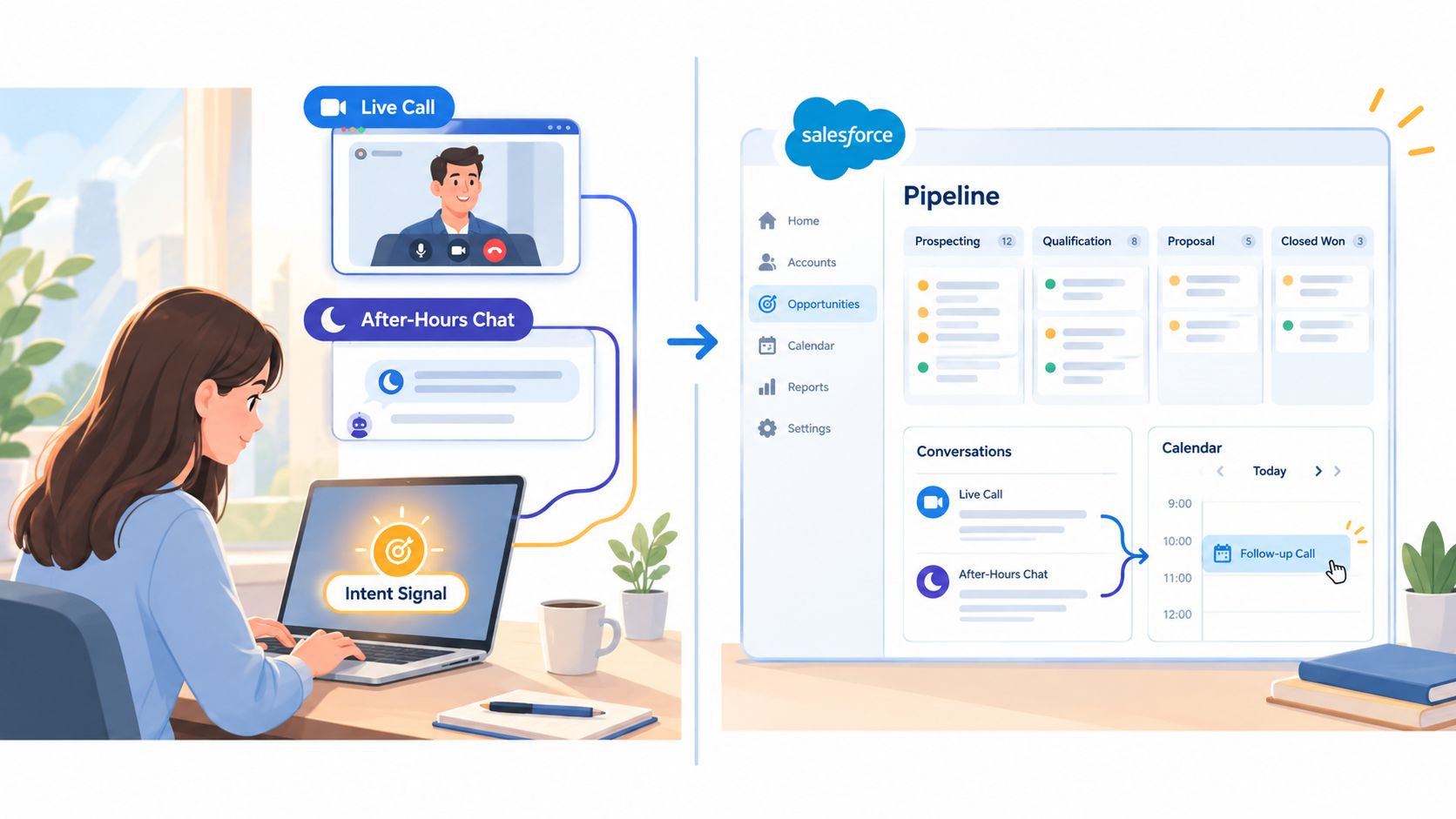
At 8:45 a.m., a rep receives an alert that an identified account is viewing a high-intent page. The rep opens the browser conversation, joins an in-browser video call, and sees the visitor’s company context without asking the buyer to repeat information already captured by the website.
A second visitor arrives after hours. AI chat qualifies the inquiry, records the conversation, and routes the lead according to the agreed rules. When a meeting is booked, the calendar event carries the relevant contact and account context. Salesforce receives the meeting, conversation summary, qualification outcome, and identified company. Slack or Microsoft Teams alerts the right sales pod, while the CRM remains the place where ownership and pipeline status are managed.
That chain creates continuity. If the intent signal reaches Salesforce but the rep assignment does not, the alert has no owner. If the conversation is recorded but the meeting isn’t, the rep starts the call without context. If the meeting reaches the calendar but not the CRM, attribution and follow-up reporting become unreliable.
The handoff is the product
A useful sales workflow has a clear result for every event:
- Intent detection creates a company, contact, or account signal that routing can act on.
- Live video and chat create an activity record with participants, timestamp, outcome, and relevant context.
- AI qualification records what the system observed separately from what it inferred.
- Scheduling creates a meeting linked to the correct contact and account.
- Collaboration alerts notify the team without becoming a second system of record.
- CRM synchronization preserves ownership, lifecycle stage, attribution, and follow-up status.
Teams evaluating productivity tooling should also consider how calendars, communication systems, and records fit together. The productivity software buying guide from Voice Control Pro is useful background when comparing the wider workplace stack.
For website-led sales motions, review how Salesforce integrations can connect visitor signals with CRM workflows. The important buying question isn’t whether a vendor has a Salesforce logo on its integrations page. Ask which records it creates, which records it updates, how duplicates are prevented, and what happens when the CRM is unavailable.
Operational rule: Every automated handoff needs an owner, a source of truth, and a visible failure path.
The CRM Integration Landscape and Why It Evolved
Salesforce integration started with a practical problem. Companies wanted to extend the CRM without rebuilding the CRM every time a new sales, marketing, finance, or productivity need appeared.
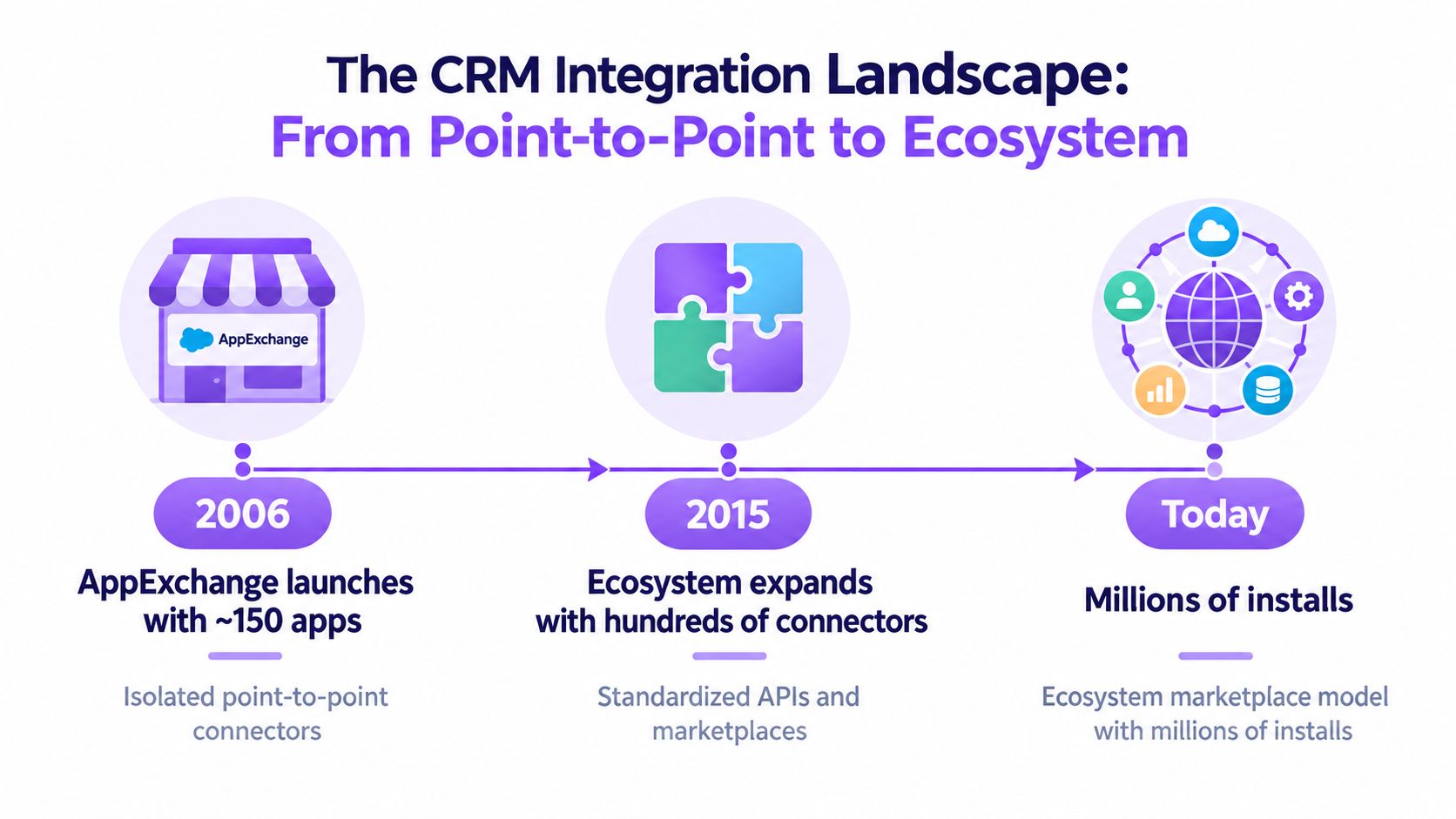
Salesforce AppExchange became generally available in 2006 with 150 applications, and Salesforce reported approximately 1,500 application installations during its first week. By 2011, the ecosystem had reached 1 million application installs, and a Bluewolf survey conducted with MIT Sloan School of Management found that 91% of Salesforce customers had installed at least one AppExchange application. AppExchange surpassed 2 million installs in 2011 and reached 3 million by April 2015, a 50% increase over two years, as documented in this history of AppExchange’s evolution.
Why the ecosystem model won
Point-to-point connectors look simple at first. Each tool sends data directly to another tool, but every new application adds another relationship to maintain. As the number of systems grows, ownership becomes unclear, field meanings drift, and troubleshooting turns into detective work.
The ecosystem model changed the buying expectation. Salesforce became the central customer record, while partner applications extended its capabilities. Sales teams could connect finance, marketing, communications, analytics, and calendars without replacing the CRM. The value moved from a database alone to continuity across shared records, workflows, and reporting.
The CRM market’s scale reinforces that expectation. Industry summaries place the global CRM software market at approximately $128 billion in 2024, with 13.4% year-over-year growth, as reported in this CRM market statistics overview. Eurostat-based figures reported for 2025 show CRM use among about 24.69% of small European enterprises, compared with 65.43% of large enterprises with at least 250 employees, while adoption across the covered EU enterprise population was approximately 28.51%.
Those gaps matter because integration maturity usually follows operating complexity. A small team may tolerate manual enrichment and informal ownership. A larger organization needs explicit routing, calendar coordination, permissions, attribution, and exception handling. Tool selection matters, but process discipline determines whether the connection produces useful records.
For broader thinking about how ERP and CRM systems fit into operating processes, ERP CRM tips from Cleffex provides a helpful complementary resource. The practical lesson is simple: buy integrations that extend the CRM’s role, not tools that create another customer-data silo. That principle also applies when comparing CRM platforms, including HubSpot integration options.
Core Integration Patterns Every Sales Team Should Know
A vendor call becomes much easier when you can classify the requested connection. Most sales force integrations fall into four patterns, and each has a different failure mode.
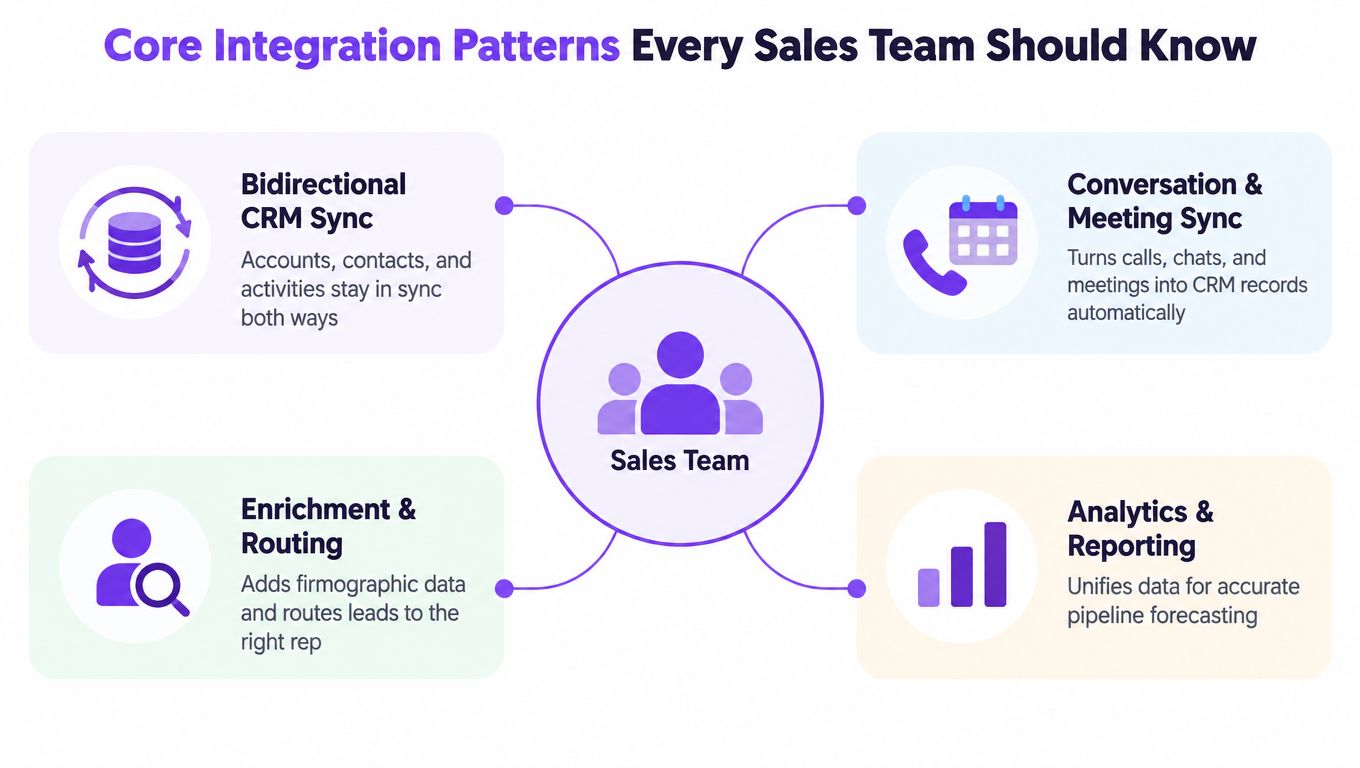
Bidirectional CRM synchronization
Accounts, contacts, leads, owners, activities, and lifecycle fields usually need controlled two-way synchronization. The trigger might be a new identified company, a contact update, an ownership change, or a qualification outcome.
The common mistake is treating two-way sync as permission to let every system overwrite every field. Define field ownership first. Salesforce may own account owner and lifecycle stage, while an engagement platform owns conversation status or visitor intent evidence. Without that boundary, the latest update wins even when it’s wrong.
Conversation and meeting synchronization
A live call, AI chat, transcript, meeting booking, and call outcome should become structured CRM activity. The canonical objects are the contact, account, event, task, conversation summary, and outcome.
For a Captiwate-class workflow, a high-intent visitor can start a browser conversation, book a calendar meeting, and have the resulting context associated with the relevant Salesforce record. If the meeting is created without the conversation, the rep loses preparation context. If the conversation is logged without the meeting outcome, managers can’t distinguish engagement from a real sales handoff.
Intent, enrichment, and routing
Intent signals include an identified company, relevant page activity, qualification responses, account tier, and routing decision. These signals should feed assignment rules, ABM prioritization, and rep alerts rather than sit in an isolated dashboard.
Use a stable account or contact identifier wherever possible. A company name alone isn’t a safe join key, and a behavioral score without the underlying evidence isn’t useful for review. Record the source event and preserve the reasoning behind the routing decision.
Calendar and collaboration synchronization
Calendar systems hold availability and meeting logistics. Slack and Microsoft Teams hold operational notifications. They shouldn’t replace Salesforce ownership, attribution, or pipeline status.
The trigger might be a booked meeting, reassignment, urgent intent signal, or completed conversation. The failure mode is notification without action. Every alert should identify the owner, the record, the required next step, and the place where completion gets recorded.
Engineering for CRM API Limits and Event Throttles
Salesforce is a distributed, rate-limited system, not an unlimited database. Its rolling 24-hour API allocations cover REST, SOAP, Bulk, and Connect APIs, while long-running requests also face concurrent-request and timeout constraints. The Salesforce API basics documentation explains the allocation model and the /limits resource, which exposes maximum and remaining allocations.
The correct design doesn’t write every browser event synchronously. Store raw page views and intent telemetry in an event store, aggregate them, and send meaningful state changes to Salesforce. Examples include an identified account, qualification outcome, booked meeting, conversation summary, or routing decision.
Build for retries, not perfect networks
Use an asynchronous ingestion queue with idempotency keys, bounded concurrency, and exponential backoff with jitter. A retry must not create a second lead, duplicate meeting, or repeated activity. The consumer should acknowledge an event only after durable storage.
Salesforce platform-event ceilings are 100,000 events per hour for standard-volume events and 250,000 events per hour for high-volume, usage-based events, according to Salesforce’s integration patterns documentation. Monitor those ceilings alongside API capacity. The /limits resource can lag consumption by up to five minutes, so alerts must account for that delay rather than treating the reading as an instantaneous meter.
| Data Type | Recommended Sync | Why |
|---|---|---|
| High-volume page views and raw intent telemetry | Event store with aggregation | Preserves evidence without exhausting CRM capacity |
| Identified account, qualification outcome, and routing decision | Event-driven synchronization | Moves actionable state quickly and supports replay |
| Conversations, meetings, and outcome records | Event-driven synchronization with deduplication | Maintains rep context and prevents duplicate activities |
| Historical backfills and large record updates | Bulk batch with checkpoints | Reduces request overhead and makes retries safer |
| Capacity and health status | Scheduled limits checks with alerting | Detects approaching exhaustion before lead creation fails |
Design canonical events such as intent_detected, conversation_started, meeting_booked, and outcome_recorded. Each should include an immutable event ID, source timestamp, account or contact identifier, consent state, and schema version. Ordering should be scoped to the lead or account. A late meeting event must not be overwritten by an older chat-status update.
Expose dead-letter queues, replay windows, correlation IDs, and reconciliation jobs. These are load-bearing controls. A polished connector without them is vendor theater.
Why Most Failed Integrations Are a Data Quality Problem
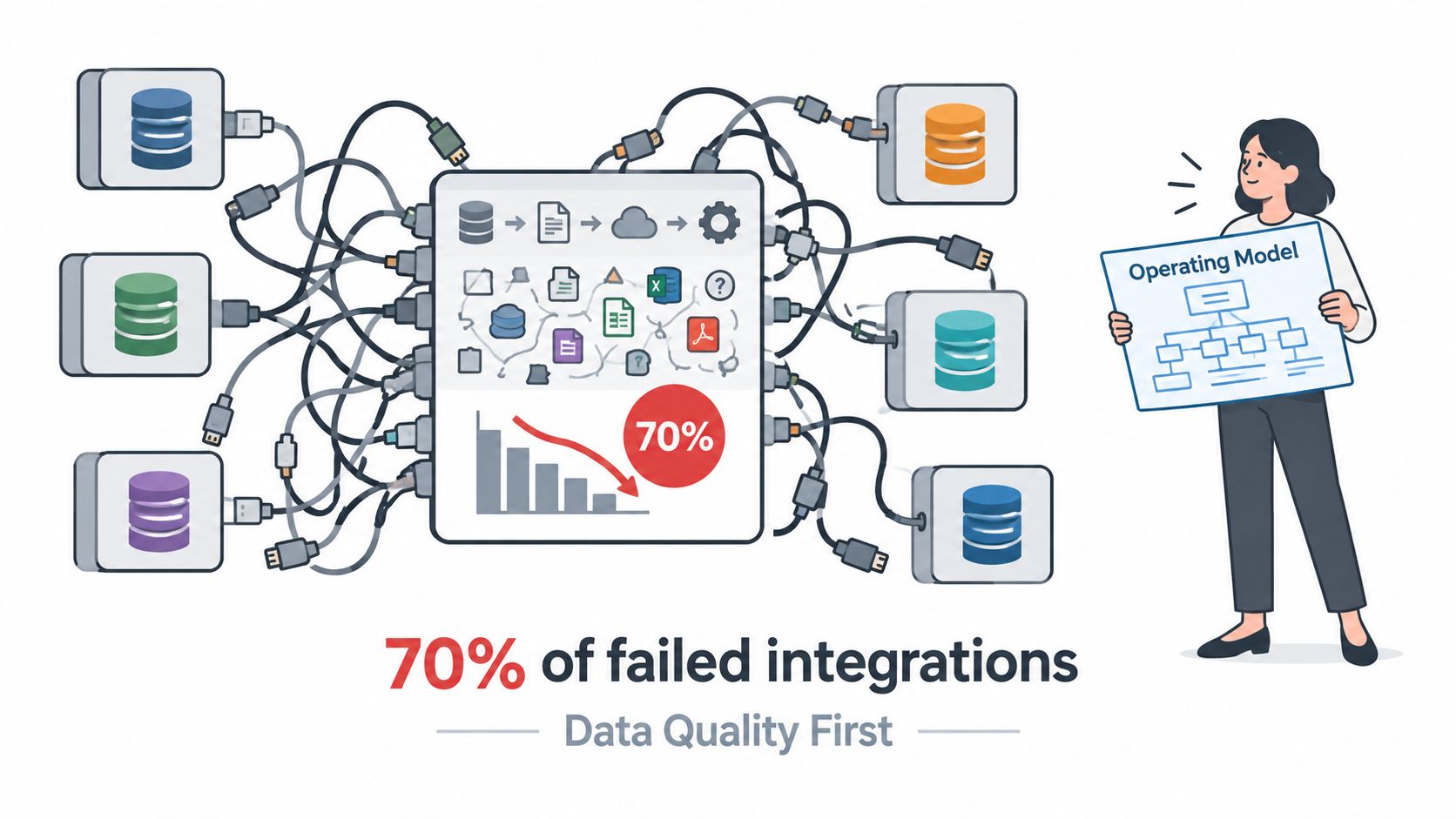
Adding another connector can make pipeline reporting worse. If your team hasn’t agreed on field meaning, ownership, deduplication, lifecycle transitions, and attribution, the integration moves ambiguity faster.
Bain’s 2025 survey of more than 1,200 senior commercial executives across 18 industries found that 70% of organizations don’t effectively integrate sales plays into CRM and revenue technology, while only about 20% have realized the full value of those plays. More than half also reported inadequate data foundations, including incomplete or low-quality datasets and poor configuration, according to Bain’s survey findings on CRM and revenue technology integration.
Define the operating model first
Before anyone approves a connector, document:
- Canonical objects: Decide whether the account, contact, lead, meeting, conversation, and opportunity have one authoritative representation.
- Source-of-truth rules: Assign ownership at the field level. Don’t let an enrichment tool overwrite rep-owned qualification notes.
- Required and optional fields: Make the minimum viable record explicit, including consent, source, owner, and event timestamp.
- Deduplication logic: Define the matching keys and the conflict process before new leads enter the CRM.
- Lifecycle transitions: Specify which event moves a record from identified to qualified, meeting booked, opportunity, or closed status.
- Attribution: Preserve campaign, source event, account, and meeting relationships so reporting can explain what happened.
- Exception handling: Decide who reviews rejected records, ambiguous matches, missing owners, and failed writes.
The implementation team should test business scenarios, not just API responses. Create an identified account and confirm ownership. Book a meeting and verify the event, contact, and account relationships. Send the same event twice and confirm that the CRM remains unchanged after the first successful write.
Measure usability downstream
A successful integration gives reps trustworthy context and gives managers reliable reporting. API call counts are secondary.
Track duplicate creation, missing required fields, stale ownership, unmatched events, failed routing, incomplete meeting outcomes, and reconciliation differences between the source event ledger and Salesforce. Review whether reps follow up with the right accounts, whether attribution survives the handoff, and whether managers can explain pipeline movement without manual reconstruction.
The right success metric is not “the sync ran.” It’s “the next person could use the record without asking what happened.”
Making Integrations Ready for AI Without Polluting the CRM
AI readiness is an interoperability and governance problem. IBM’s 2025 to 2026 State of Salesforce research, based on a global survey of 1,222 Salesforce customers conducted with Oxford Economics, found that 69% of executives believe AI must be interoperable across platforms to create significant business impact. Poor data availability and quality was the leading adoption barrier for agentic AI, cited by 53% of respondents, according to the IBM State of Salesforce report.
The tempting implementation is to let an AI agent read activity and write a score back to Salesforce. That creates a record that looks authoritative even when it contains an unverified inference. Reps need to distinguish what a visitor did from what a model concluded.
Separate evidence from inference
Immutable evidence can include page visits, meeting timestamps, consent records, conversation transcripts, and explicit qualification responses. Derived attributes include intent level, lead score, recommended owner, buying stage, and suggested next action.
Store both, but don’t flatten them into one field. Preserve the source event, model version, timestamp, confidence, and explanation for every derived attribute. If the model changes its conclusion, the original evidence should remain available for audit and review.
Use a field-level decision rule:
| Field category | AI behavior |
|---|---|
| Observed event, timestamp, transcript, or consent state | AI may write automatically when validation and retention rules pass |
| Suggested intent, routing recommendation, or summary | AI may draft or update a reviewable field, with provenance attached |
| Opportunity stage, forecast category, ownership, or commercial commitment | Require human approval |
| Rep-owned qualification judgment and final account strategy | Keep ownership with the rep unless the operating model explicitly changes it |
Make disagreement safe
Define consent scope for behavioral and conversation data. Set retention windows, audit logging, rollback procedures, and human-approval thresholds. Decide what happens when Salesforce, the calendar, and an AI agent disagree about the meeting owner or lifecycle stage.
An AI-safe integration also needs queueing, retries, idempotency, throttling, and monitoring. Reliability isn’t separate from intelligence. If the system drops source events or writes duplicate summaries, the model is learning from a distorted customer record.
Security, Compliance, and Enterprise Readiness
Security review should happen before workflow design hardens around a vendor. Ask for evidence, not broad assurances.
| Buyer Question | Required Control | What to Show |
|---|---|---|
| How is the service independently assessed? | SOC 2 Type II and ISO 27001 | Current certification or audit documentation |
| How are personal and behavioral data handled? | GDPR and CCPA alignment | Privacy terms, processing details, and data-subject procedures |
| Can access follow enterprise identity policy? | SSO and SAML | Configuration guide and role-mapping behavior |
| Where is customer data stored? | Configurable data residency | Available regions and transfer controls |
| Can the buyer control behavioral and conversation collection? | Scoped consent capture | Consent configuration, purpose controls, and withdrawal handling |
| How long is data retained? | Configurable retention windows | Deletion workflow and retention schedule |
| Can reviewers see automated CRM changes? | Audit logging | AI-write logs with user, source, timestamp, and record history |
The security reviewer should also inspect OAuth scopes, least-privilege roles, encryption practices, subprocessors, incident response, and deletion behavior. For AI-written fields, require a clear distinction between observed source data and generated content.
Use this information security and compliance overview as a reference when preparing the internal review packet. A vendor that can’t explain data residency, auditability, and identity controls will slow procurement later, regardless of how attractive the demo looks.
Your Pre-Launch and Post-Launch Integration Checklist
Treat launch as a controlled operational change, not a configuration task.
Before activation
- Map ownership: Assign a source of truth for every object and important field.
- Define event contracts: Include immutable IDs, timestamps, identifiers, consent state, and schema versions.
- Set deduplication rules: Test repeated events, ambiguous matches, and conflicting updates.
- Budget capacity: Account for rolling API allocations, concurrent requests, platform-event ceilings, and retry volume.
- Build failure handling: Provide queues, checkpoints, dead-letter storage, replay controls, and correlation IDs.
- Set AI guardrails: Separate evidence from inference and require approval for ownership, opportunity stage, and forecast fields.
- Verify security controls: Confirm identity, residency, retention, consent, audit logs, and deletion behavior.
After activation
- Run reconciliation jobs: Compare Salesforce records with the source event ledger and investigate differences.
- Track data quality: Monitor duplicate records, missing fields, stale ownership, failed routing, and unmatched events.
- Alert on capacity: Read the Salesforce
/limitsresource and alert before remaining capacity becomes operationally dangerous. - Review real handoffs: Check whether meetings, conversations, routing decisions, and outcomes reach the right owner.
- Audit the process: After the first month, review attribution, rep follow-up accuracy, lifecycle transitions, and AI-written updates.
A healthy integration is visible in the work that follows it. Reps find the context they need, managers trust the pipeline, and operations teams can replay or correct failures without reconstructing events by hand.
Captiwate connects website intent, live video, AI chat, meetings, and conversation outcomes with Salesforce and collaboration workflows, giving sales teams a practical path from visitor activity to owned follow-up. Visit Captiwate to evaluate how its native CRM and calendar integrations fit your data model, routing rules, and AI governance requirements.